1 Introduction and Safety
1--7
F--9999--8 Build 8 Issue 1
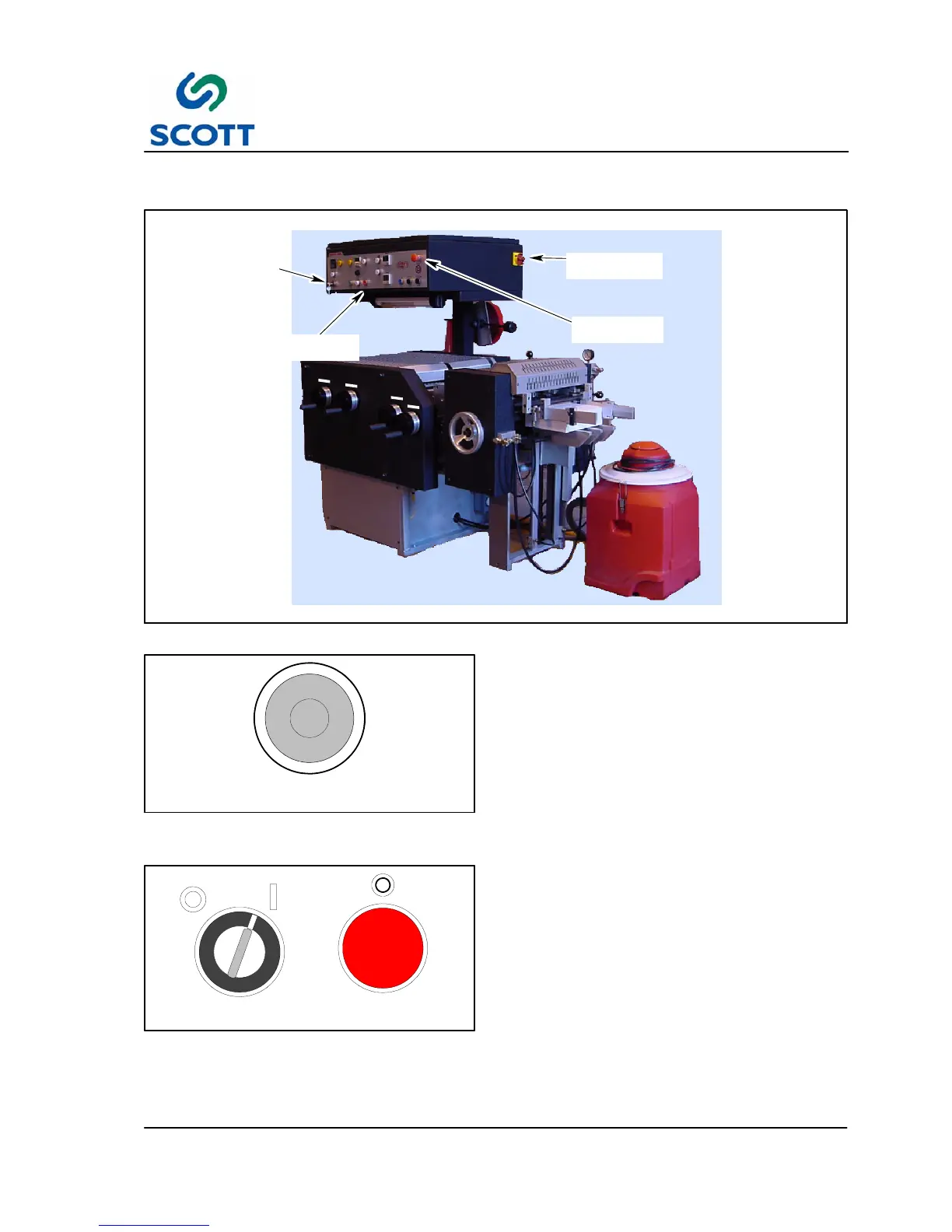
1.3 Safety Features
EMERGENCY
STOP
MAIN POWER
SWITCH
KEY SWITCH
STOP
PUSHBUTTON
Fig. 1 -4. Safety Feature Locations
E--STOP
Fig. 1 -5. Know Where Emergency Stop Button
is Located
These safety features are to be used in conjunction
with the installation, operation and maintenance
instructions contained in this manual.
1.3.1 Emergency Stop
Stops machine drive immediately. This pushbutton
must be manually pulled out to reset.
RUN
SAFE
STOP
Fig. 1 -6. Know How to Stop Machine & Set Key
Switch to SAFE
1.3.2 Stop and Safe
The machine operator, clean--up and maintenance
personnel MUST be shown how to stop the
machine and place the KEY SWITCH on the
operator’s CONTROL PANEL in the SAFE mode
whenever machine is accessed or clean--up
operations are performed.



 To Next Page