3 Operation
3--4
F--9999--8 Build 8 Issue 1
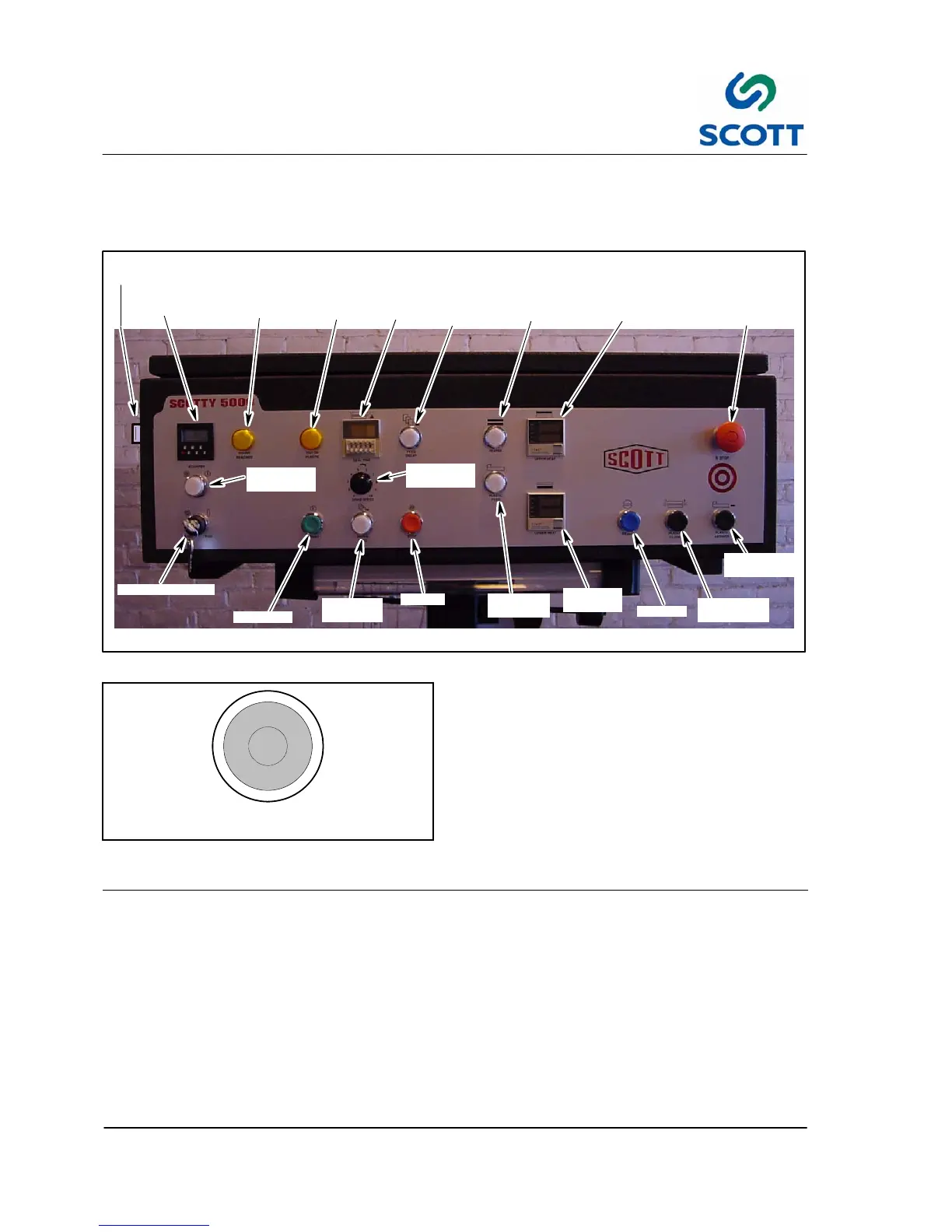
3.2 Operating Controls and Indicators Descriptions
3.2.1 Operator’s Control Panel Layout
UPPER
HEAT
LOWER
HEAT
STOP
PAPER
FEED
START
RUN/SAFE
RESET
FEED
DELAY
HEATER
SEAL
TIME
PLASTIC
FEED
COUNT
REACHED
EMERGENCY
STOP
OUT OF
PLASTIC
COUNTER
ON/OFF
COUNTER
PLATEN
CLOSE
PLASTIC
ADVANCE
DRIVE
SPEED
TAB CUTTER OFF (SIDE OF MACHINE)
Fig. 3 -1. Control Panel
E--STOP
Fig. 3 -2. Emergency Stop Pushbutton
3.2.2 Machine Stopping Device
3.2.2.1 EMERGENCY STOP -- Red Pushbutton
Stops the machine drive immediately. The
Emergency Stop Button is on the front of the
machine. After a stop, the button must be
manually pulled out and the Reset button pushed
before cycling can resume.



 To Next Page