3 Operation
3--26
F--9999--8 Build 8 Issue 1
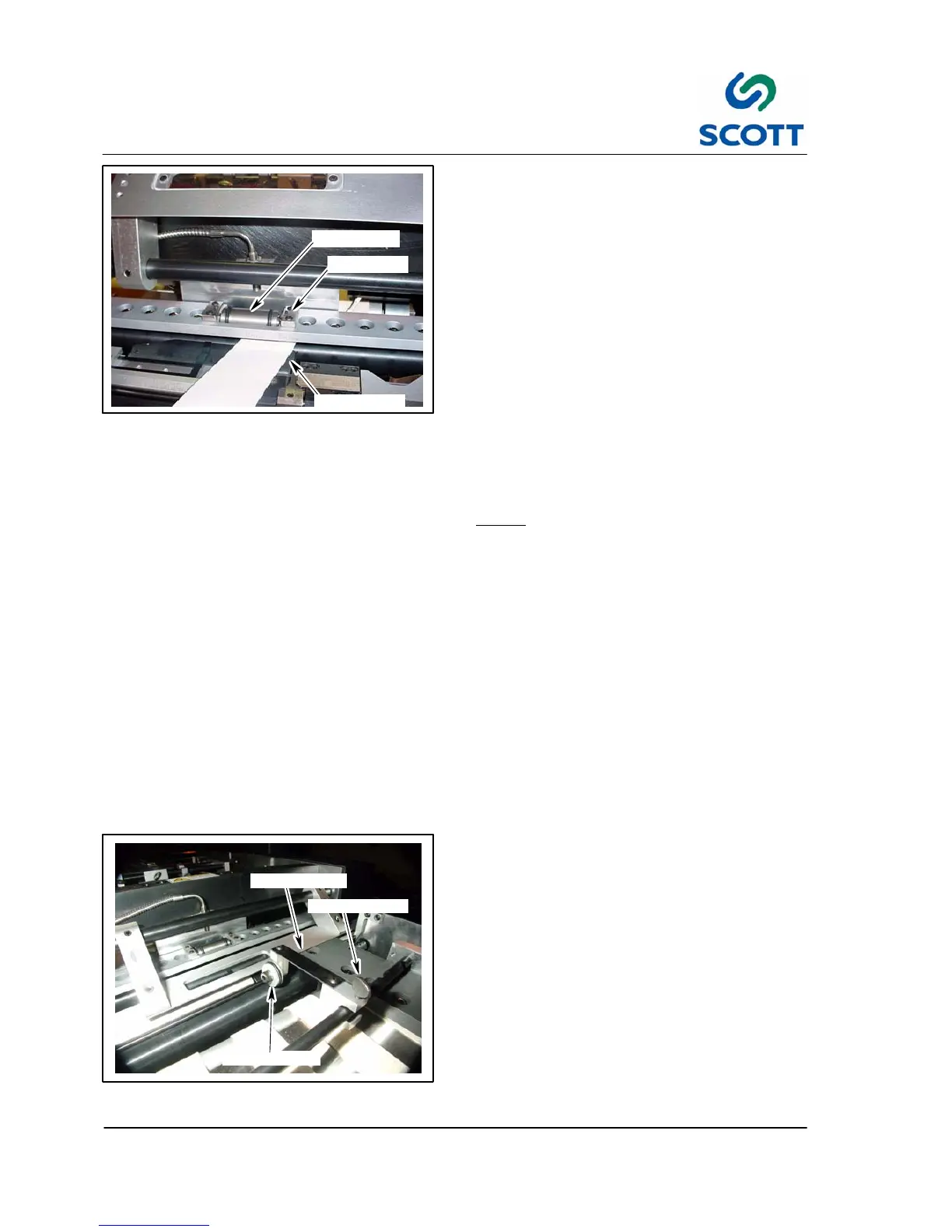
INDEX STOCK
SET SCREW
HUB ROLLER
Fig. 3-50. Adjust Hub Roller Assembly
3.3.2 Adjust Hub Roller
The hub roller preforms a couple of tasks. It drives
the index stock with the Mylar into the platen press
assembly where it is kept tight against the paper
stop until the platen press seals the Mylar to the
stock and then drives it out of the platen press
assembly.
To adjust the Hub Assembly:
Step: 1. Lift the plastic window assembly.
Step: 2. Take a strip of stock that will be used
during production and cut a small strip.
Step: 3. Set the machine drive to half speed.
Step: 4. Insert the strip of stock between the black
rubber o--ring on the hub roller and the
nylon in--feed roller. You should feel a
slight tug on the stock.
Note ! If there is too much tension, the
rollers could leave marks on some
stocks. If there is not enough tension,
the stock will not leave the platen
press assembly in time for the next
piece of stock to enter.
To adjust tension:
Step: 1. Remove cover.
Step: 2. Turn the set screw clockwise for more
tension and counter--clockwise for less.
The roller must have equal tension on
both sides.
Step: 3. Replace cover.
Step: 4. Reset Machine.
Step: 5. Test tension again. Repeat if necessary.
DRIVE ROLLER
THUMB SCREW
SPRING PLATE
Fig. 3-51. Adjust Roller Drive
3.3.3 Adjust Drive Roller
To Adjust Roller Drive:
Step: 1. Loosen the the thumb screw that holds
the drive roller assembly to the mounting
bar.
Step: 2. Lightly apply pressure to the spring plate
with your fingers.
Step: 3. Retighten thumb screw.



 To Next Page