13
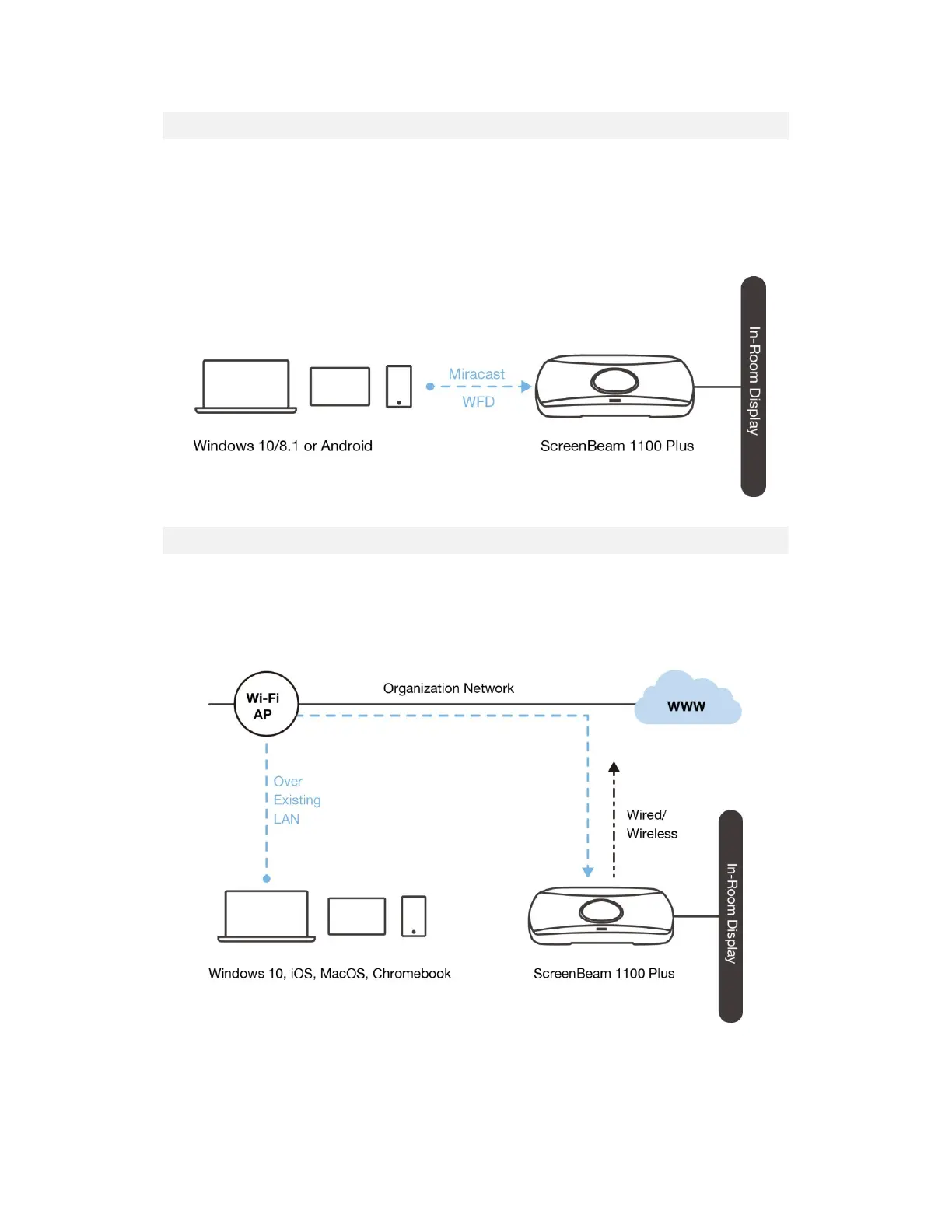
III.1.2 Wi-Fi Miracast
The Wi-Fi Miracast mode allows compatible Wi-Fi Miracast devices to connect directly to
ScreenBeam, even when connected to an infrastructure wireless network. Miracast is
commonly available on Windows 10/8.1 and Android 4.4 (and later) devices since 2015.
Users can enjoy wireless display and Internet access if the client device is already connected
to Wi-Fi.
III.1.3 Wireless Display over existing LAN
ScreenBeam 1100 Plus can be connected to the existing wireless and wired network and
supports wireless display for client devices on either network. This is a common setup to
support client devices that need access to network resources. Additional port and network
configurations may be required for this mode to work seamlessly.
ScreenBeam 1100 Plus can be connected to two different networks concurrently. This dual-
network feature allows the flexibility of supporting wireless display for either staff (on internal
network) or visitors (on guest network). Refer to the deployment guide for more details.



 To Next Page