38
Part V Device Management for IT
Administrator
ScreenBeam 1100 Plus can be configured by using the ScreenBeam CMS software or
accessing the ScreenBeam’s Local Management Interface (LMI).
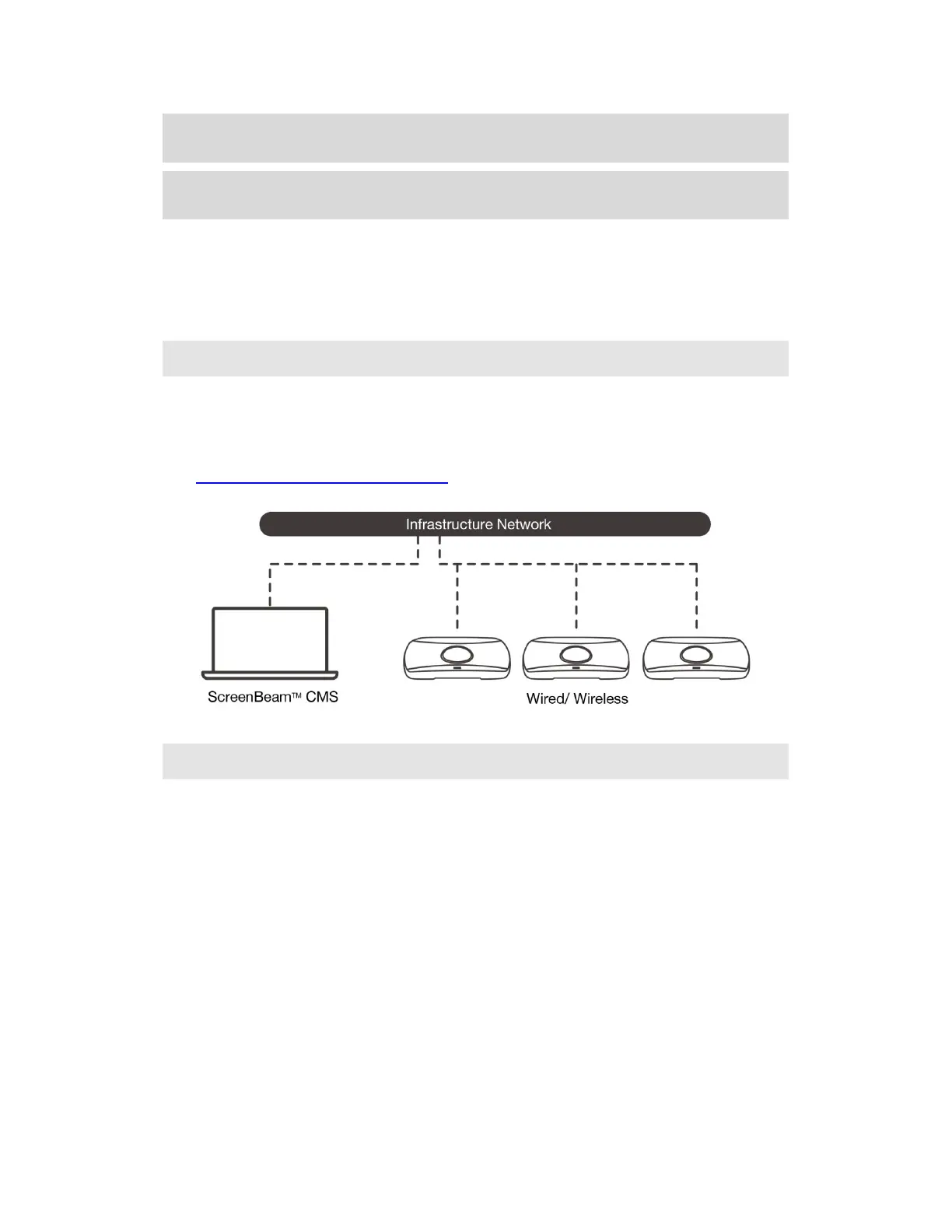
V.1 Using ScreenBeam CMS Software
ScreenBeam Central Management System (CMS) is a highly recommended complimentary
tool for multi-unit deployment, configuration and administration.
1. To obtain CMS software and the CMS User Guide, go to:
https://support.screenbeam.com/cms.
2. Refer to the CMS User Guide for setup instructions.
V.2 Using Local Management on ScreenBeam
The Local Management Interface can configure and update a single ScreenBeam at a time.
There are three methods to access the LMI:
Method 1: ScreenBeam Local Wi-Fi Network
Method 2: Network Connection via DHCP
Method 3: Wireless P2P Direct Connection
Note:
The Local Management Interface is allowed for access in one of the following situations:
The receiver’s Local Management Interface Access feature is set to Auto and the
receiver is not connected to CMS;
The receiver’s Local Management Interface Access feature is set to Enable.
Refer to Section V.3.10.3 Setting up Local Management Interface Access for detail about Local
Management Interface Access.



 To Next Page