74
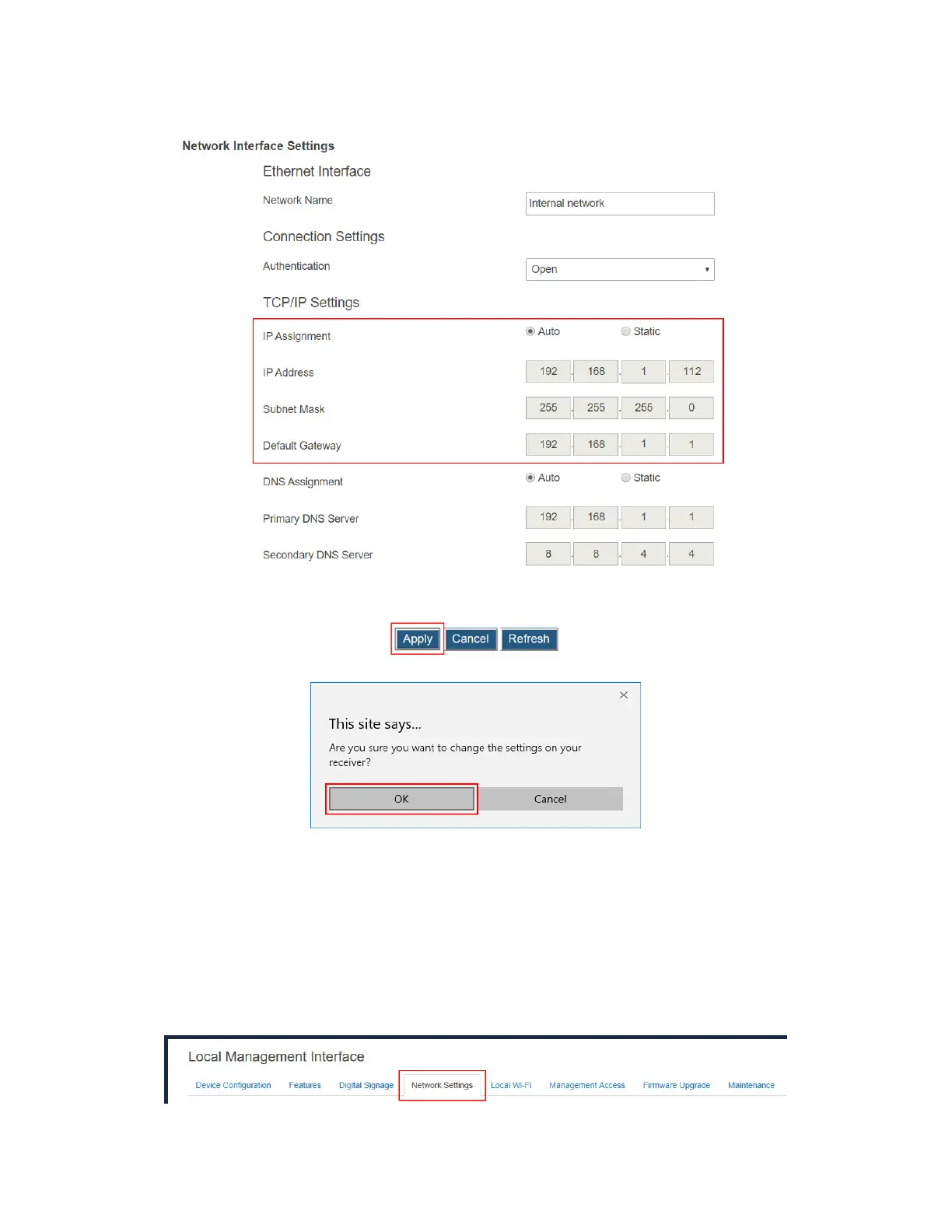
gateway for the receiver.
3. Click the Apply button, and then click OK on the pop-up message box to confirm.
V.3.8.6 Specifying a DNS Server for the Receiver
The receiver provides both Ethernet and wireless interfaces for connecting to networks.
Separate DNS configuration is required for these interfaces. By default, the receiver is set to
obtain DNS configuration automatically.
DNS configuration procedures for the Ethernet and the wireless interfaces are same.
To specify a DNS server for the receiver, follow this procedure:
1. Go to the Network Settings tab page by clicking the Network Settings tab.



 To Next Page