79
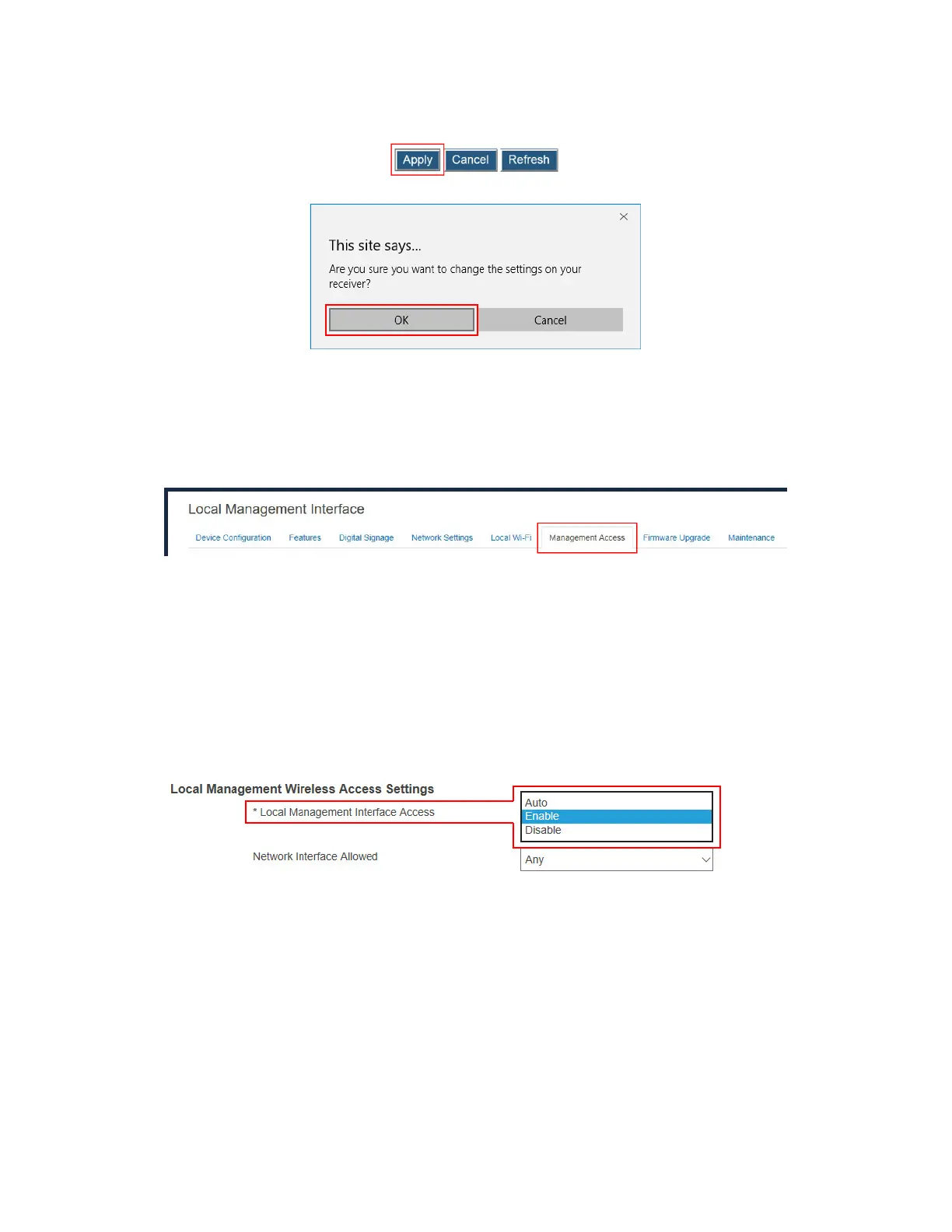
3. Click the Apply button, and then click OK on the pop-up message box to confirm.
V.3.10.3 Setting up Local Management Interface Access
The receiver’s Local Management Interface (LMI) is used to manage the receiver locally.
To set up the receiver’s LMI access, follow this procedure:
1. Go to the Management Access tab page by clicking the Management Access tab.
2. Go to the Local Management Interface Access Settings section, and select an option
from the Local Management Interface Access box. There are three options available:
Auto, Enable, and Disable.
Auto: The accessibility to the receiver’s LMI depends on the availability of the CMS
connection. When the receiver is connected to CMS, access to the receiver’s LMI
is disabled automatically; otherwise, access is enabled.
Enable: Access to the receiver’s LMI is enabled no matter the receiver is connected
to CMS or not.
Disable: Access to the receiver’s LMI is not allowed.
3. Select an option from the Network Interface Allowed box.
Any: Access to the receiver’s LMI is allowed on all available network interfaces.
Ethernet LAN: Access to the receiver’s LMI is limited to the receiver’s Ethernet
interface.
Wireless LAN: Access to the receiver’s LMI is limited to the receiver’s Wireless
interface.
Local Wi-Fi AP: Access to the receiver’s LMI is limited to the receiver’s local Wi-Fi
interface.
Miracast P2P: Access to the receiver’s LMI is limited to the receiver’s Miracast P2P
interface.



 To Next Page