88
VII.3 Disabling the Reset Button
ScreenBeam 1100 Plus provides a button to reset the receiver to default settings. It is the
reset button. ScreenBeam 1100 Plus also allows users to disable all functions of this button.
To disable functions of the reset button, follow this procedure:
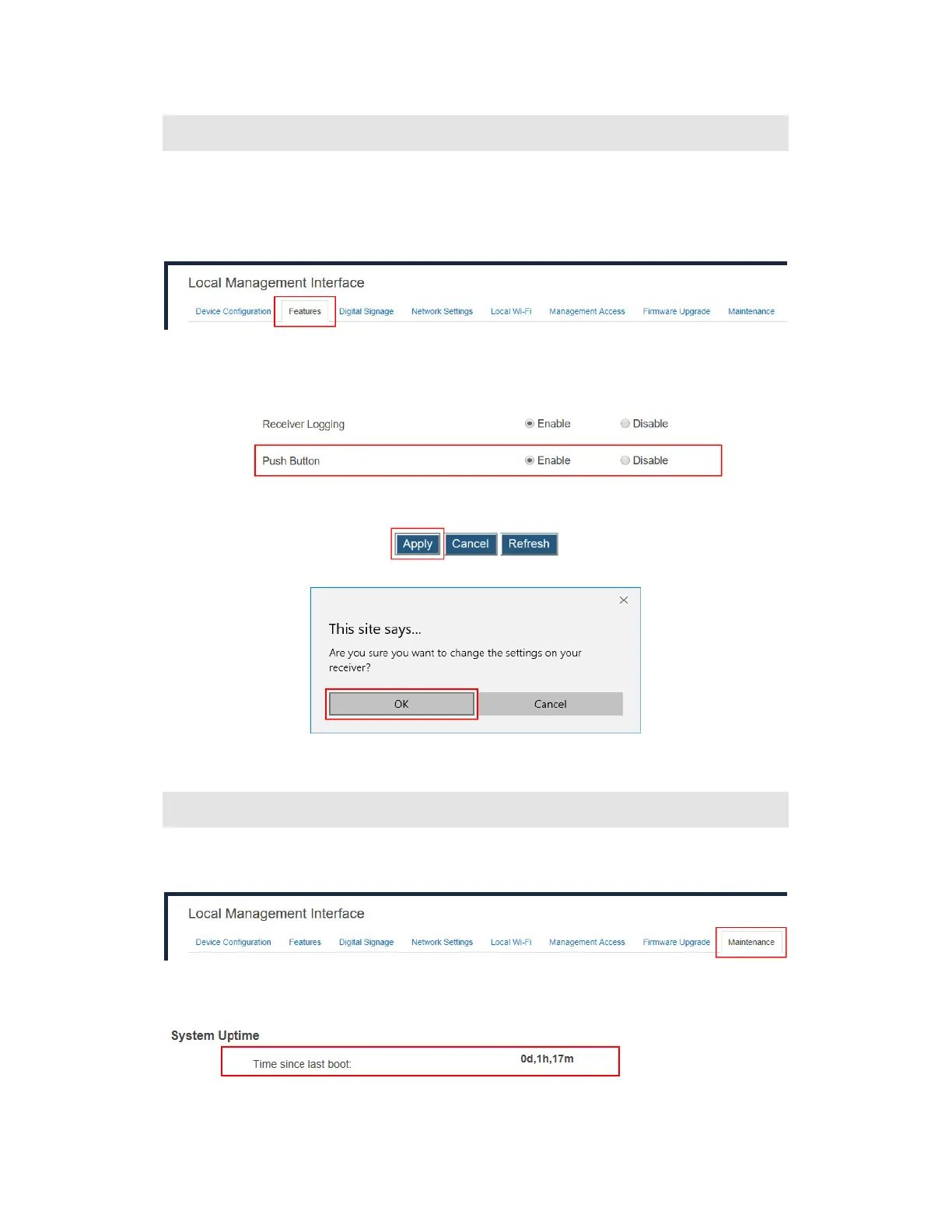
1. Log into the receiver’s LMI, and go to the Features tab page.
2. Go to the Display Setting section, and set Push Button to Enable or Disable.
Enable: Functions of the reset button are available.
Disable: Functions of the reset button are not available.
3. Click the Apply button, and then click OK on the pop-up message box to confirm.
VII.4 Viewing System Uptime
To view the receiver’s system uptime, follow this procedure:
1. Log into the receiver’s LMI and go to the Maintenance tab page.
2. Go to the System Uptime section, and check the time period displayed on the Time
since last boot line.



 To Next Page