55
V.3.5 Security Settings
This section introduces the receiver’s PIN pairing methods.
V.3.5.1 Setting up PIN Pairing Method
To set up PIN pairing method, follow this procedure:
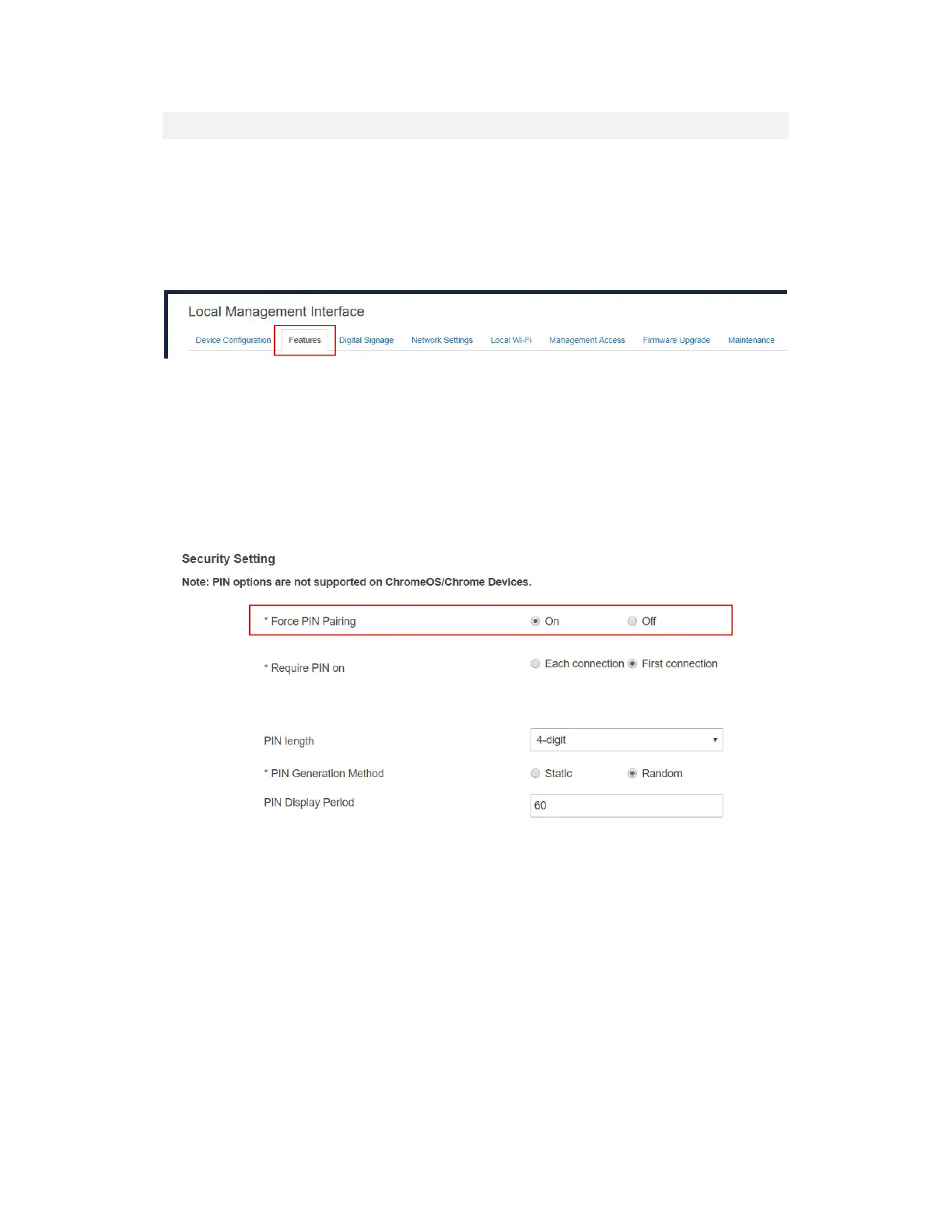
1. Go to the Features tab page by clicking the Features tab.
2. Go to the Security Setting section, and set the Force PIN Pairing feature to On or Off.
Select "Off" to disable the PIN enforcement function. PIN or PBC pairing is used
when connecting a source device to the receiver for the first time.
Select "On" to enable the PIN enforcement function. In this case, you must enter a
PIN code on the device connecting to the receiver every time or the first time.
Note: Some wireless display source device may not support PIN entry and may not
be able to connect with the ScreenBeam receiver if this mode is enabled. Refer to
the device’s user manual for detail about enabling the PIN connection.



 To Next Page