67
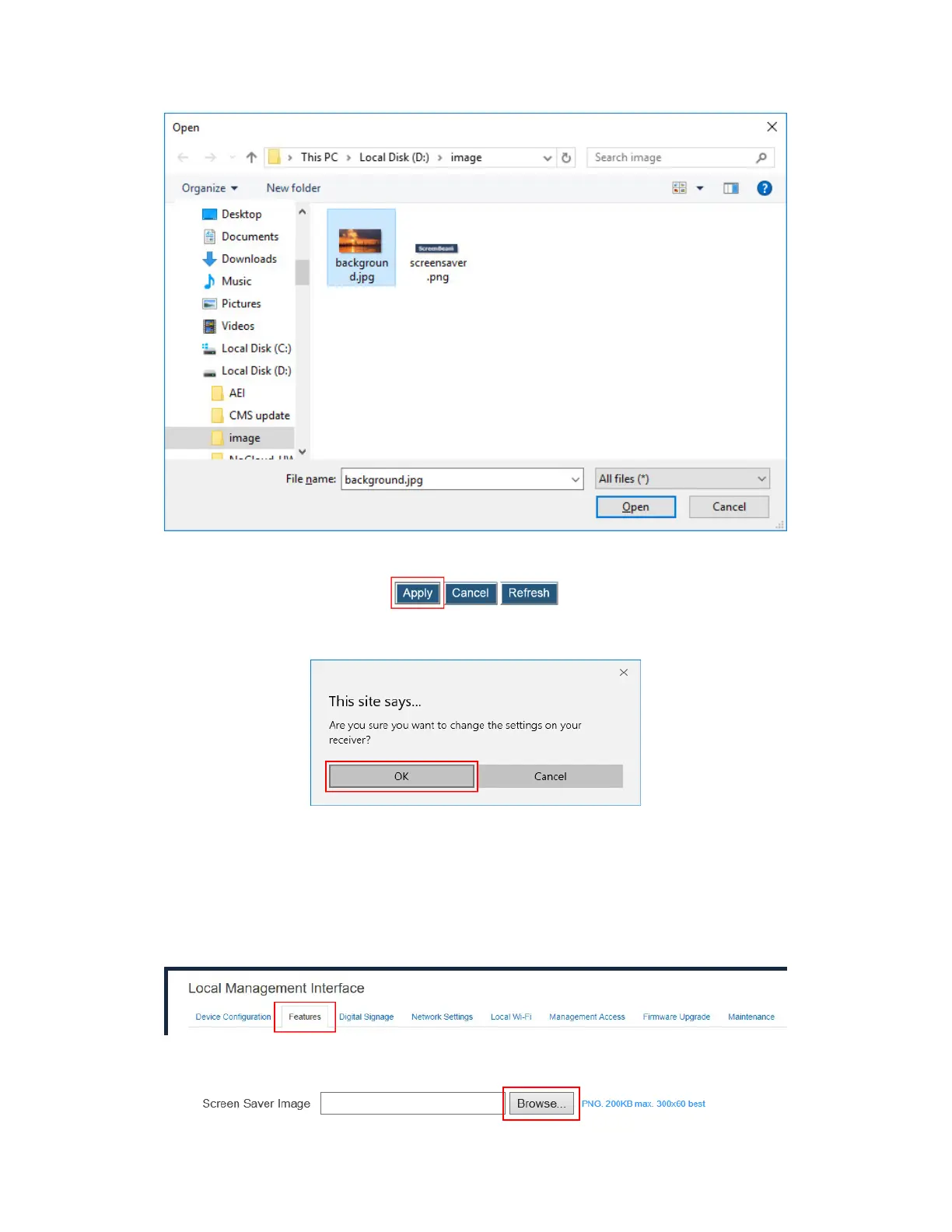
4. Click the Apply button to upload the background image to the receiver.
5. A confirmation message appears. Click OK to continue.
6. After a while, the background image will be updated. You can check it on the connected
display.
V.3.6.8 Updating the Receiver’s Screen Saver Image
To update the receiver’s screen saver, follow this procedure:
1. Go to the Features tab page by clicking the Features tab.
2. Go to the Display Setting section, and click the Browse button next to the Screen Saver
Image box.



 To Next Page