53
Note: New setting takes effect on the next connection.
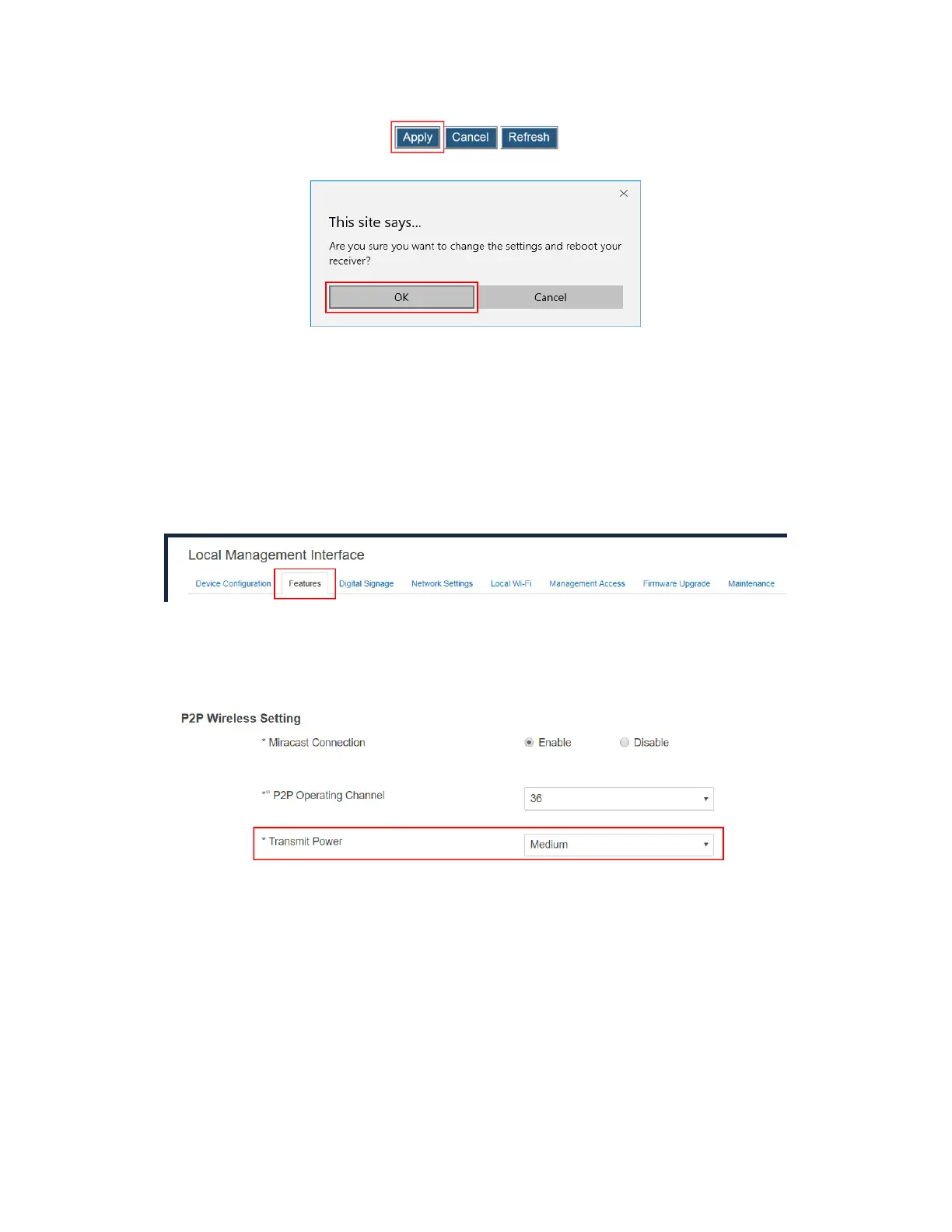
V.3.4.3 Setting up Transmit Power
ScreenBeam 1100 Plus allows users to tune down or up the transmission power of the Wi-Fi
adapter for Miracast connection.
To set up the receiver’s transmission power, follow this procedure:
1. Go to the Features tab page by clicking the Features tab.
2. Go to the P2P Wireless Setting section, and select an option from the Transmit Power
drop-down box.
Lower transmit power can reduce interference to the nearby devices. Higher transmit
power can ensure longer working distance.
3. Click the Apply button, and then click OK on the pop-up message box to confirm.



 To Next Page