87
VII.2 Exporting Receiver Log with LMI
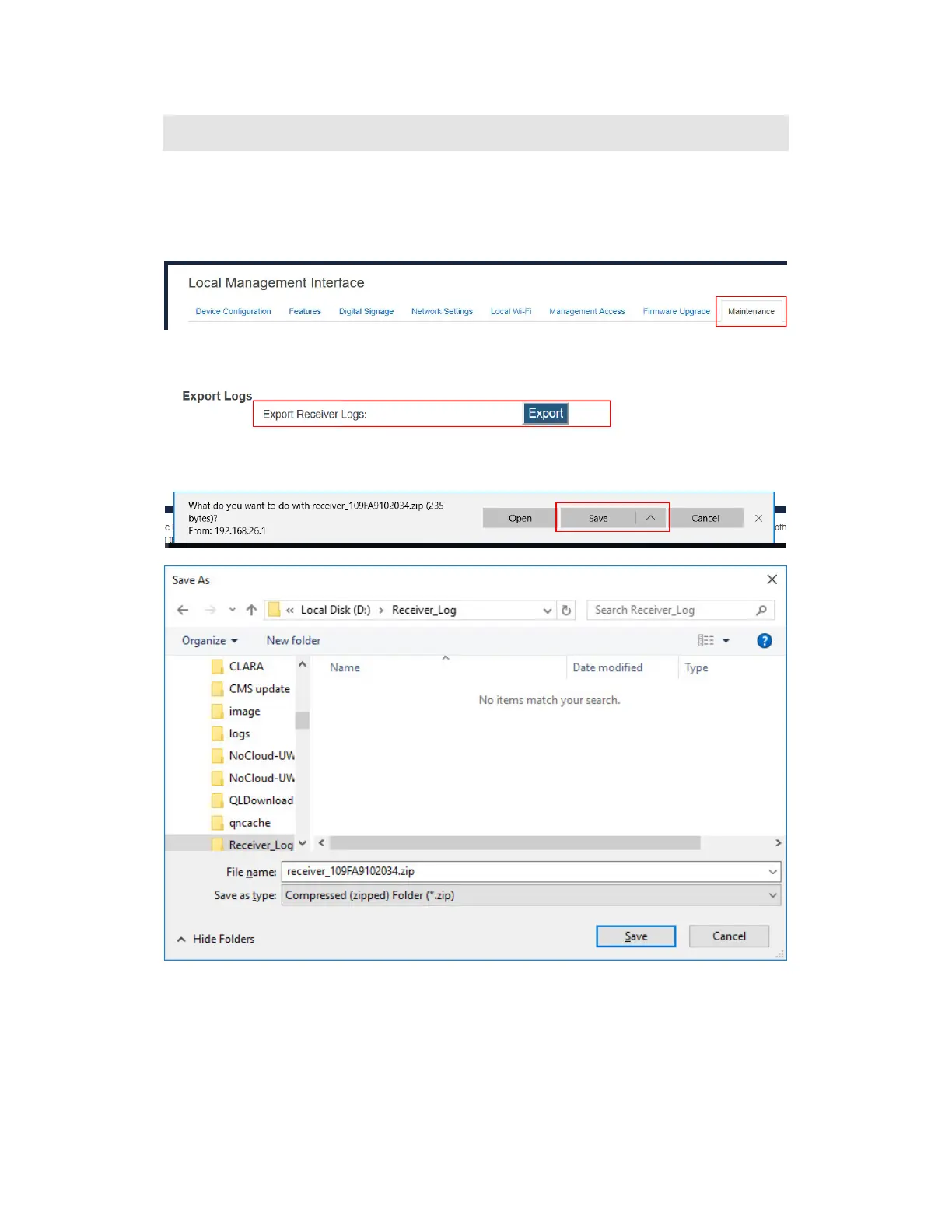
To export logs from the receiver, follow this procedure:
1. Ensure receiver logging is enabled. Refer to Section VII.1 Setting up Receiver Logging for
details.
2. Log into the receiver’s LMI, and go to the Maintenance tab page.
3. Go to the Export Logs section, and click the Export button next to Export Receiver
Logs.
4. The file download dialog box appears. Click Save or Save as to save the receiver log.



 To Next Page