72
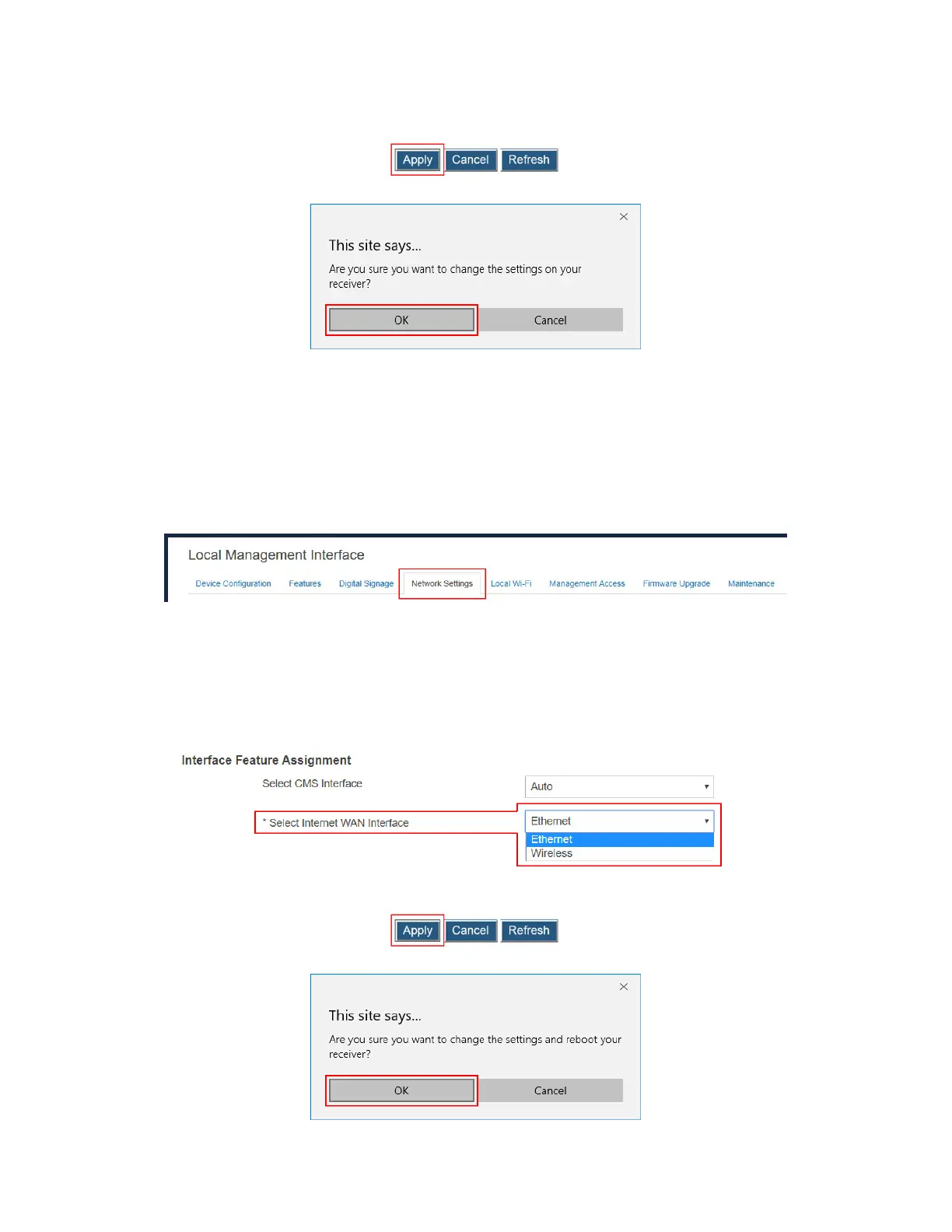
3. Click the Apply button, and then click OK on the pop-up message box to confirm.
V.3.8.3 Setting up an Internet WAN Interface
The receiver’s local Wi-Fi can be routed to the receiver’s wired or wireless interface for
Internet access.
To define an interface for connecting to Internet, follow this procedure:
1. Go to the Network Settings tab page by clicking the Network Settings tab.
2. Go to the Interface Feature Assignment section, and select an option from the Select
Internet WAN Interface box. There are two options available: Ethernet and Wireless.
Ethernet: The receiver routes its local Wi-Fi to the Ethernet interface for Internet
access.
Wireless: The receiver routes its local Wi-Fi to the wireless interface for Internet
access.
3. Click the Apply button, and then click OK on the pop-up message box to confirm.



 To Next Page