6
II.2 Connecting the Receiver to a Network
ScreenBeam 1100 Plus receiver supports both wired and wireless connections. You can
deploy ScreenBeam 1100 Plus receivers based on your network requirements.
Note: The setups in this section are optional.
II.2.1 Wired Connection
ScreenBeam 1100 Plus receiver provides a built-in Ethernet port, allowing direct connection
to an Ethernet network.
To connect the receiver to an Ethernet network, follow this procedure:
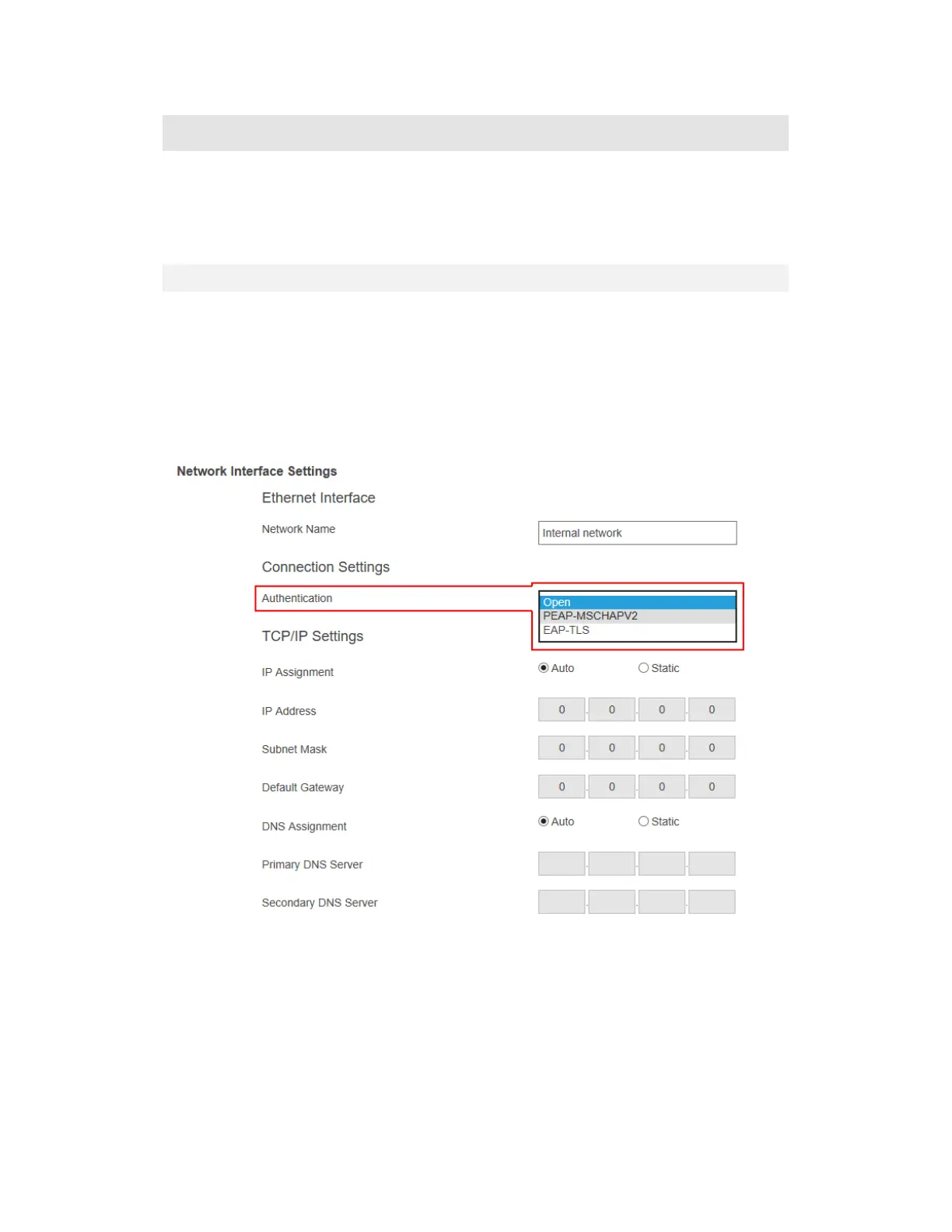
1. (Optional) If you are going to connect your receiver to your network with RADIUS
authentication, you need to configure authentication parameters through LMI > Network
Settings > Network Interface Settings > Ethernet Interface > Connection Settings.
When Authentication is set to PEAP/MSCHAPV2,
User Name: This is for authentication through a RADIUS server. It is RADIUS
account User Name.
Password: It is RADIUS account password.
When Authentication is set to EAP-TLS, the following items are available:



 To Next Page