5
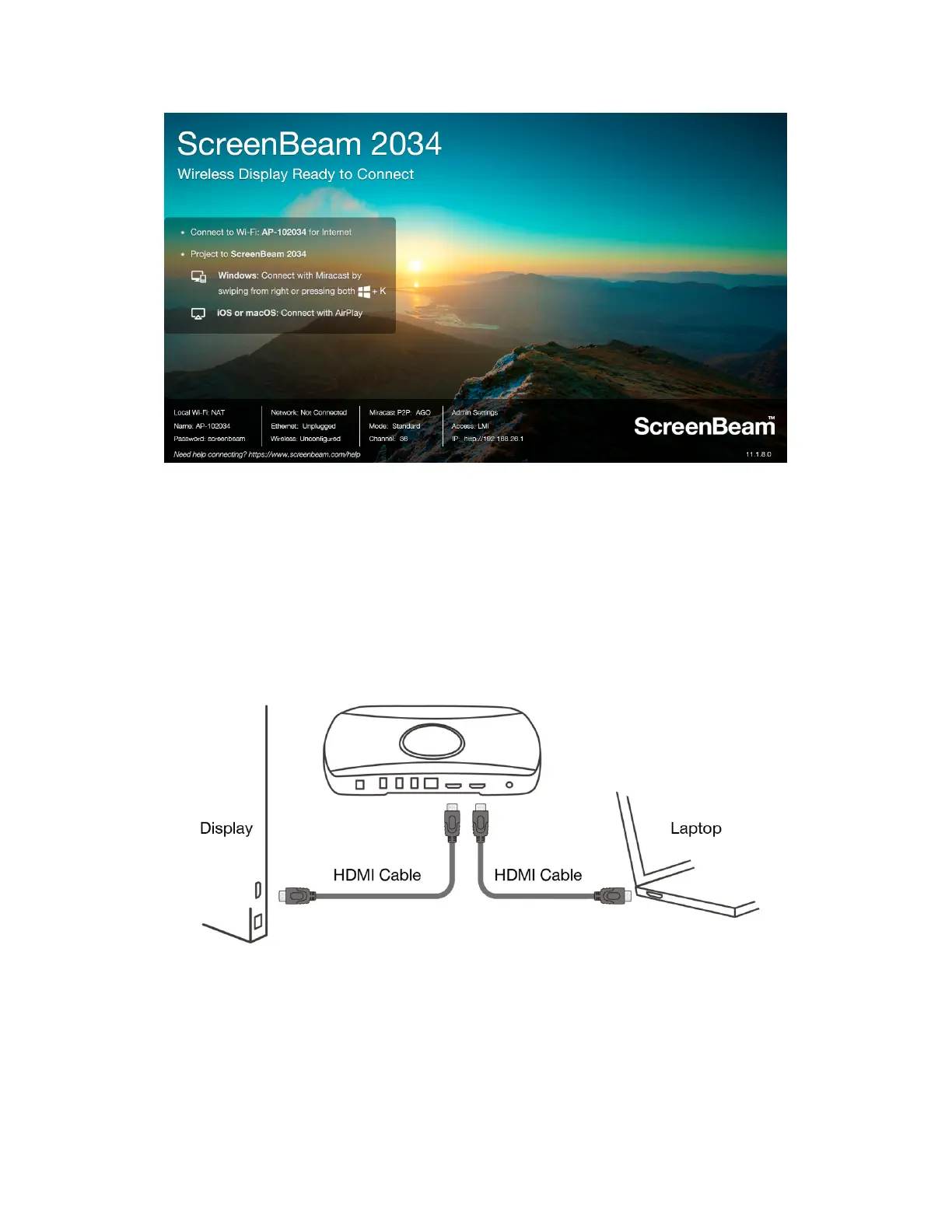
The receiver is connected to the display, and it is ready for use.
ScreenBeam 1100 Plus receiver includes an HDMI Input to accommodate either wireless or
wired connection. If there is an existing HDMI cable connected to the display for wired
projection, it can be used in conjunction with ScreenBeam in case the client device cannot
connect wirelessly.
1. Remove the existing HDMI cable from the display’s HDMI port.
2. Connect the existing HDMI cable to the HDMI IN port on the receiver.
3. Connect the provided HDMI cable from the HDMI OUT of the receiver to the display.
4. Refer to Section IV.2 to manage the HDMI output behavior.



 To Next Page