66
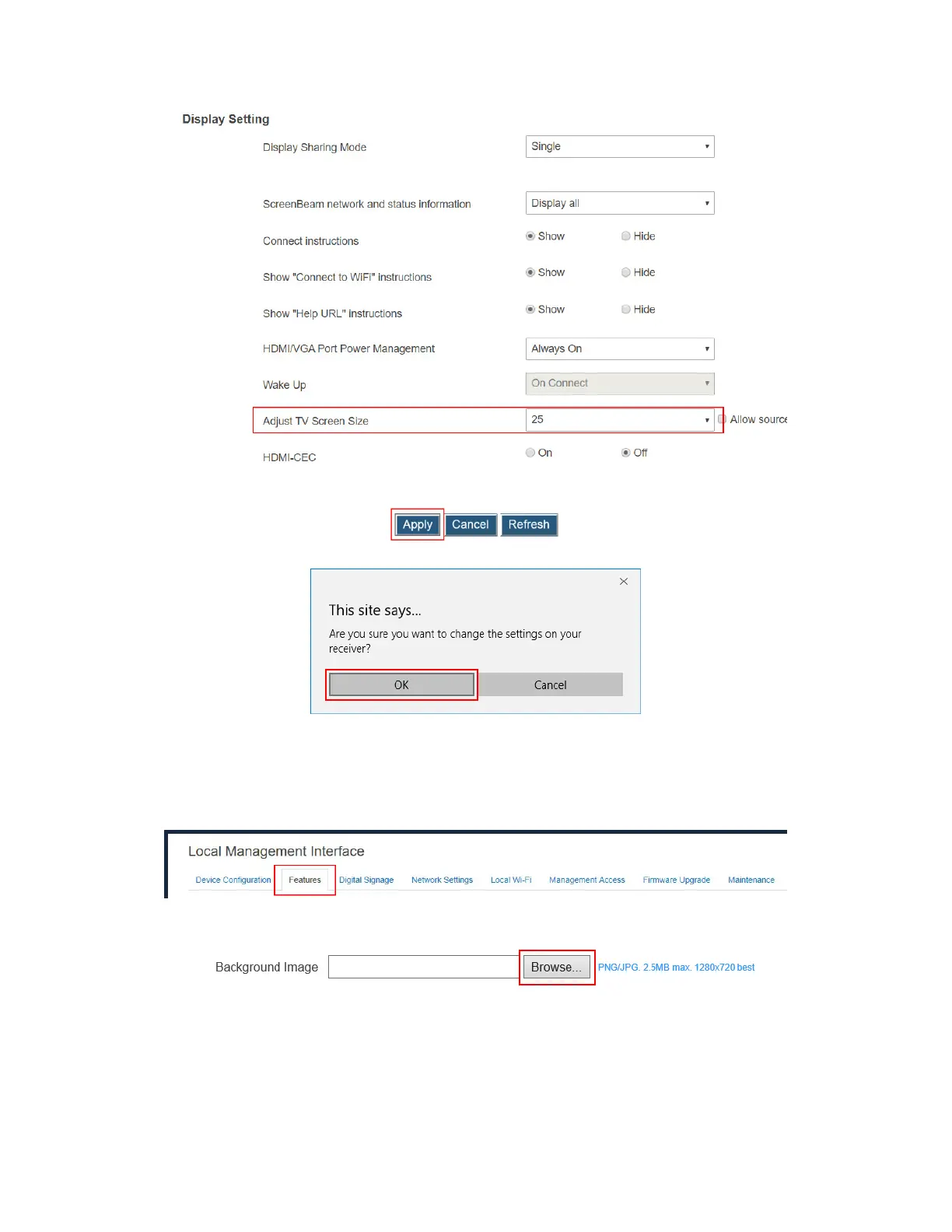
3. Click the Apply button, and then click OK on the pop-up message box to confirm.
V.3.6.7 Updating the Receiver’s Background Image
To update the receiver’s background, follow this procedure:
1. Go to the Features tab page by clicking the Features tab.
2. Go to the Display Setting section, and click the Browse button next to the Background
Image box.
3. The Open window appears. Select an image for the background and click the Open
button to confirm.
The images must be in .png and .jpeg/.jpg formats.
The file size must not exceed 2.5 MB.
The best image size is 1280*720 pixels (width x height).



 To Next Page