45
V.3.1.4 Modifying the Receiver’s Host Name
The host name is used to identify the receiver in a network.
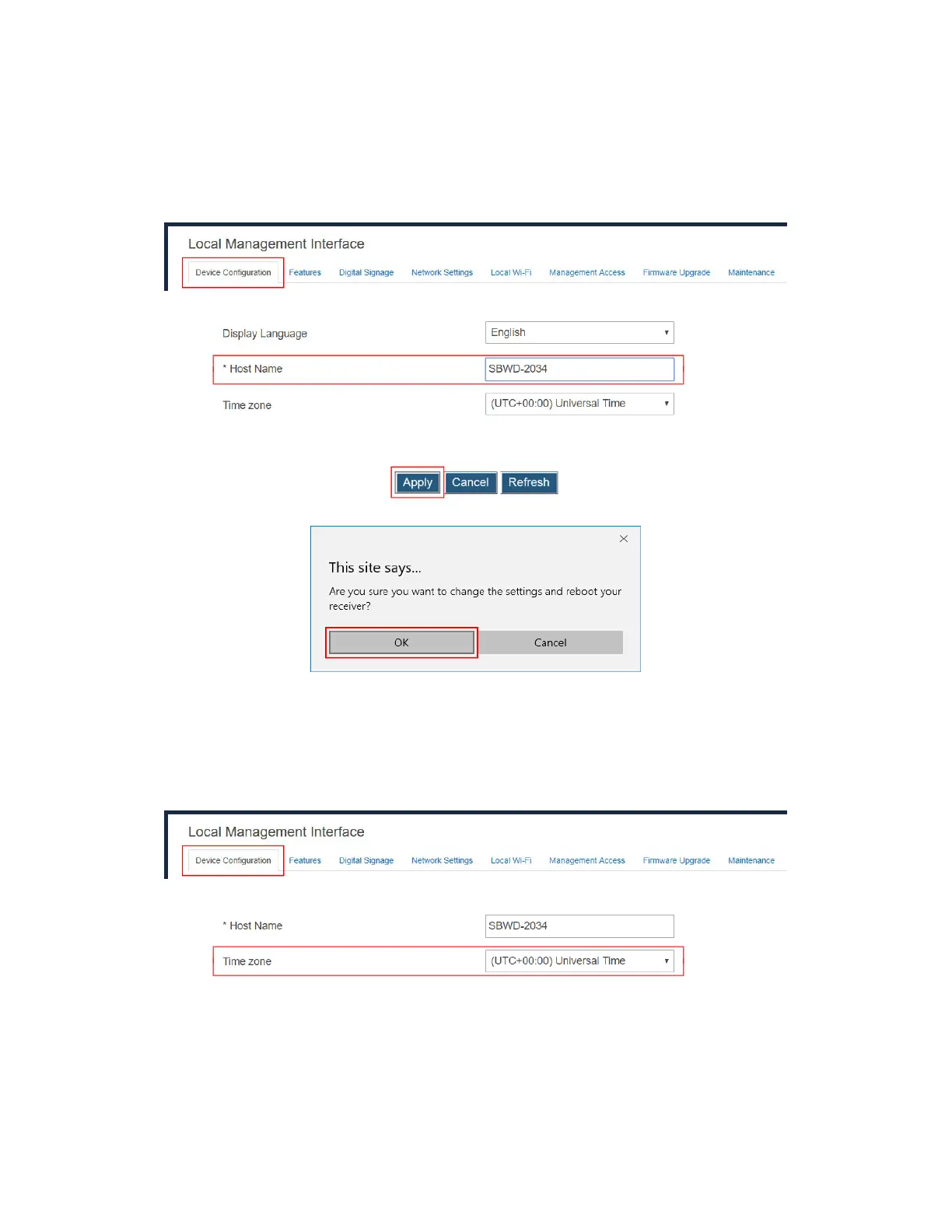
To modify your receiver’s host name, follow this procedure:
1. Go to the Device Configuration tab page by clicking the Device Configuration tab.
2. Go to the Host name line, and type a new host name in the Host name box.
3. Click the Apply button, and then click OK on the pop-up message box to confirm.
Note: The receiver’s new host name takes effect after the reboot.
V.3.1.5 Setting up Time Zone
To select your time zone, follow this procedure:
1. Go to the Device Configuration tab page by clicking the Device Configuration tab.
2. Go to the Time zone lines, and select your time zone in the drop-down box.
Note: The receiver will synchronize its time with the CMS server it connects to, or with an
NTP server.



 To Next Page