61
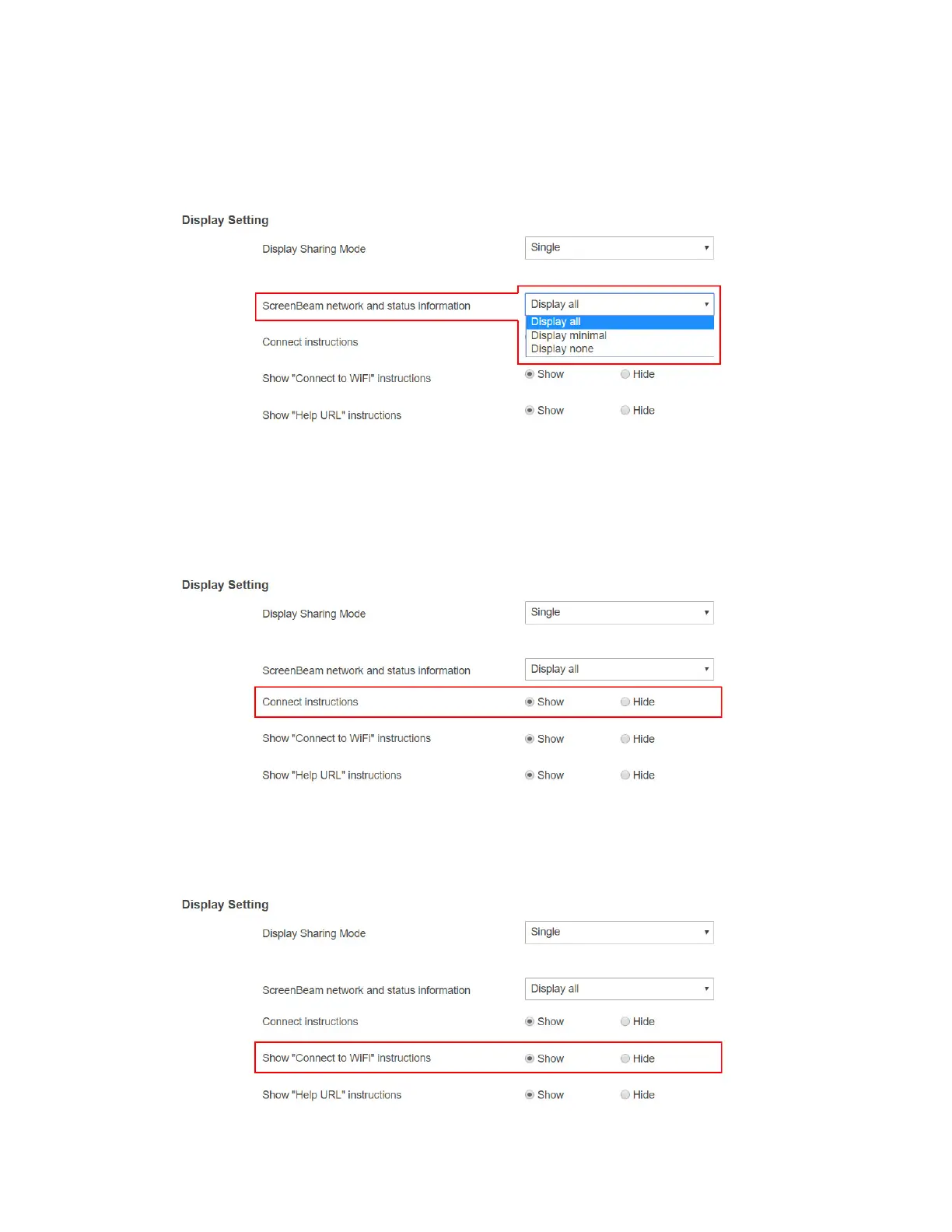
Display minimal: The receiver displays local Wi-Fi information on the connected
display.
Display none: The receiver displays none of the network and status information on
the connected display.
3. Set Connection instructions to Show or Hide.
Show: The Wi-Fi connection and receiver connection instructions will be displayed
on RTC screen.
Hide: The Wi-Fi connection and receiver connection instructions will not be
displayed on RTC screen.
4. Set Show “Connect to WiFi” instructions to Show or Hide.
Show: The Wi-Fi connection instruction will be displayed on RTC screen.
Hide: The Wi-Fi connection instruction will not be displayed on RTC screen.



 To Next Page