Audio and Media Mode
●
Depending on the external player con-
nected, the response time of the system
can vary.
●
Do not connect an external media player
to play music via Bluetooth
®
and via the
USB port
›››
page 49 at the same time
with the Infotainment system, as this could
cause playback limitations.
●
If the external player is an Apple™ device,
it cannot be simultaneously connected by
USB and by Bluetooth
®
.
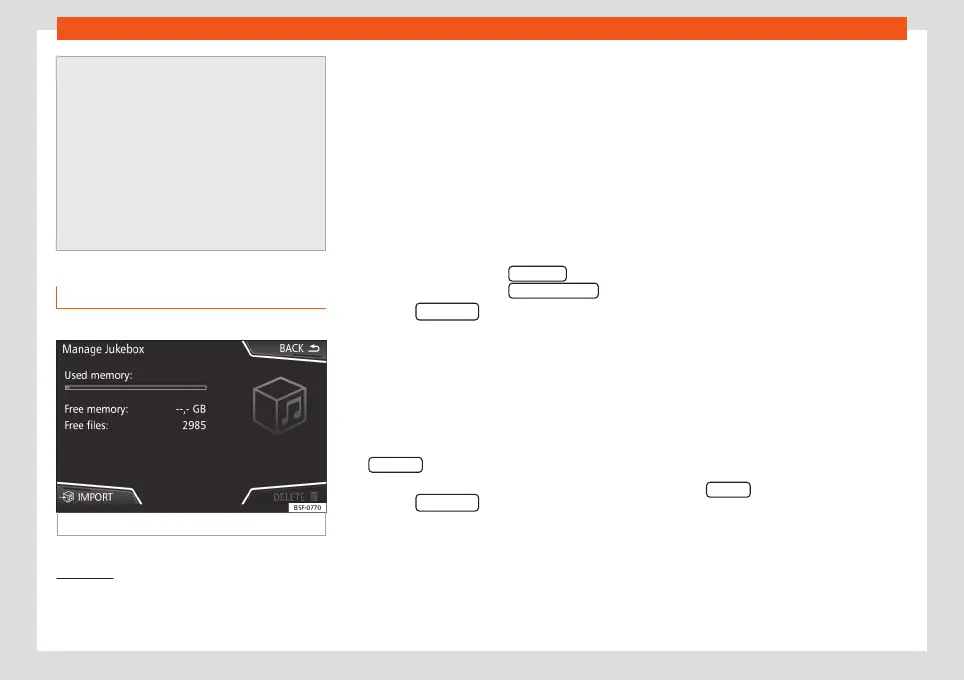
Jukebox (SSD)
3
Only available for the model: Navi System Plus
Fig. 39
Manage Jukebox
The “jukebox” is located on the hard drive of
the Infotainment system (SSD
1)
).
Compressed audio files (MP3 and WMA) and
some video files (Podcasts, AVIs, etc.) can be
imported from different data storage devices
to the
jukebox
and this used to play them.
The files will only be copied when the engine
is running. Copying copy-protected CDs and
DVDs is prohibited.
Importing files
●
In Media mode, press the SETTINGS func-
tion button and then select Manage jukebox .
●
Press the
IMPORT function button.
●
Select the desired source from the
Select
source
menu.
The data storage device is prepared. This op-
eration may take a few seconds.
●
Activate the checkboxes to the right of the
files or folders to be imported.
●
If
Select all
is activated, all files and folders
on the data storage device will be imported.
●
Press the
IMPORT function button.
Depending on the selection, all files and fold-
ers will be imported with the indicated name
to the
Jukebox
.
If no track information is available, the audio
files will be placed in the following folders:
Audio data CD
■
Album
■
Unknown albums
■
Track.
mp3
2)
■
Artists
■
Unknown artists
■
Unknown albums
■
Track.
mp3
2)
Functions and progress display during the
copying operation
While copying, an animation is displayed
along with the progress percentage on the
import screen.
Audio data CD: It is not possible to copy and
play files at the same time.
●
Press the Cancel function button to end the
import of the whole track that is currently be-
ing imported.
1)
Solid-State-Drive (SSD).
2)
The name and extension of the file are exam-
ples.
52



 To Next Page