5.3
Date Code 20170207 Field Reference Guide SEL-734B Capacitor Bank Control
Working With the SEL-734B Design Template Settings
Settings Window
Settings Window
Unlicensed versions of QuickSet provide two different viewing styles of the
settings: the design template view and the settings editor view. In most cases,
you will need to activate the design template view.
Design Template View
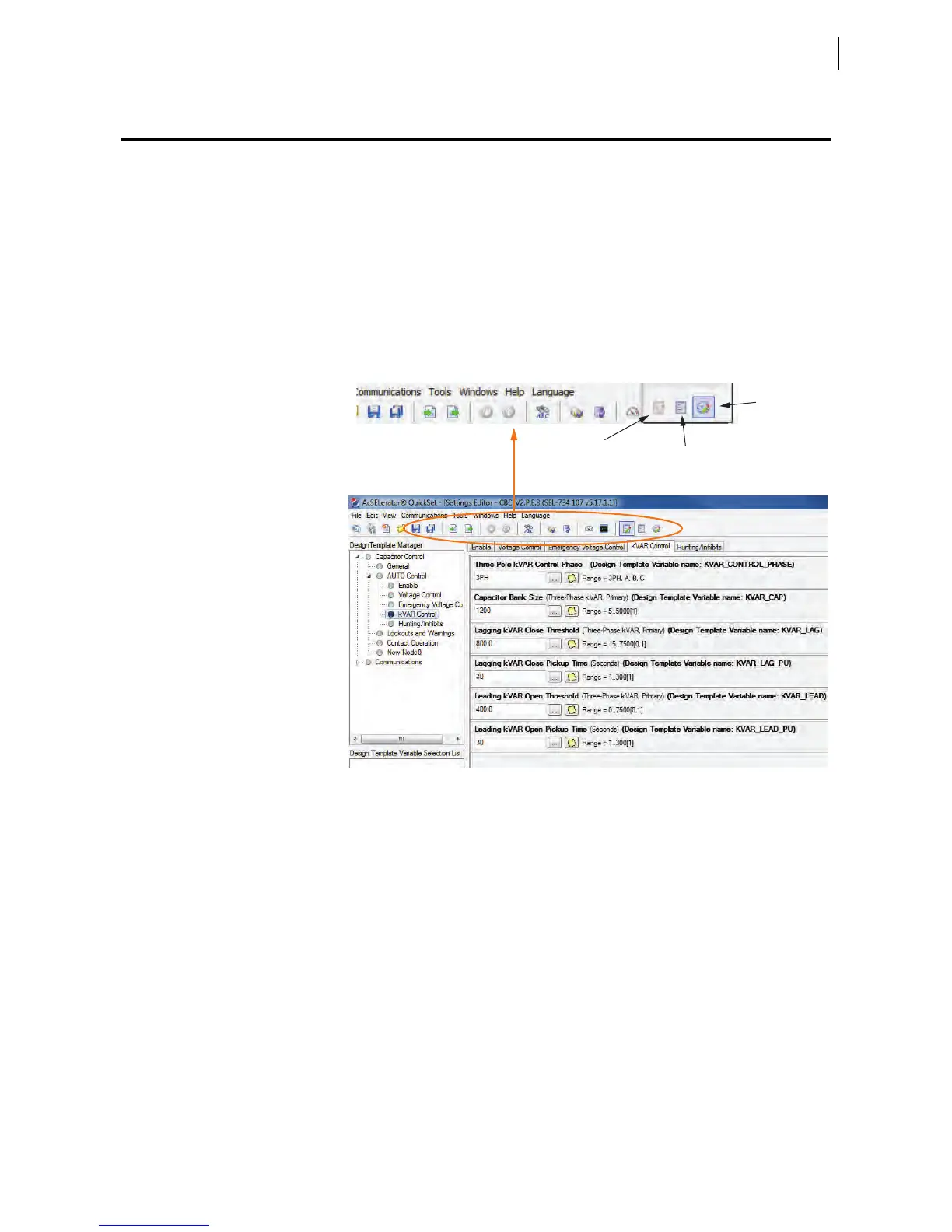
The Design Template view shows only the settings associated with the design
template and hides all other device settings that are not related to capacitor
bank control or communication.
Use the icons in the toolbar ribbon shown in Figure 5.2 to switch between the
Design Template Settings Editor and the general metering QuickSet Settings
window.
Figure 5.2 Design Template View
Settings Editor View
The Settings Editor view shows all device settings. To view settings in the
Settings Editor view, click View > Settings Editor.
Design Template
Editing
Design Template
Preview
General Device
Settings



 To Next Page