5.4
SEL-734B Capacitor Bank Control Field Reference Guide Date Code 20170207
Working With the SEL-734B Design Template Settings
Settings Window
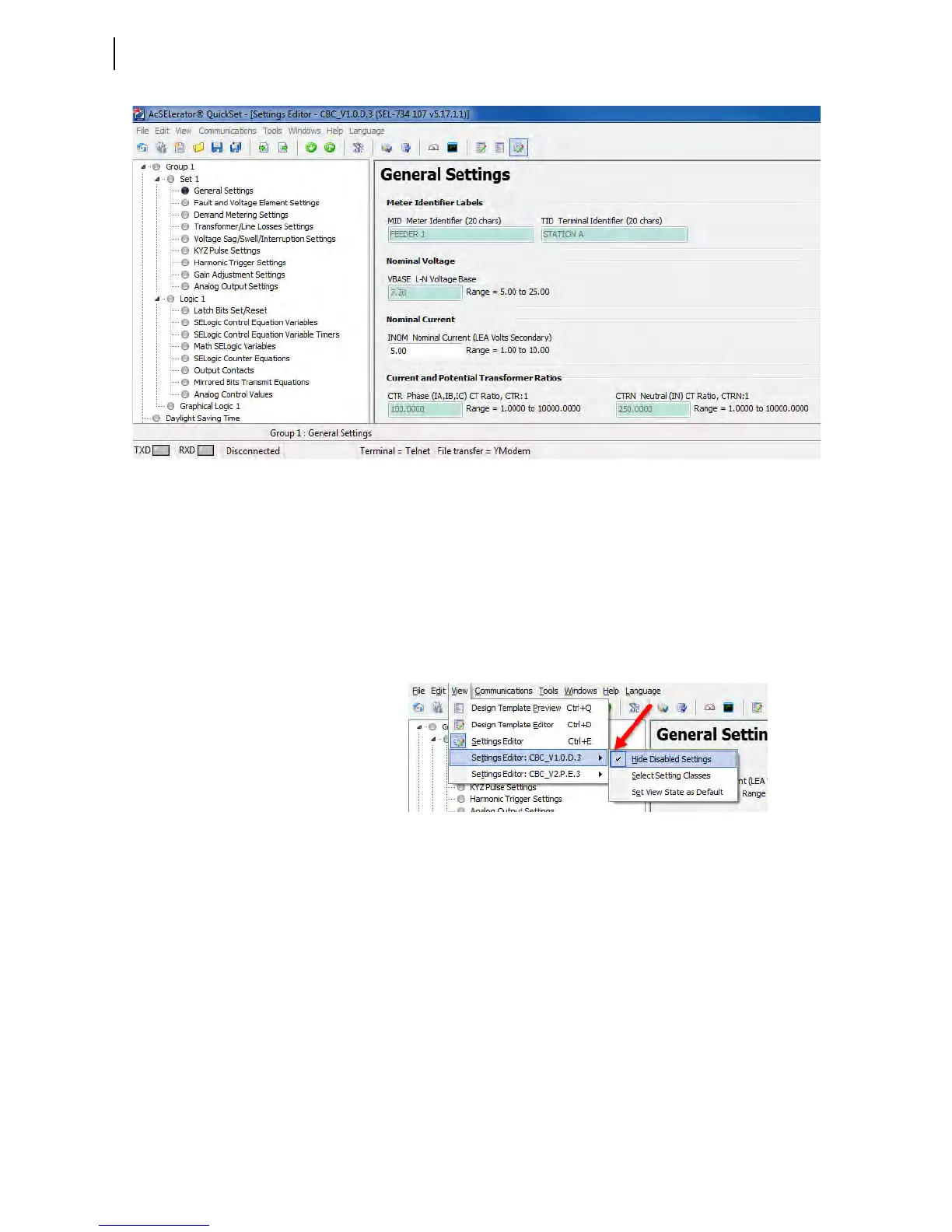
Figure 5.3 Settings Editor View of a Design Template
The shaded data fields are associated with the capacitor bank design template
and you cannot change these settings. To make any changes from the Settings
Editor view, please contact your local SEL representative.
To hide settings that you cannot configure from within the Settings Editor
view, click View > Settings Editor: [Name of Design Template] > Hide
Disabled Settings.
A checkmark appears next to the Hide Disabled Settings option to indicate
that the software has hidden disabled settings.
Figure 5.4 Settings Editor Views



 To Next Page