Synchronizing devices
101
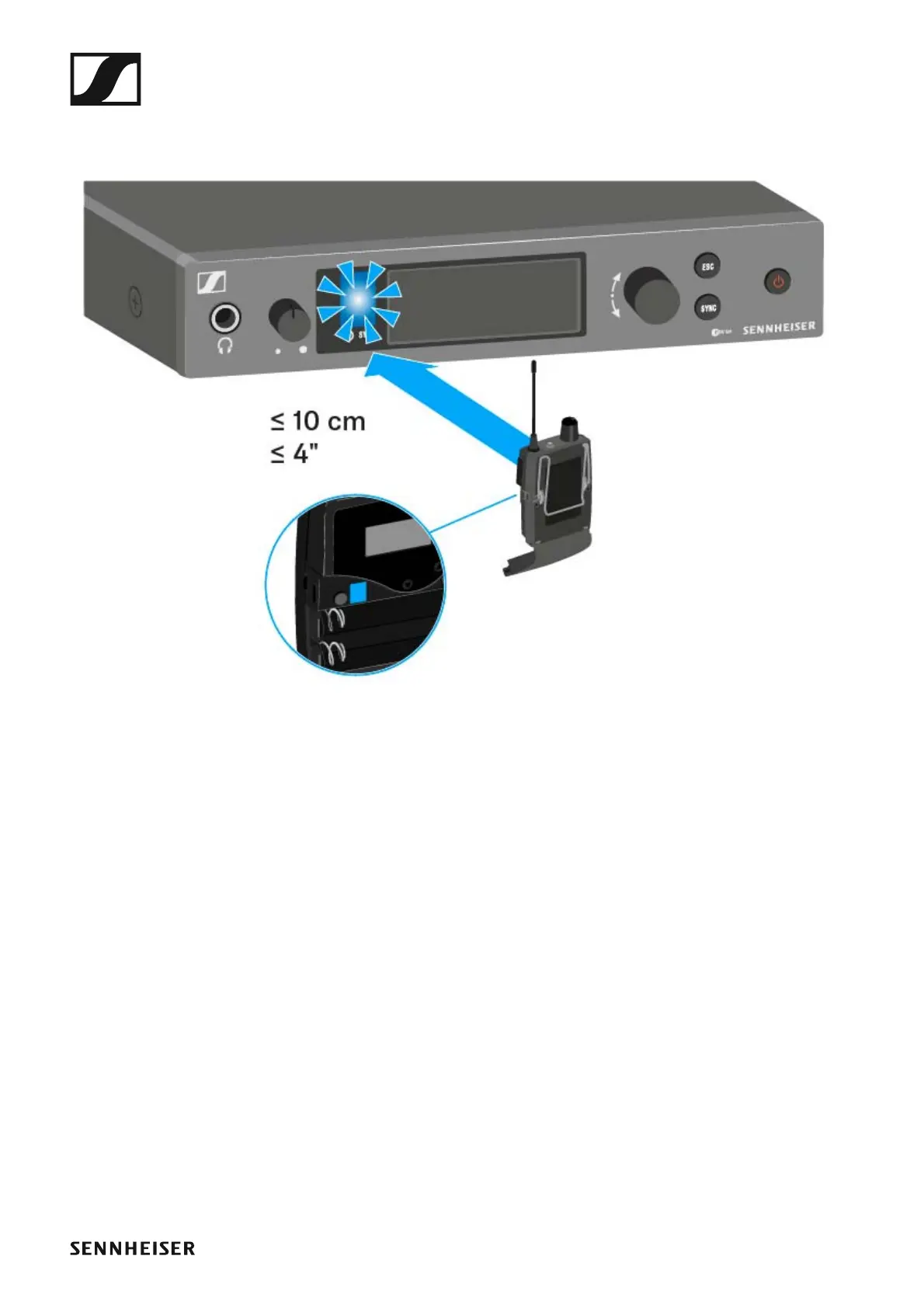
▷ Hold the infra-red interface of the receiver in front of the infra-red in-
terface of the first transmitter.
The next unused frequency preset is transferred from the receiver to
the transmitter.
Once the transfer is complete, the numbers of the transferred frequen-
cy bank and the transferred channel appear in the display panel of the
transmitter.
▷ Press the jog dial on the transmitter to save the synchronized frequen-
cy.
▷ Hold the infrared interface of the mobile receiver in front of the infrared
interfaces of the remaining transmitters one at a time.
Easy Setup Sync-function (EK IEM G4 -> SR IEM G4) for multi-channel
frequency setup
▷ Perform the multi-channel frequency setup as described under “Per-
forming multi-channel frequency setup”.












 To Next Page