Using the SR IEM G4
96
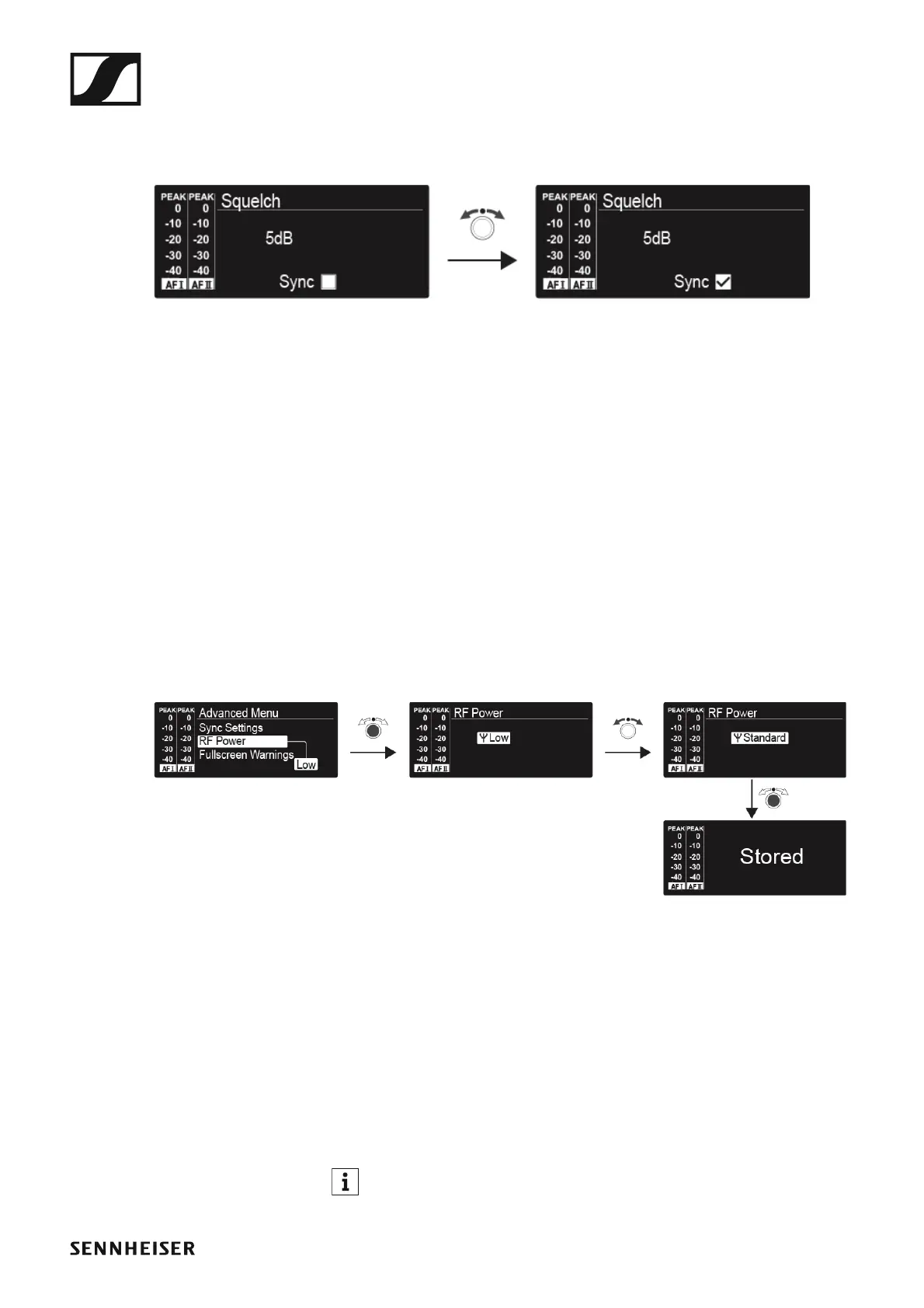
Advanced > Sync Settings menu item
• Configuring, activating or deactivating parameters for transmission to
the receivers
►
When the check box is activated, the value will be transmitted during syn-
chronization. If it is deactivated, the value will not be transmitted.
You can configure and activate/deactivate the following parameters:
• Balance
•Squelch
•Mode
• High Boost
•Auto Lock
• Limiter
See “Synchronizing devices”.
Advanced > RF Power menu item
• Configuring the transmission power
►
You can configure the transmission power in three steps in the RF Power
menu item. Please note the information at the following address:
General conditions and restrictions for the use of frequencies
Setting range:
• Low: 10 mW
• Standard: 30 mW
• High: 50 mW
If you are using the AC 41 antenna combiner, the transmission pow-
er of the connected transmitters cannot be set to more than 30 mW
(default) for legal reasons.












 To Next Page