Using the EK IEM G4
74
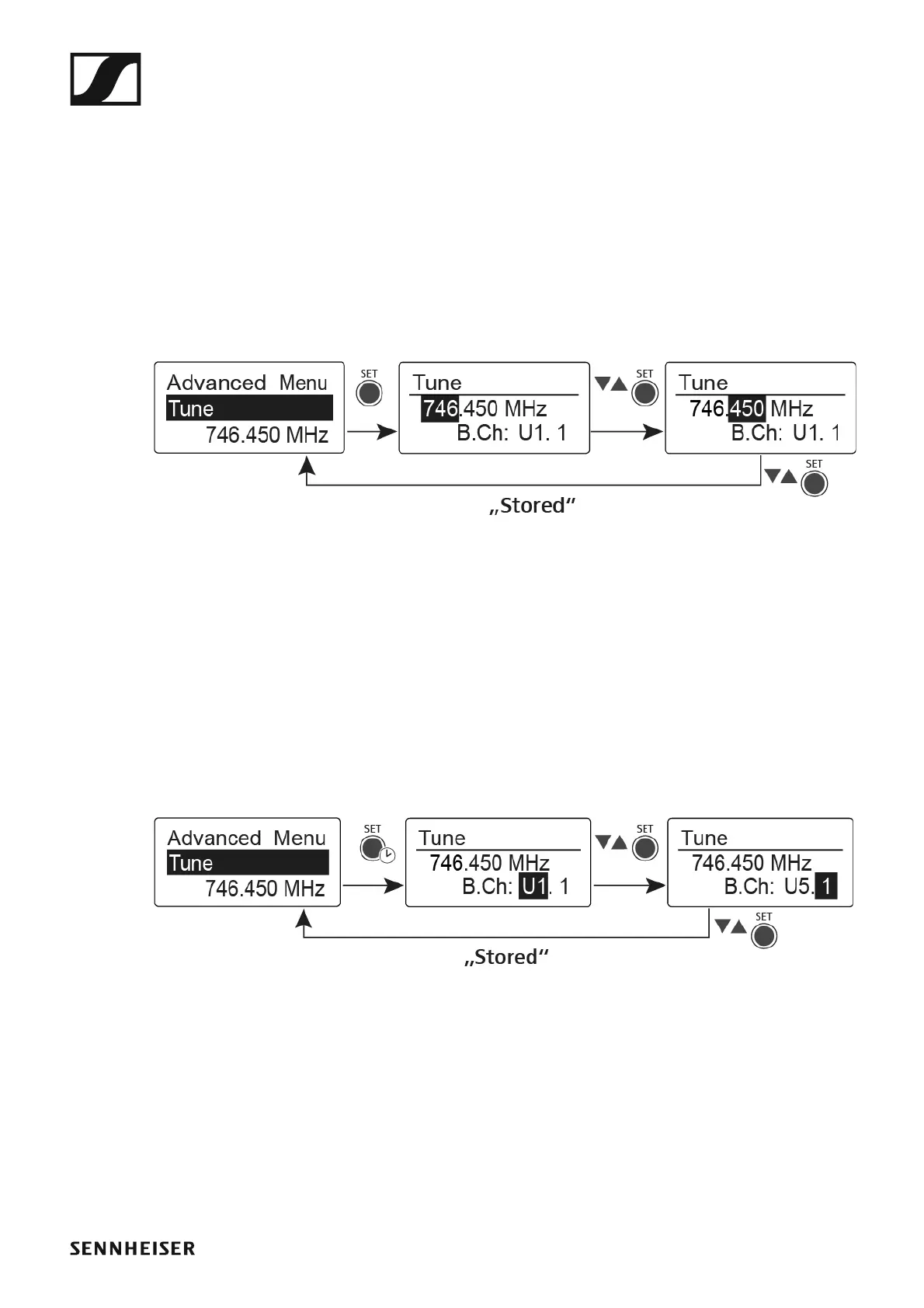
Advanced -> Tune menu item
In the Tune menu item of the Advanced submenu, you can configure the
receiving frequencies for the frequency banks U1 to U6.
You can save a total of 16 frequencies in every U frequency bank.
Only adjusting the frequency
▷ Open the Tune menu item in the Advanced menu.
▷ Adjust the settings.
►
▷ Press the SET button to save the changes you made to the settings.
or
▷ Press the ESC button to cancel the entry without saving the settings.
Setting the channel and frequency
▷ Select the Tune menu item and call it up by holding down the SET but-
ton until the channel selection appears.
▷ Adjust the settings.
►
▷ Press the SET button to save the changes you made to the settings.
or
▷ Press the ESC button to cancel the entry without saving the settings.












 To Next Page