Using the EK IEM G4
50
Lock-off function
You can set the automatic lock-off function in the Auto Lock menu (see
“Auto Lock menu item”).
When you have switched on the lock-off function, you will have to turn the
receiver off and on again in order to operate it.
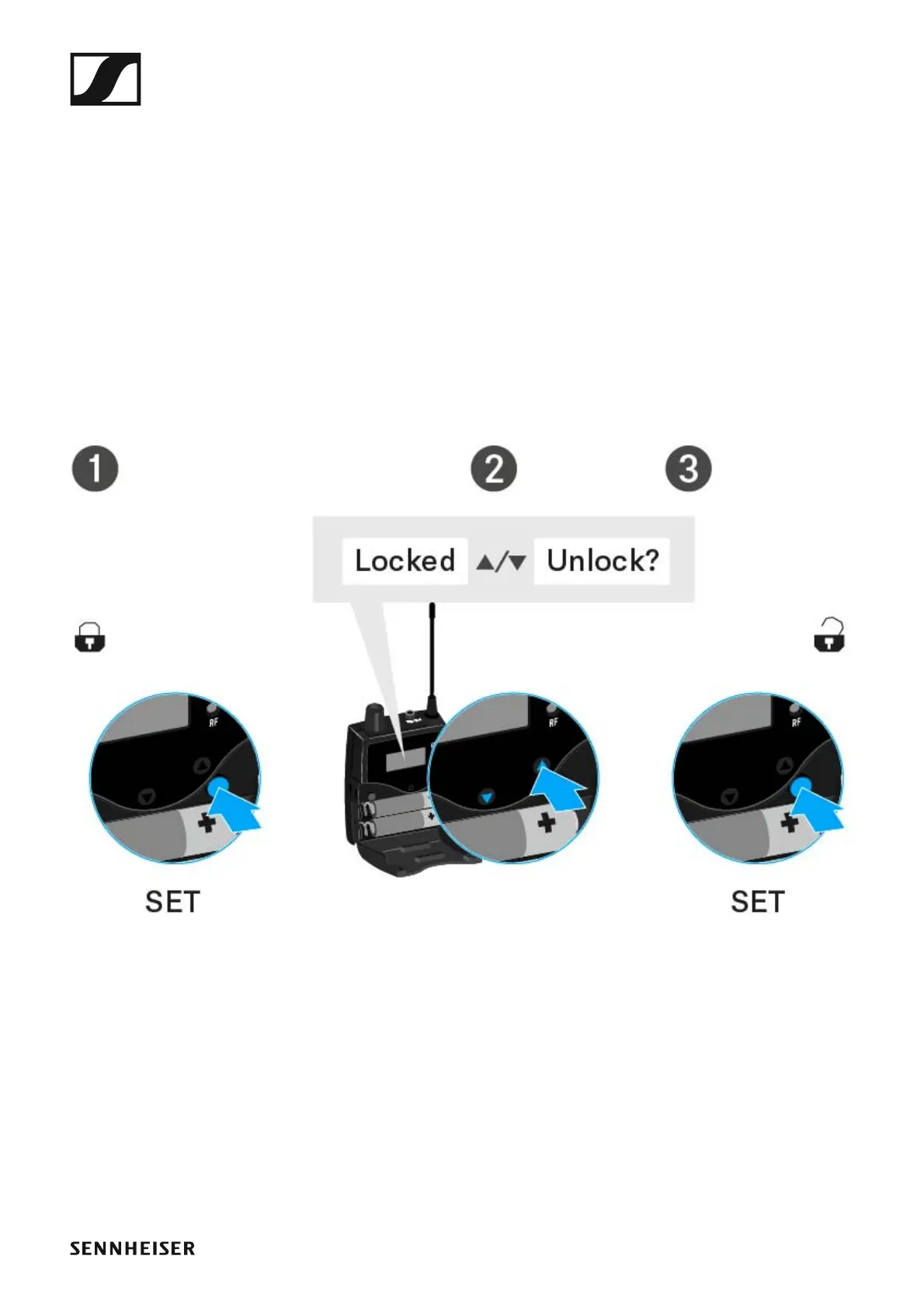
To temporarily deactivate the lock-off function:
▷ Press the SET button.
Locked appears in the display panel.
▷ Press the UP or DOWN button.
Unlock? appears in the display panel.
▷ Press the SET button.
Lock-off function is now temporarily deactivated.
When you are in the operating menu
>> Lock-off function is deactivated long enough for you to work in the op-
erating menu.
When one of the standard displays is shown
>> Lock-off function is automatically activated after 10 seconds.
The lock-off function icon flashes while the lock-off function is being acti-
vated again.



 To Next Page