Using the EK IEM G4
47
Operating elements of the EK IEM G4 diversity re-
ceiver
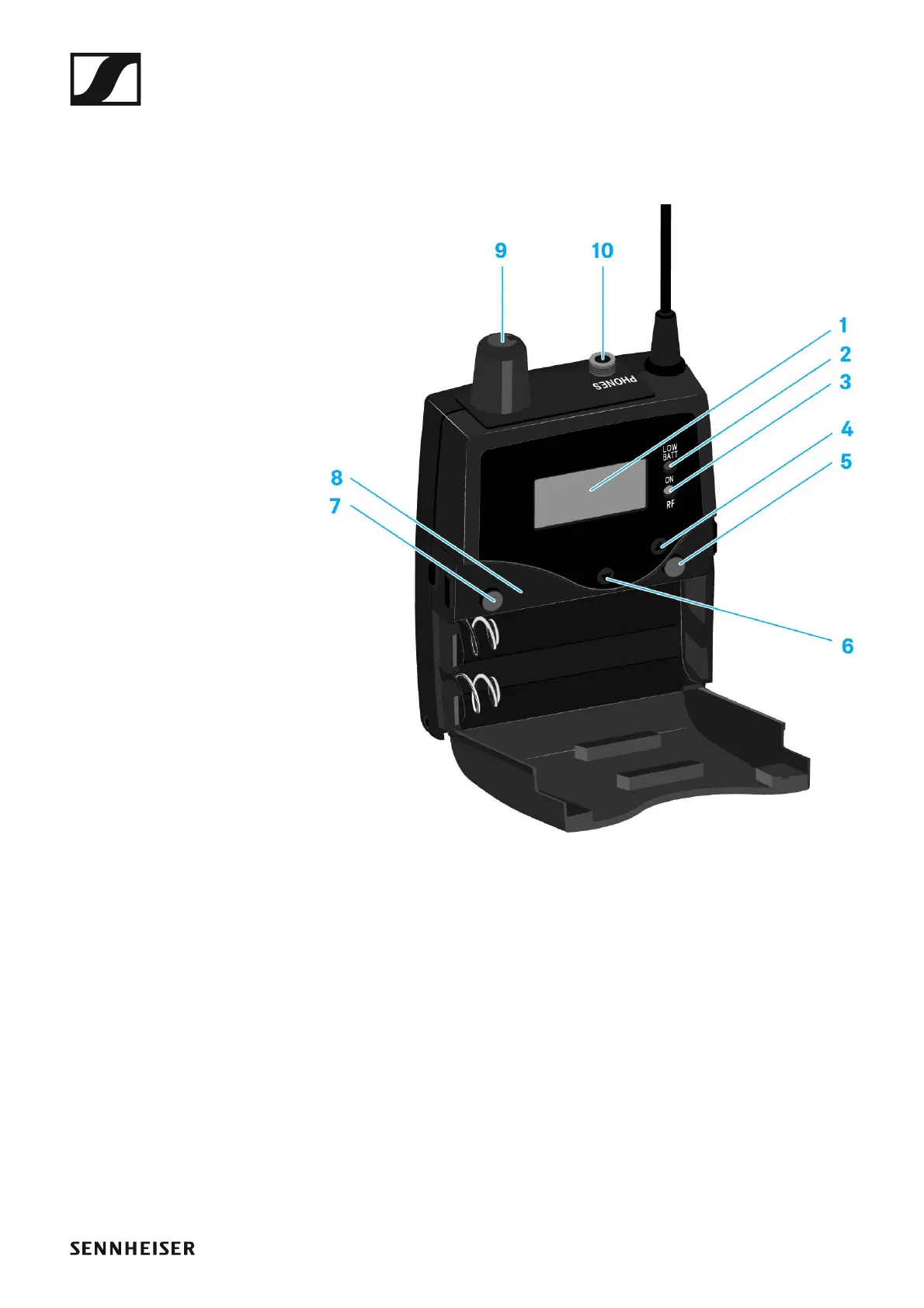
EK IEM G4 product overview
►
1 Display panel
• See “Displays on the EK IEM G4 display panel”
2 Operation and battery indicator, red LED
• illuminated = ON
See “Switching the EK IEM G4 on and off”
•flashing = LOW BATTERY
See “Inserting and removing the batteries/rechargeable batteries”
3 Wireless reception indicator, green LED
• illuminated = RF
See “Squelch menu item”
4 UP button
• See “Buttons for navigating through the menu”
5 SET button
• See “Buttons for navigating through the menu”












 To Next Page