Using the EK IEM G4
70
Mode menu item
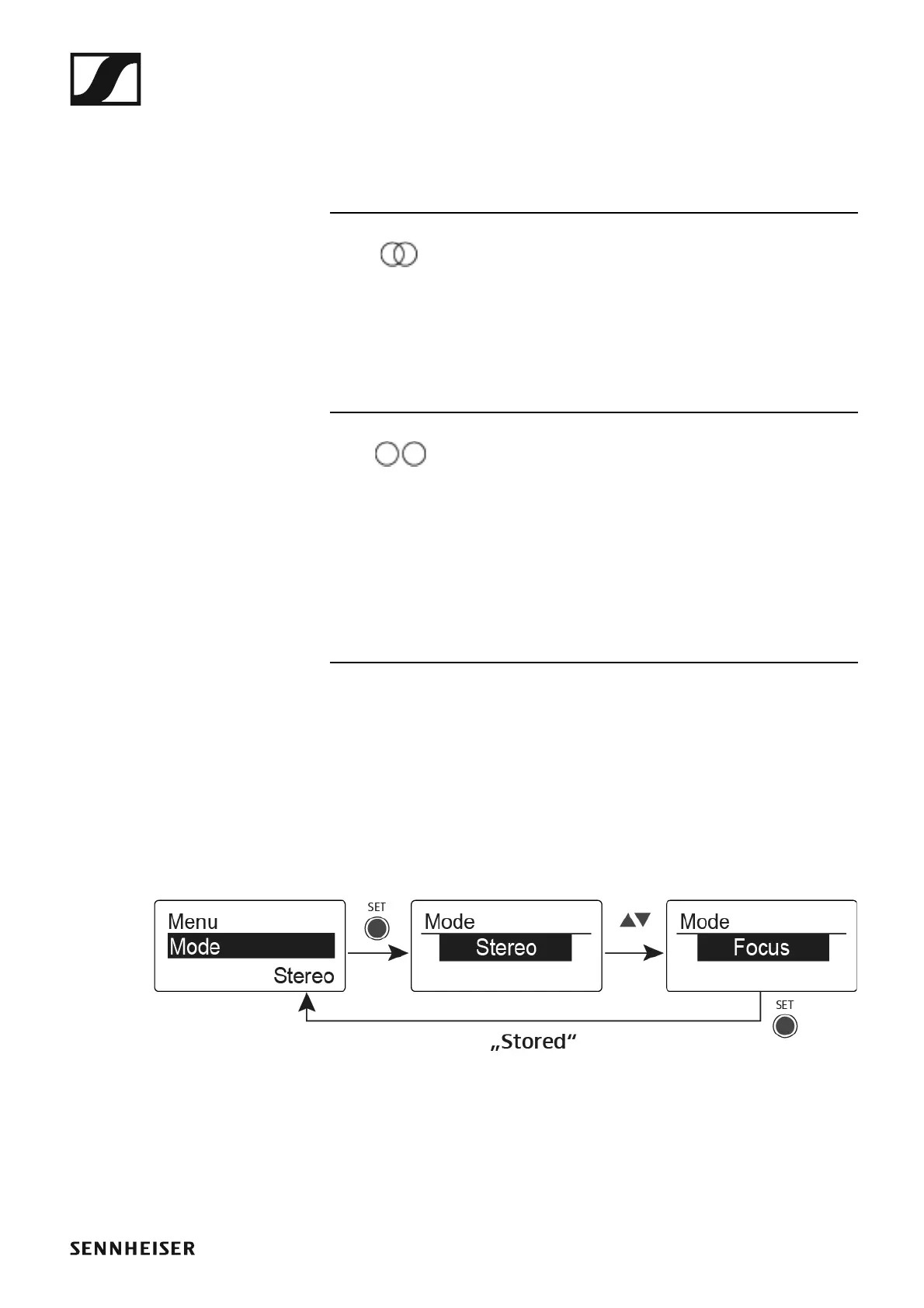
In the Mode menu item you can switch between Stereo and Focus.
Stereo mode
The left-right signals are available as usual.
The Balance setting serves to adjust the balance between the left and right
stereo signal. See “Balance menu item”.
▷ To use it, activate Stereo mode on the corresponding SR IEM G4 trans-
mitter. See “Mode menu item”.
Focus mode
The corresponding SR IEM G4 transmitter operates in Stereo mode.
• The left-right signals are mixed and are available as a mono signal in
both headphone channels.
• The balance setting serves to adjust the relative levels of the two sepa-
rate channels in the mixed mono signal. See “Balance menu item”.
The corresponding SR IEM G4 transmitter operates in Mono mode.
• Only the left audio input of the SR IEM G4 is received as a mono signal.
To open the Mode menu item:
▷ On the home screen, press the SET button to open the operating menu.
▷ Press the UP or DOWN button until the Mode menu item appears in the
selection frame.
▷ Press the SET button to open the menu item.
▷ Adjust the settings as desired.
►
▷ Press the SET button to save the changes you made to the settings.
or
▷ Press the ESC button to cancel the entry without saving the settings.












 To Next Page