Using the SR IEM G4
91
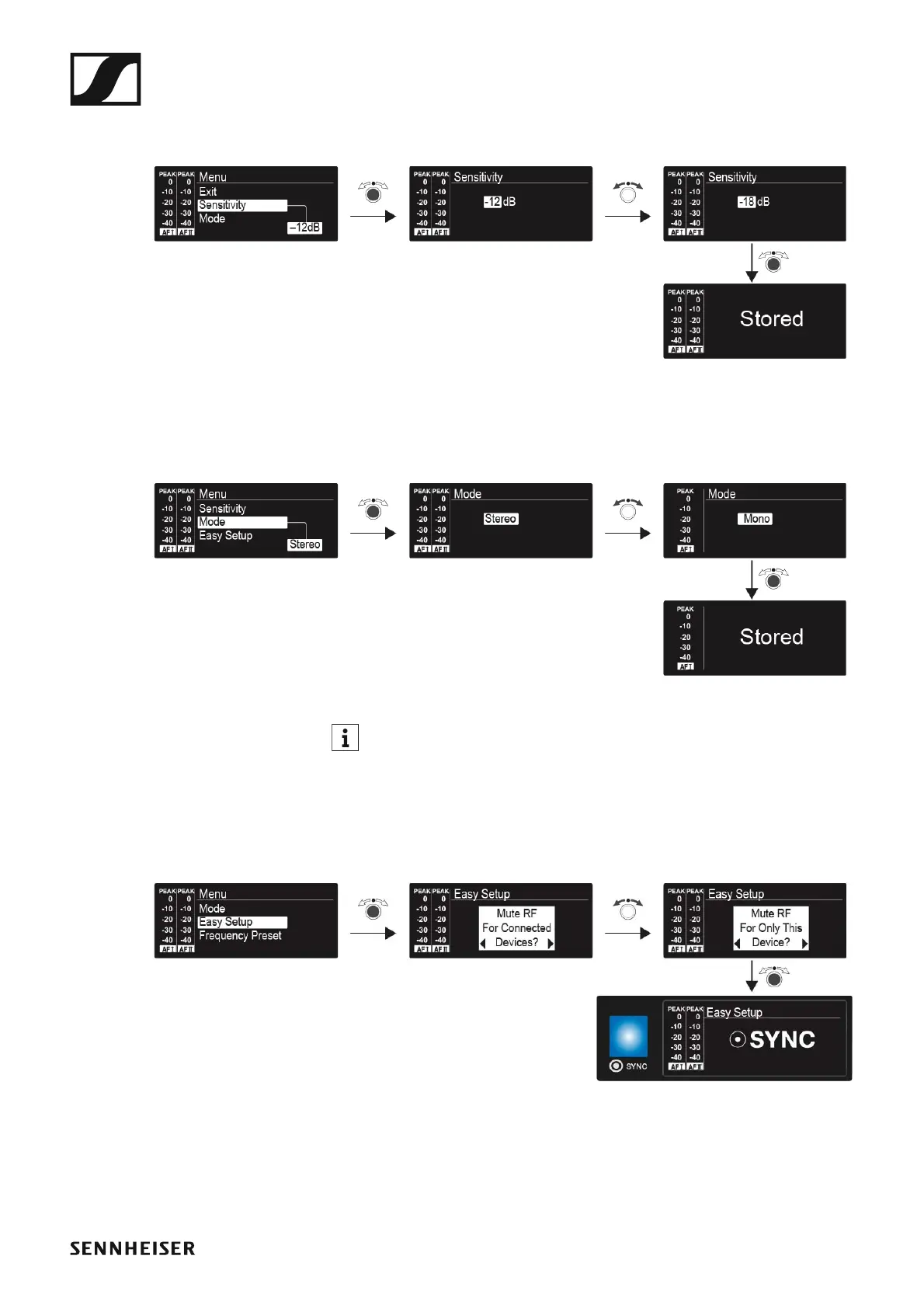
Sensitivity menu item
• Adjusting the input sensitivity – AF audio level
►
Setting range: 0 dB to −42 dB in 3 dB steps
Mode menu item
• Configuring the audio transmission
►
Setting range: Stereo and Mono
In stereo mode, you can receive the two input signals either as a
mixed mono signal or as a stereo signal. To do so, you must select Fo-
cus or Stereo mode on the EK IEM G4 receiver. See “Mode menu
item”.
Easy Setup menu item
• Activating Easy Setup Sync
►
The Easy Setup Sync function is needed to perform a frequency scan us-
ing the receiver and for automatic multi-channel frequency setup.
• See “Easy Setup menu item” for the EK IEM G4 receiver.
• See “Synchronizing devices”.












 To Next Page