Installing the SR IEM G4
25
Connecting/disconnecting the SR IEM G4 with/
from the power supply
Only use the supplied power supply unit. It is designed for your receiver
and ensures safe operation.
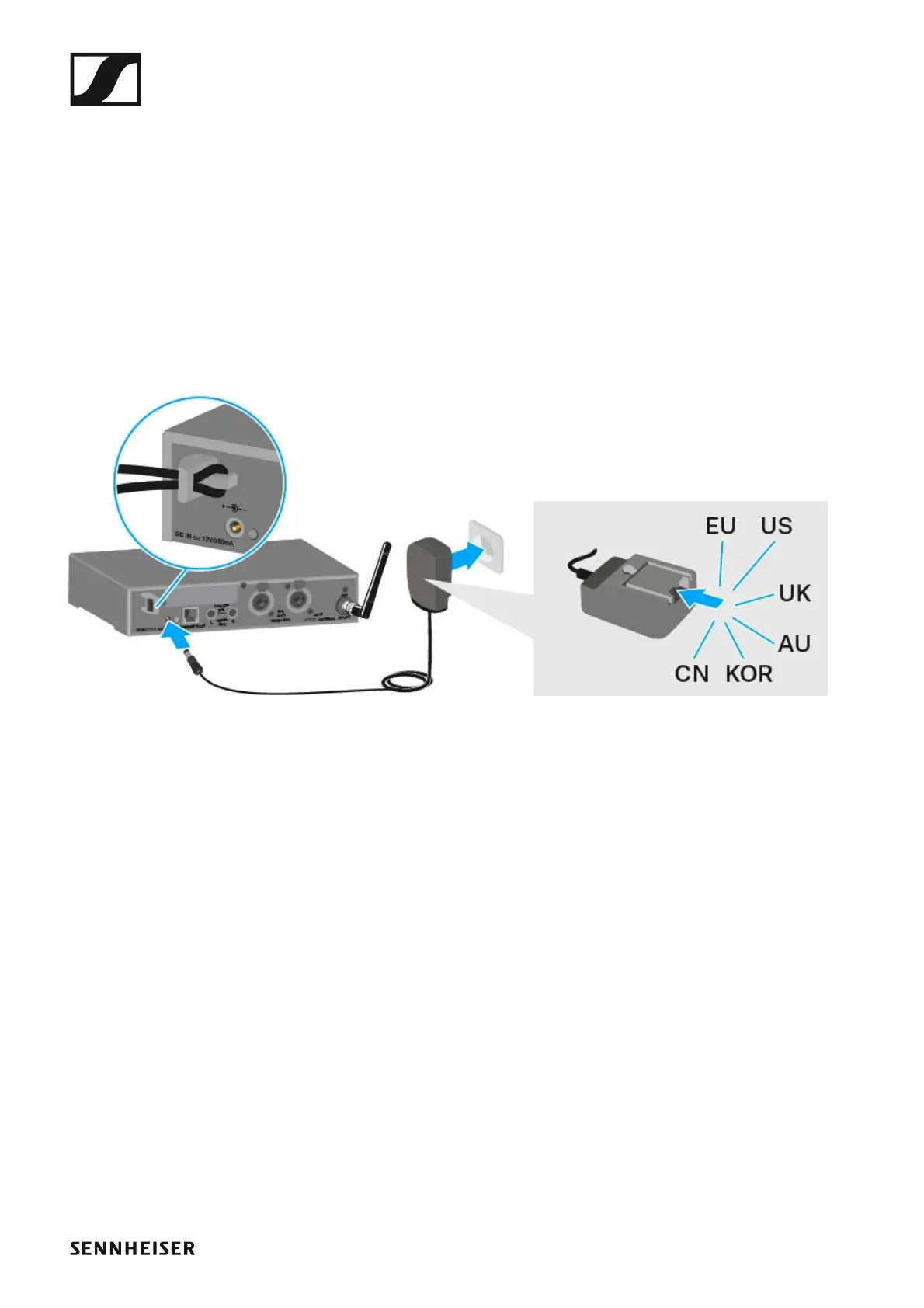
To connect the SR IEM G4 transmitter to the power supply:
▷ Insert the plug of the power supply unit into the DC IN socket of the re-
ceiver.
▷ Pass the cable of the power supply unit through the cable grip.
▷ Slide the supplied country adapter onto the power supply unit.
▷ Plug the power supply unit into the wall socket.
To disconnect the SR IEM G4 transmitter from the power supply:
▷ Unplug the power supply unit from the wall socket.
▷ Unplug the power supply unit from the DC IN socket of the receiver.












 To Next Page