Using the SR IEM G4
81
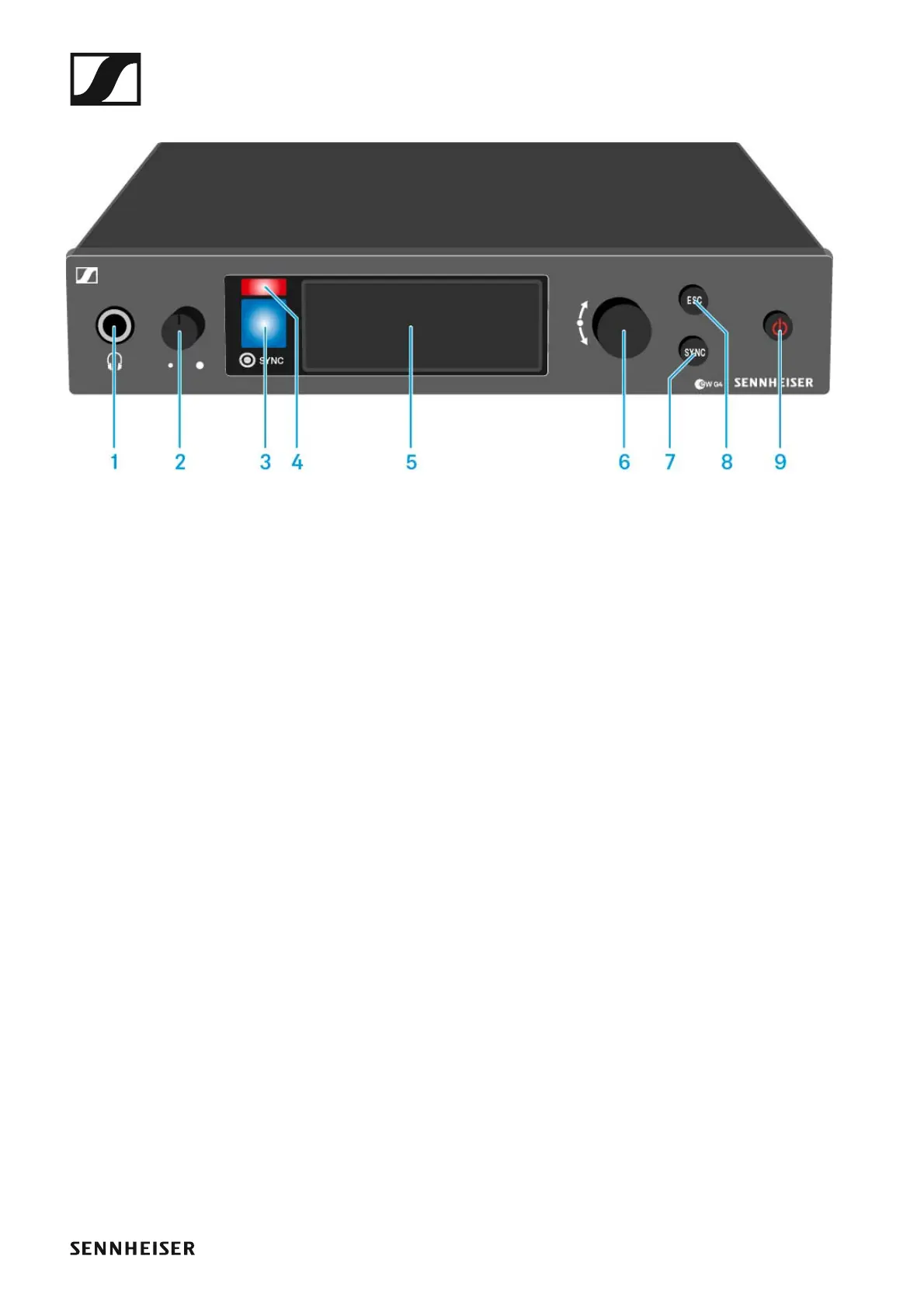
Operating elements of the SR IEM G4 transmitter
►
1 Headphone socket
• See “Using the headphone output”
2 Volume control for the headphone socket
• See “Using the headphone output”
3 Infrared interface with a blue LED
• See “Synchronizing devices”
4 Red LED for warnings
• See “Advanced > Fullscreen Warnings menu item”
5 Display panel
• See “Displays on the SR IEM G4 display panel”
6 Jog dial for navigating through the menu
• See “Buttons for navigating the SR IEM G4 menu”
7 SYNC button
• See “Synchronizing devices”
8 ESC button
• See “Buttons for navigating the SR IEM G4 menu”
9 STANDBY button
• See “Switching the SR IEM G4 on and off”












 To Next Page