Argus Radar - RADAR CONFIGURATION
988-10187-004 3.16
3.9 Video Trigger Adjustments
Pressing the H button (password protected) of fig. 3.1.2, page 3.2, it is possible to adjust
the radar video and trigger delay.
IMPORTANT
TO GAIN ACCESS TO THIS FUNCTION THE SYSTEM MUST BE MASTER (refer to the Argus Radar
System user manual 988-10185-004). THIS TYPE OF ADJUSTMENT MUST BE CARRIED OUT IN
PORT.
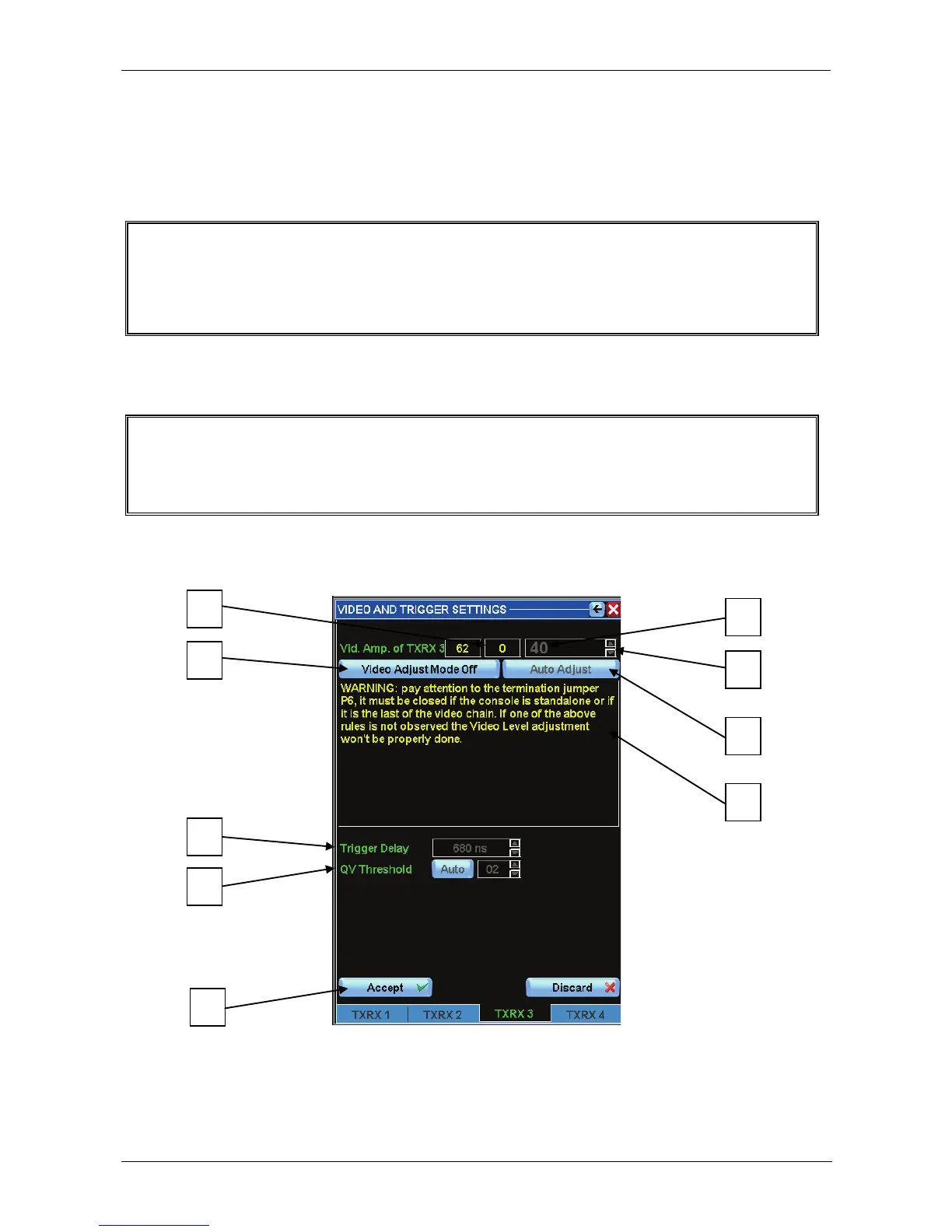
After entering the section “VIDEO AND TRIGGER SETTINGS” the following screen
display appears on the left side of the menu.
IMPORTANT
AFTER ENTERING THE SECTION “VIDEO AND TRIGGER SETTINGS” THE SCALE AT 0.25 NM
(operation useful only for setting the trigger delay) IS AUTOMATICALLY SET ON THE MAIN PPI
DISPLAY.
This menu is divided into the following areas:
Figure 3.9.1 Video and Trigger Setting



 To Next Page