Argus Radar - RADAR CONFIGURATION
988-10187-004 3.30
complete screenshot with all the graphic included and the second one with only the
PPI video, SERNUM is the serial number of the Antares PCB and
YEARMONTHDAY-HOURMINUTES the date and time in UTC format (from EPFS
sensor) of the picture.
3.13.1 Save Screenshots
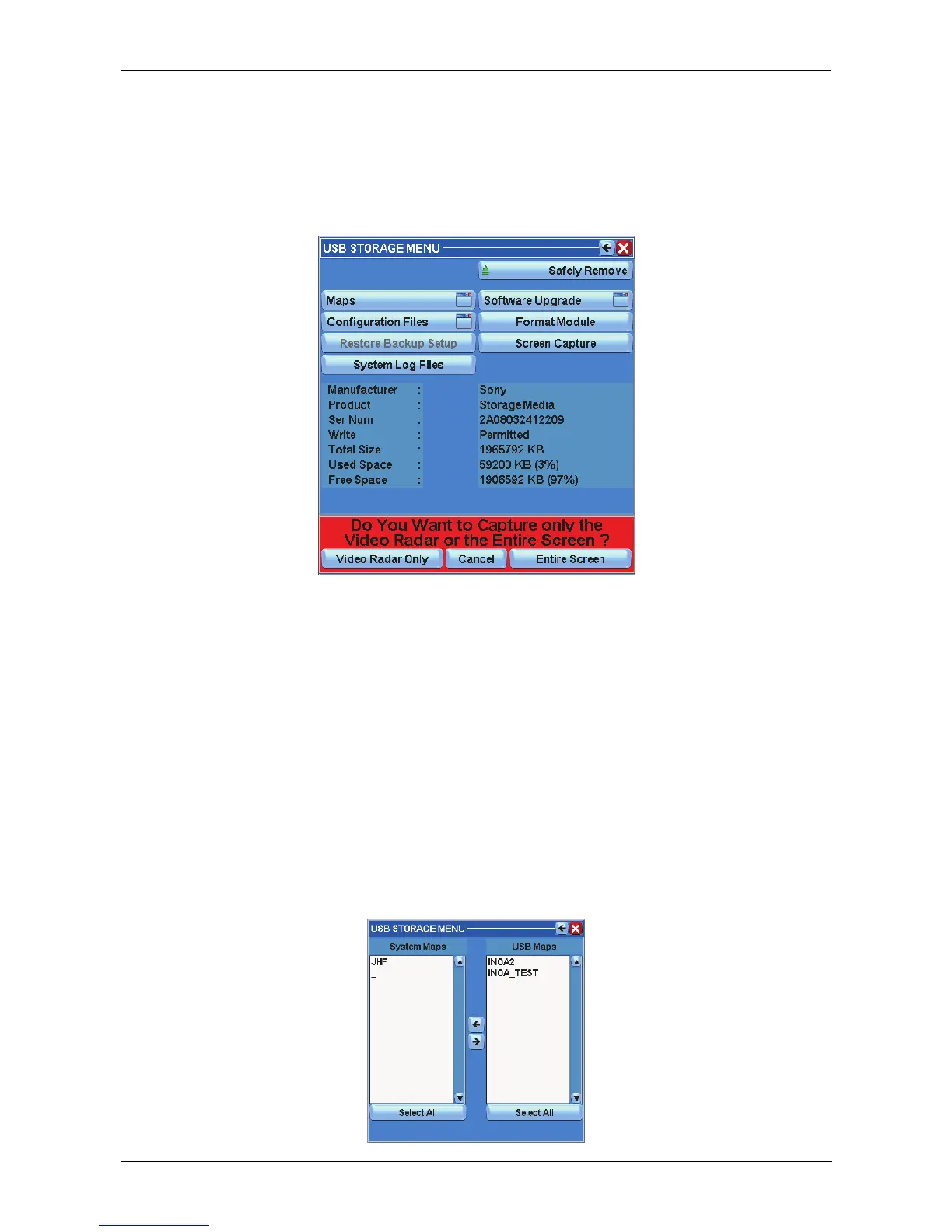
Figure 3.13.4 Save screenshots
The Screen Capture function allows you to save the views of the radar in order to capture
the situation at that particular moment.
- Pressing the “Video radar Only” button, it is possible to save only the radar image
at that specific moment.
- Pressing the “Entire Screen” button, it is possible to save the whole image on the
display at that specific moment.
- Pressing the “Cancel” button will take you back to the main menu.
3.13.2 Saving and reloading maps
In this mode, it is possible to save or transfer maps from the Argus system to USB pen
drive and vice versa.



 To Next Page