Argus Radar - RADAR CONFIGURATION
988-10187-004 3.3
3.2 Gyrocompass Configuration
To configure the Argus radar settings for connected gyro:
Press the "A" button in fig. 3.1.2, page 3.2, to open the following window:
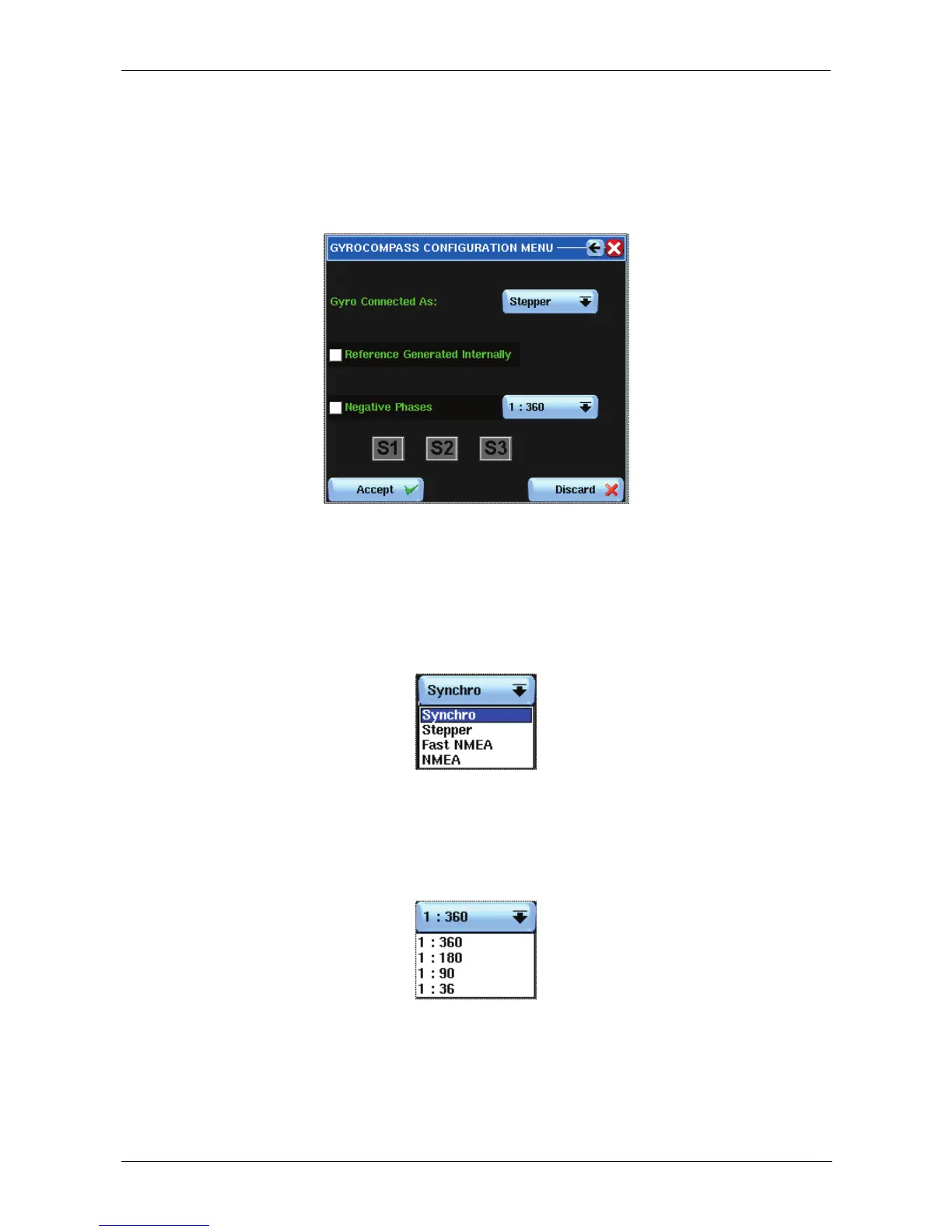
Figure 3.2.1 Gyro compass Configuration Menu
The first row, “Gyro Connected As” indicates the type of Gyro. By pressing the associated
button will open the following list:
The selection changes the type of interface used, and for NMEA (referring to NMEA 0183)
serial, the baud rate.
By pressing the “Negative Phases” associated button, another list will open, showing the
possibilities of Gyro ratio.
The list is valid and activated only when the Gyro is not serial.
Use the list to define how many cycles of stepper or synchro are calculated for each 360°
Gyro turn.



 To Next Page