Argus Radar - RADAR CONFIGURATION
988-10187-004 3.19
3.9.4 QV (Quantized Video) Threshold
WARNING
THIS VALUE MUST BE SET AT “AUTO” EXCEPT FOR THE VARIOUS CASES OUTLINED
BY THE MANUFACTURER.
Pressing the D button (password protected) of fig. 3.9.1, page 3.16, it is possible to set the
QV. The threshold is used by the automatic tracking to identify real radar echoes from
receiver noise. This value depends on the receiver noise from the transceiver band and
the video cable attenuation. This value can be set manually adjusting the noise level to
see some speckles in the 24 NM range scale.
This adjustment is really subjective, and the receiver gain changes with the selected pulse
length, with the weather, the humidity and so on, so the preferred solution is to activate
the Auto Threshold. With this selection the automatic tracking software measures the PFA
(Probability of False Alarm) and calculates the correct threshold for the optimum detection
performance.
3.10 Sector Blanking
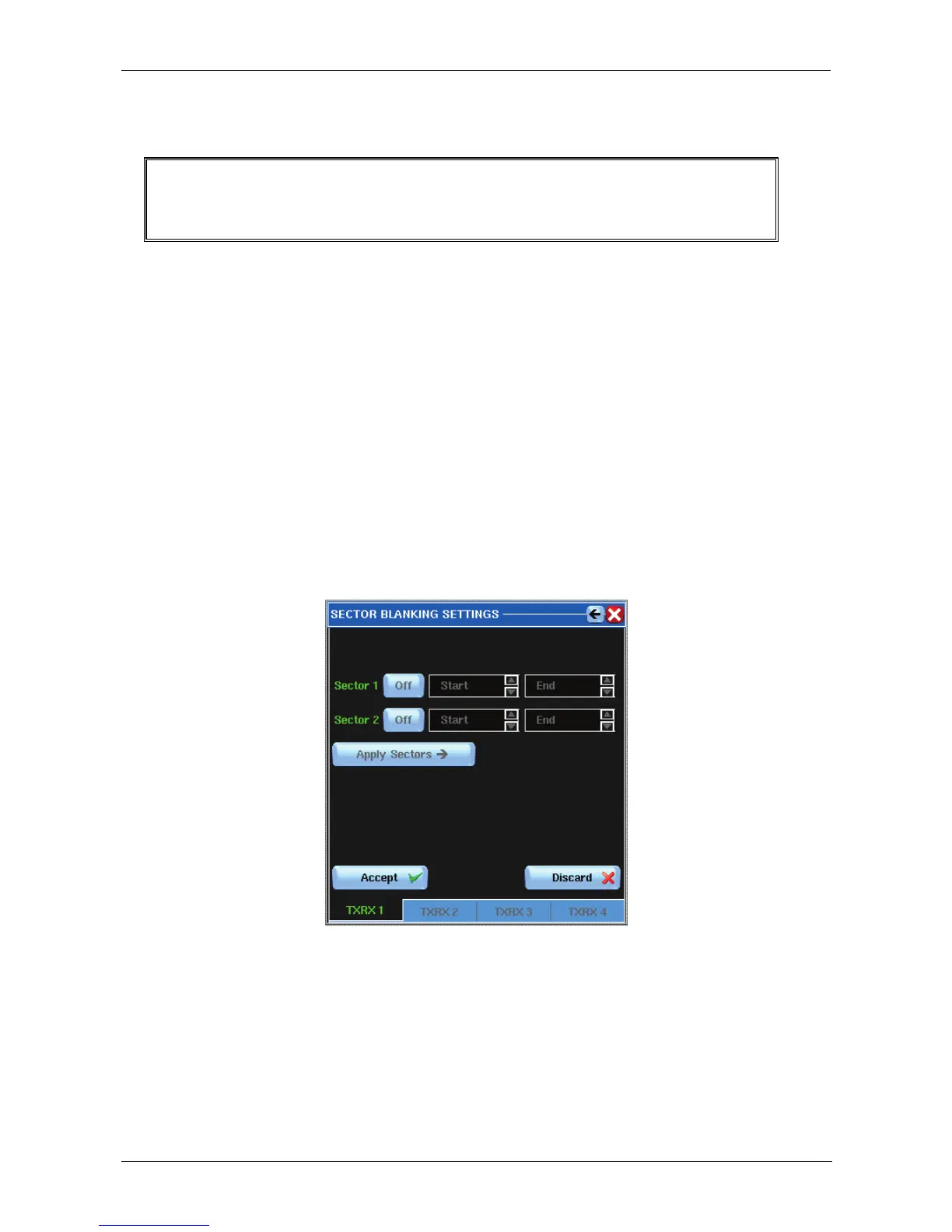
Pressing the I button of fig. 3.1.2, page 3.2, the following window will appear:
Figure 3.10.1 Sector Blanking Settings
The radar offers two blanking sectors, which can be set individually. Transmission will be
off within the set sectors.
The sector blanking is visible on the PPI with a sector delimited by two green lines (which
will be red during the setting) and, if the gain value is high enough, the absence of receiver
noise will be clearly visible.



 To Next Page