Argus Radar - RADAR CONFIGURATION
988-10187-004 3.1
CHAPTER 3
RADAR CONFIGURATION
3.1 How to access the Radar Configuration
To access the Radar configuration a password is required. It will then be possible to make
the necessary adjustments in the System Configuration, plus some Debug and Simulation
facilities are available.
After enabling this function, it will be open for adjustment until the system is switched to
STAND BY.
3.1.1 Radar Configuration
To obtain access to the Radar Configuration MENU, please follow the procedure below.
It will take you into the Super User Mode of the Argus system. Remember to save all
settings and exit the mode again as soon as configurations are completed!
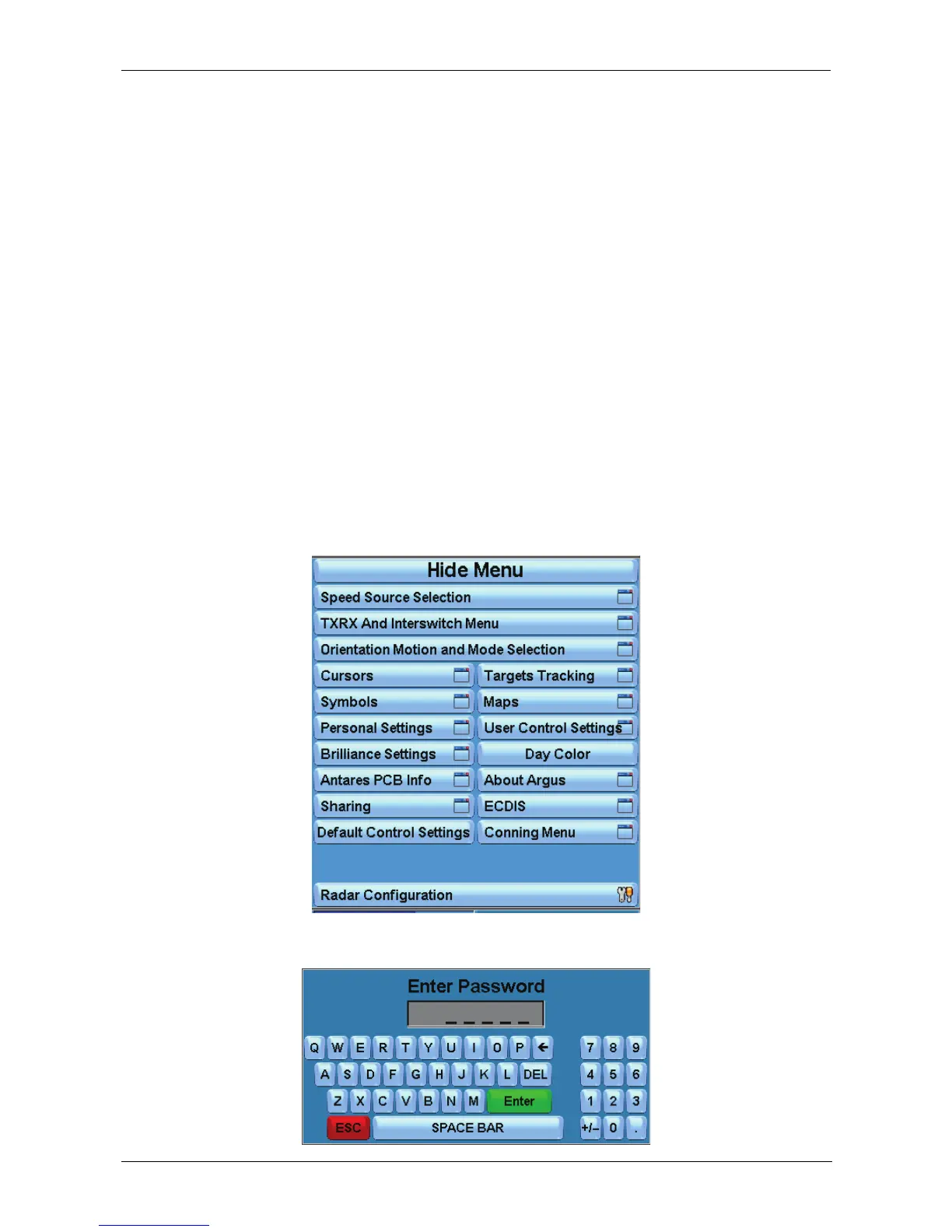
1) Press “Radar Configuration” in the Main Menu bar on the display:
2) Enter the password "HIGH" using the alphanumerical keypad:



 To Next Page