Argus Radar - RADAR CONFIGURATION
988-10187-004 3.21
3.11 System Configuration
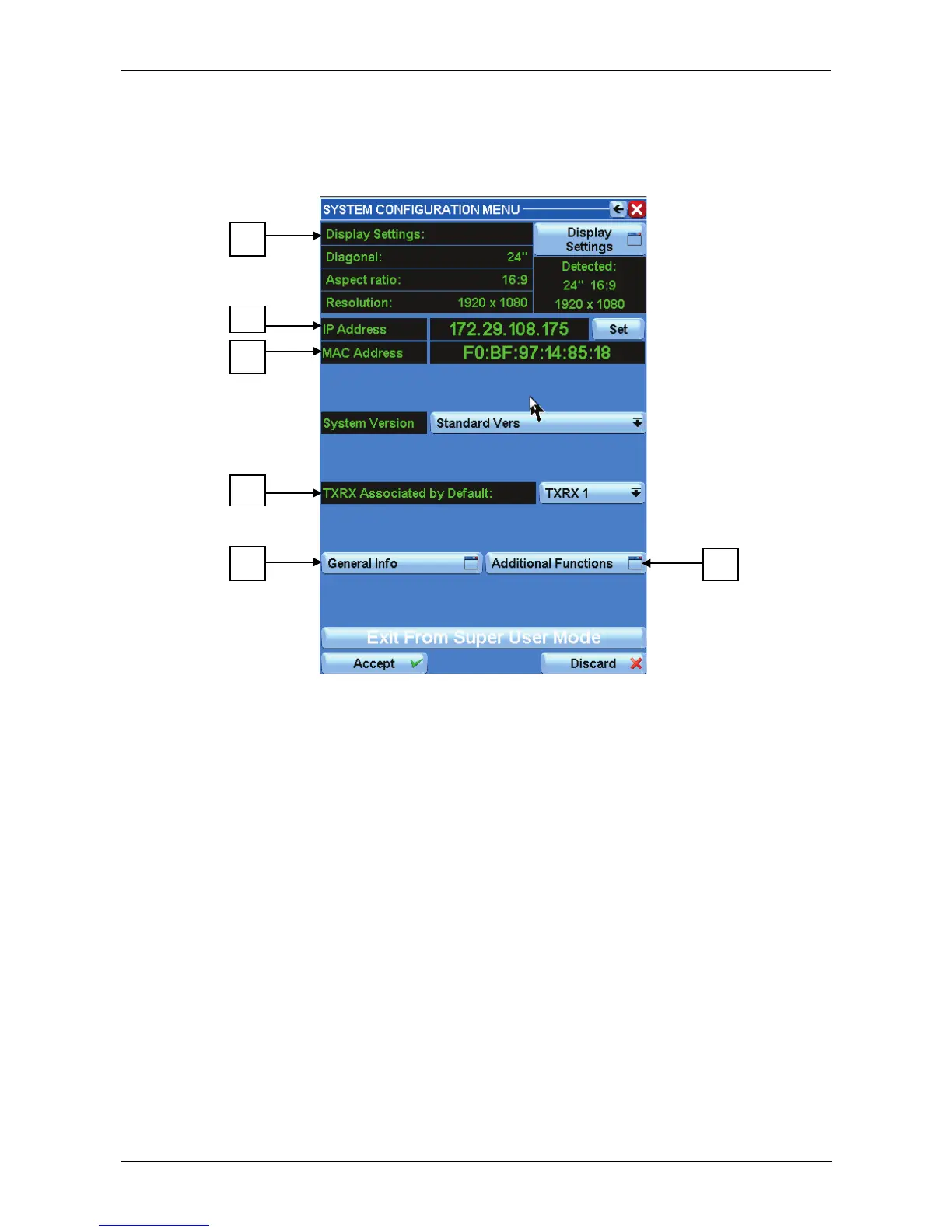
Press the L button of fig. 3.1.2, page 3.2, and the following window will appear:
Figure 3.11.1 System Configuration
3.11.1 Display settings (Fig 3.11.1 -A)
The "Display settings" are the currently used settings. If the diagonal, the aspect ratio and
the resolution information are shown in green, it means that the settings used are the
same as detected directly by the monitor. Otherwise they will appear in red.
To modify the display settings, press the "Display Settings" button to enter the Display
Settings menu – see example next page.



 To Next Page