39
SKOPE TME/SKT ActiveCore
Replacement Procedures
Service Manual
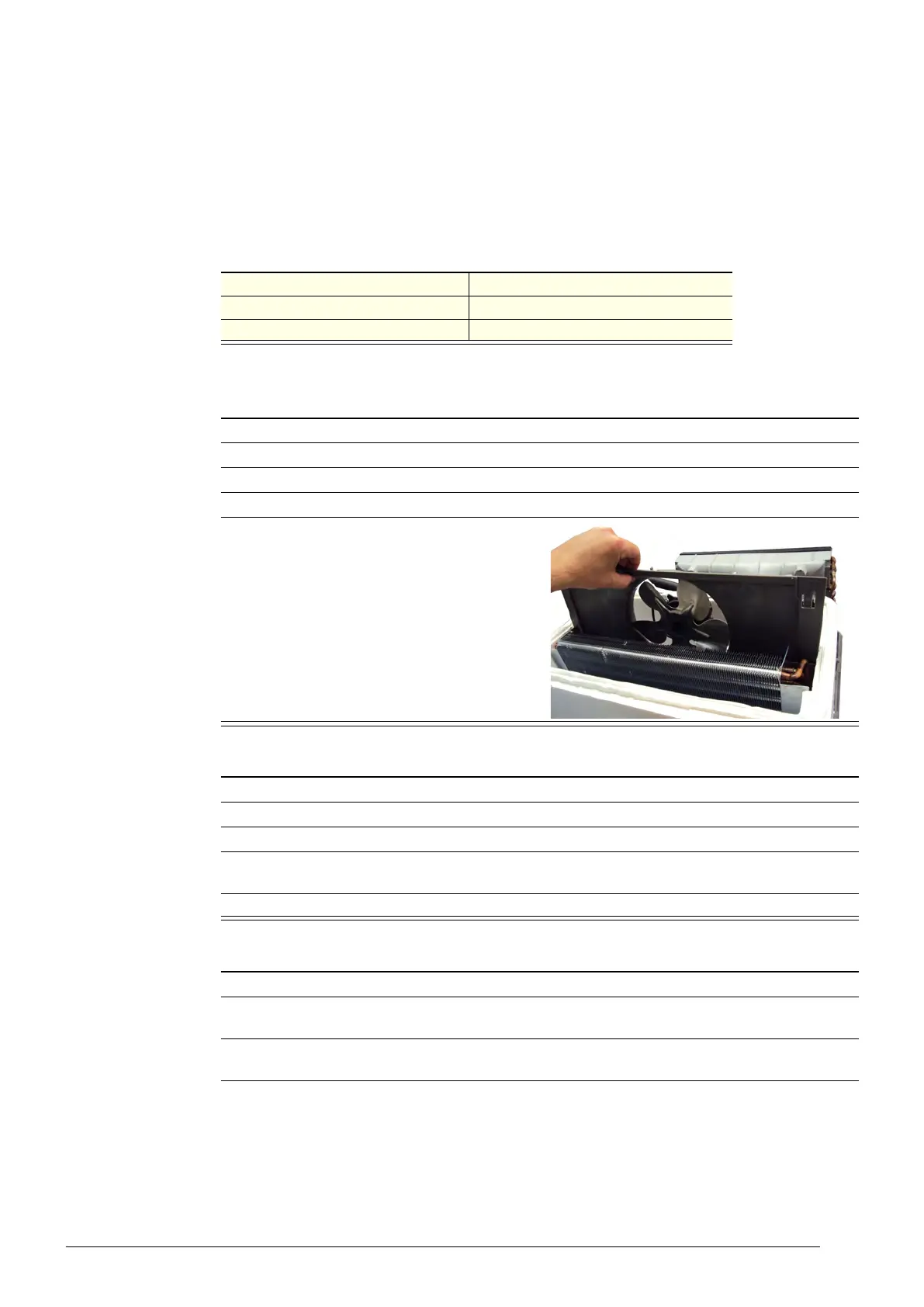
The fan motor and fan blade are fixed to the evaporator shroud via the brackets. The shroud
(complete with fan motor and fan blade) can be lifted off the evaporator tub once the
refrigeration unit cover has been removed.
It is important that the fan blade and/or fan motor is replaced with the specified part to ensure
correct alignment and refrigeration performance. Fan blades should be tightened to the fan
motor manufacturer recommended torque settings (shown in the table below).
Table 11: Fan motor manufacturer recommended torque settings
Fan motor manufacturer Torque setting
EBM 1.4 N m
Wellington Drive 2.1 N m
Procedure 33: To access the evaporator fan assembly
1. Isolate the fridge from the power supply and remove the refrigeration unit (see page 34).
2. Remove the refrigeration unit cover.
3. Free up cables from the putty on the evaporator tub perimeter.
4. Cut cable ties to release control probe from the fan bracket.
5. Lift the assembly up and out of the evaporator
box.
Procedure 34: To replace the fan blade
1. Isolate the fridge from the power supply and remove the refrigeration unit (see page 34).
2. Gain access to the evaporator fan assembly (see Procedure 33 above).
3. Remove the screw and washer from the centre of the fan blade, and lift the blade from the motor.
4. Fit new blade, ensuring it is centred within the evaporator shroud. Tighten the screw to the fan
motor manufacturer’s recommended torque setting (see Table 11 above).
5. Reassemble unit and test for correct operation.
Procedure 35: To replace the fan motor
1. Follow the above steps to access the evaporator fan assembly and remove the fan blade.
2. Free the fan flexible cord by cutting the cable ties, trace the cable back to the connector (near the
compressor electrics) and unplug.
3. Detach the fan motor from the fan mounting brackets by removing the four screws from the
mounting bracket.



 To Next Page