7 PICOSCALE CONTROL GUI
• Trigger Index A trigger (that has been defined in the Advanced Trigger module) controls the
output of the pin. In the drop-down menu the respective trigger index can be chosen.
• Clock Gen. Index A clock as defined in the Clock Generators configuration controls the out-
put. In the corresponding menu it’s index can be chosen.
The switch to the right hand side of the three menus finally defines, if the configured manual state,
the trigger or the clock generator output controls the pin. Note, that the mentioned options are
pin output options and only have effect, if the pin is configured as output pin. If a pin is configured
as output, e.g. Digital 1, the switch is connected to the triangle. While if a pin is configured as input,
e.g. Digital 4, the drop-down menus are not visible.
7.4.2 Digital Differential Interface (DDI) configuration
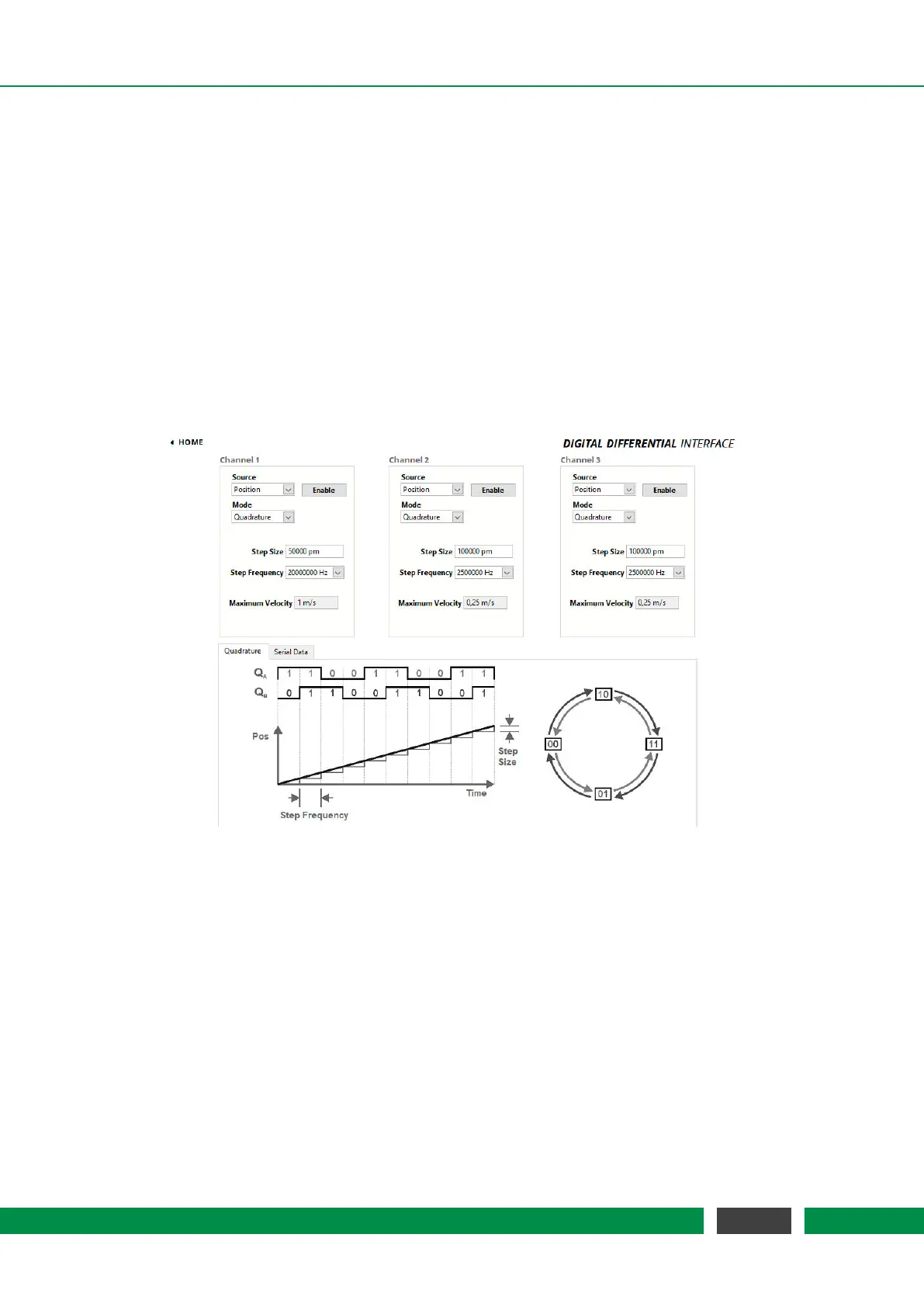
Figure 7.14: Configuration Menu of the Quadrature Interface.
The PICOSCALE offers three DDI outputs, which are accessible via the D-Sub 44HD connector at
the system’s back plane or more conveniently via the Breakout-Box (BOB). Each of these outputs
can be configured as a Quadrature (AquadB) or a Serial Data interface.
The source of each channel can be chosen by the Source drop-down list. Available are the options
Position, which provides position data, and CalcSys that maps the output of the calculation system.
In the top right corner of each menu, an Enable button allows to activate the output.
With the drop-down list Mode the Quadrature or the Serial Data option is selected.
Below the configuration panels the principle of data representation is explained and the relevant
properties are defined. Note, that since the
PICOSCALE only measures relative position changes,
no AquadB index signal is available.
64
PicoScale User Manual



 To Next Page