7 PICOSCALE CONTROL GUI
7.7 Environmental Monitor
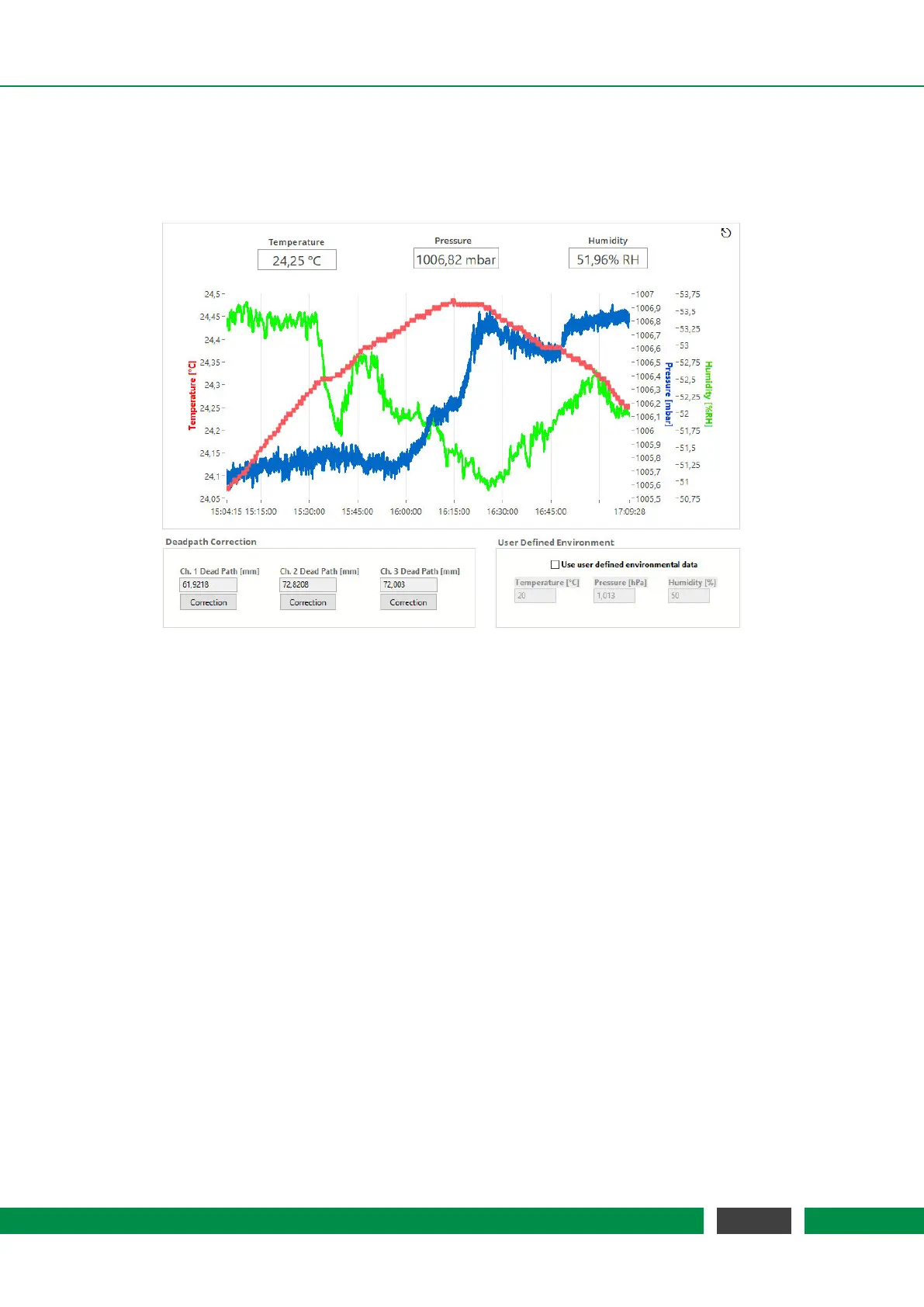
Figure 7.24: Environmental Monitor.
The Environmental Monitor displays the temperature, humidity and pressure. When an environ-
mental module is connected to the
PICOSCALE and the GUI subscribes to the corresponding
event, temperature, humidity and pressure are recorded automatically. The influence on the mea-
surement can be corrected using the Deadpath Correction for the individual channels.
In the center of the display you find the environmental values plotted over time. Above the plot
the current values are shown. The environmental module records data with approximately one
Hertz sampling frequency and each plot can hold 24 hours of measurement data.
On the lower left hand side, the Dead Path Correction can be activated. During adjustment the
PICOSCALE roughly determines the absolute distance between target mirror and sensor head
and automatically determines the current dead path. The Channel Dead Path [mm] panels show
the dead paths (in millimeters) of the active channels.
Only when the dead path correction is enabled, variations of the refractive index are taken into
account and used for correction of position data. The dead paths can also be updated manually
when you enter a new value and enable the dead path correction for the specified channel.
When user defined environmental parameters are inserted on the lower right side of the window
a new adjustment described in chapter 7.2 will be necessary if you want to switch back to standard
dead path correction. For further details on dead path correction, please refer to section 3.4.
76
PicoScale User Manual



 To Next Page