5 PICOSCALE HARDWARE
5.3 Breakout-Box
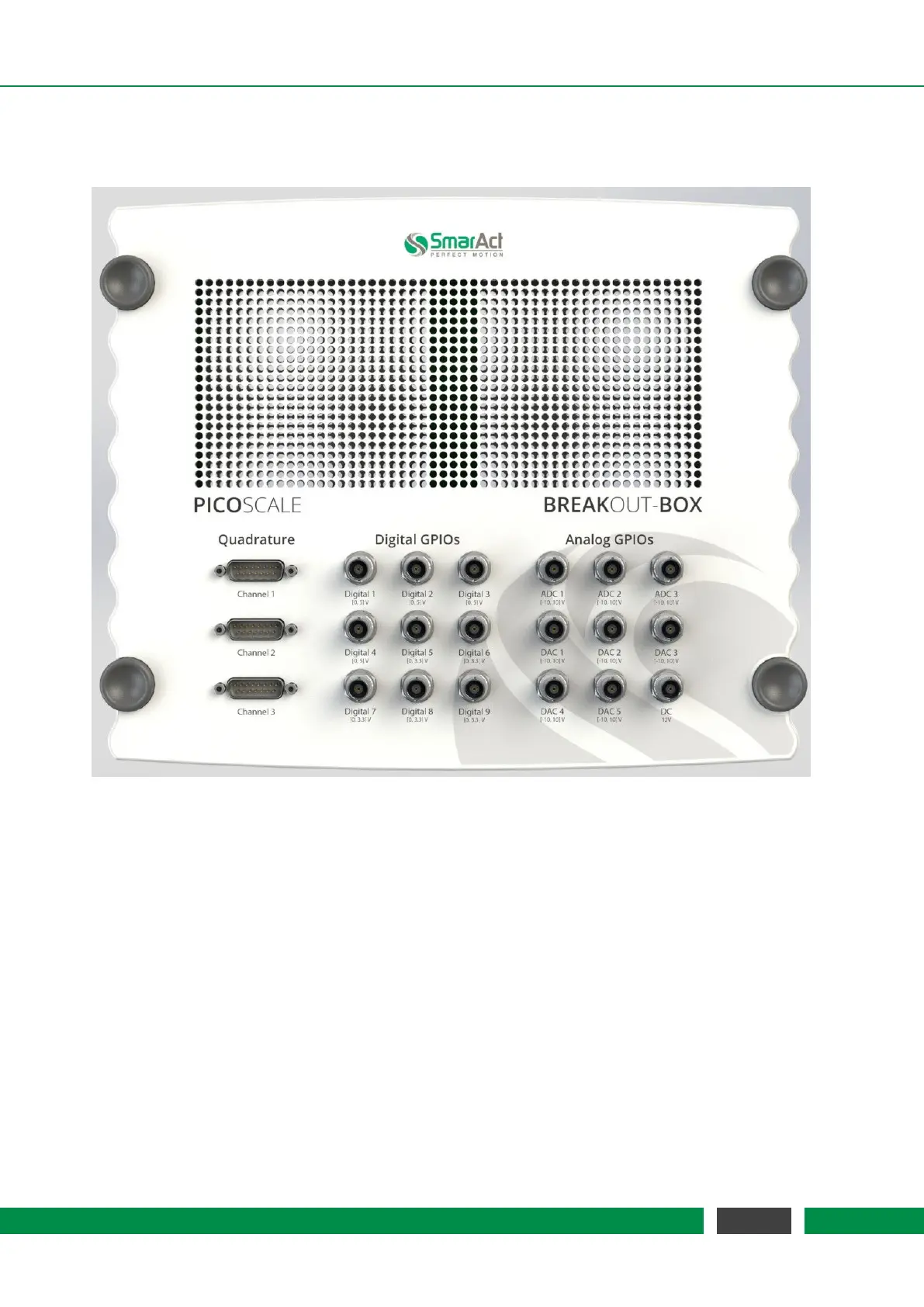
Figure 5.3: Breakout-Box connectors overview.
The
PICOSCALE Breakout-Box (BOB) provides simple and convenient access to the great variety of
signals at the DSub 44HD connector. The chassis of the Breakout-Box is the same as the chassis of
the
PICOSCALE Controller and BOB can be stacked on top of a PICOSCALE Controller. Ventilation
holes of the
PICOSCALE Controller are passed on to the Breakout-Box, so that heated air can
disappear freely. Do not cover the holes to prevent overheating of the
PICOSCALE Controller!
The connectors on the top of the Breakout-Box are placed in three groups. AquadB outputs are
placed on the left hand side, digital GPIOs can be found in the center and analog GPIO pins are on
the right hand side (see figure 5.3). Analog and digital GPIOs can be connected via BNC connectors
while the AquadB signals are mapped to DSub 15 connectors.
35
PicoScale User Manual



 To Next Page