7 PICOSCALE CONTROL GUI
7.3.1 Trigger Source configuration
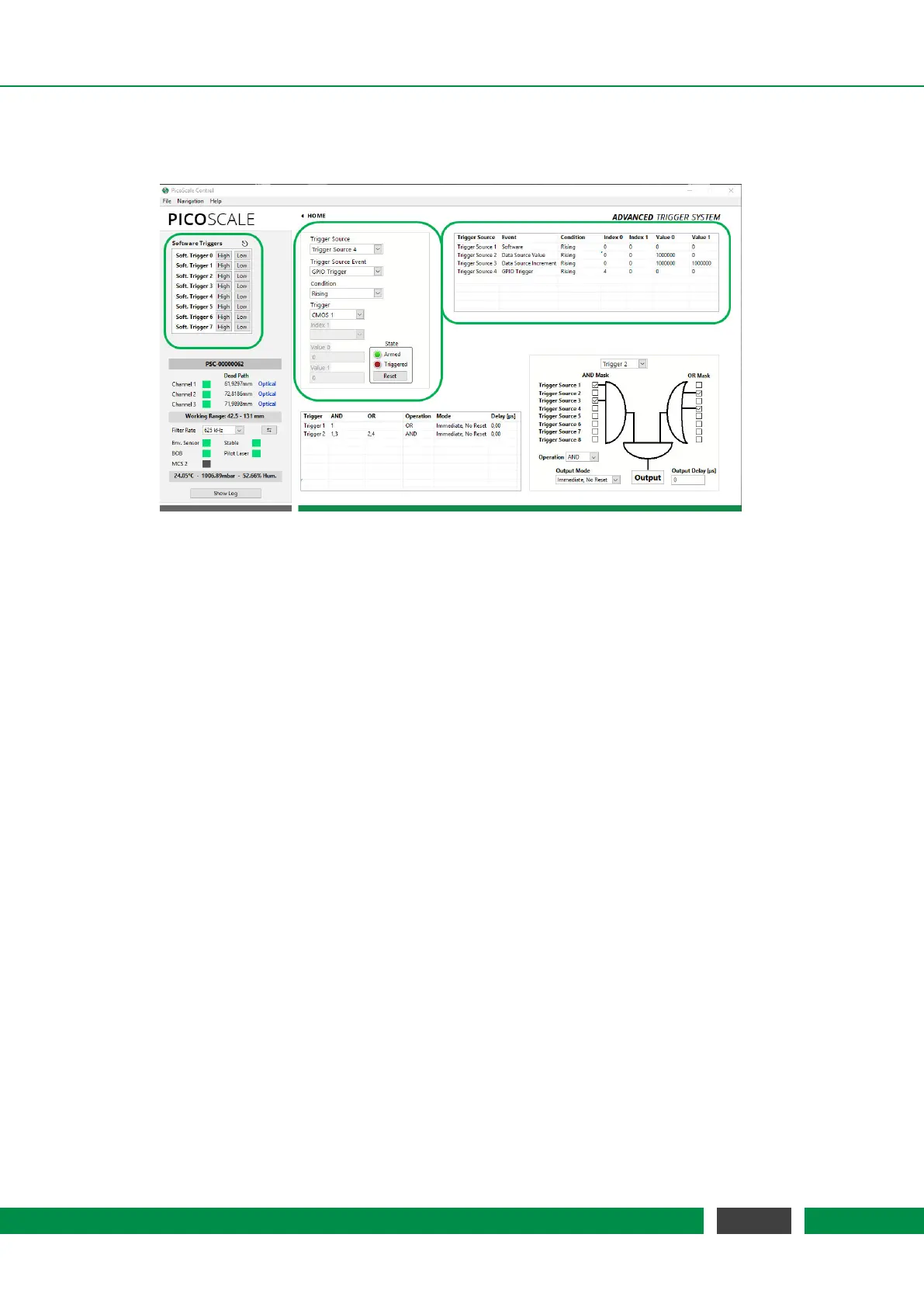
Figure 7.8: Trigger Source Configuration; highlighted by green boxes
A trigger source is a basic component in the FPGA, which may be configured to listen to specific
events and react in a specific way. The configuration of a trigger source can be controlled within
the Advanced Trigger System panel. This enables access to specific properties, which are explained
in detail in the Programmer’s Guide. The table on the right part of figure 7.8 presents the values
of the corresponding trigger source configuration properties, thus, providing an overview of all
enabled trigger sources.
In the center of figure 7.8 you can select one of the eight available trigger sources. You can then
select the desired trigger source Event. This is the signal to which the trigger source listens to. The
meaning of the other fields depends on the chosen Event. The GUI disables unnecessary fields
and updates the names of the controls.
Trigger Event None
The first Event is None. This event disables a trigger source and its output will remain in the logical
LOW state. All other register fields are not used and have no meaning.
Trigger Event
Software
The Software event performs a state change of the trigger source when a software event is re-
ceived. To generate a software event, the API offers a special trigger source property Software
Trigger, which can be addressed using the Property Dialog (see section 7.9). For this event, the
Index 0 register holds the Software Trigger ID, a number that is compared to the trigger ID given
by the software event. On a match the trigger source switches to the state given by the property
value.
56
PicoScale User Manual



 To Next Page