7 PICOSCALE CONTROL GUI
Trigger Reset
The two LEDs indicate the State of the trigger source. As explained above, the trigger source re-
mains HIGH when the selected condition is Rising, Falling or Either until it is reset. This means that
the trigger source is inactive and ignores further input changes. In this case the State LEDs show
Triggered. If the trigger source is ready and active, the LEDs show Armed.
If the trigger source is in the (inactive) Triggered state, the button Reset switches the trigger source
to logically LOW and activates the trigger again. The State LEDs will switch to Armed.
7.3.2 Trigger configuration
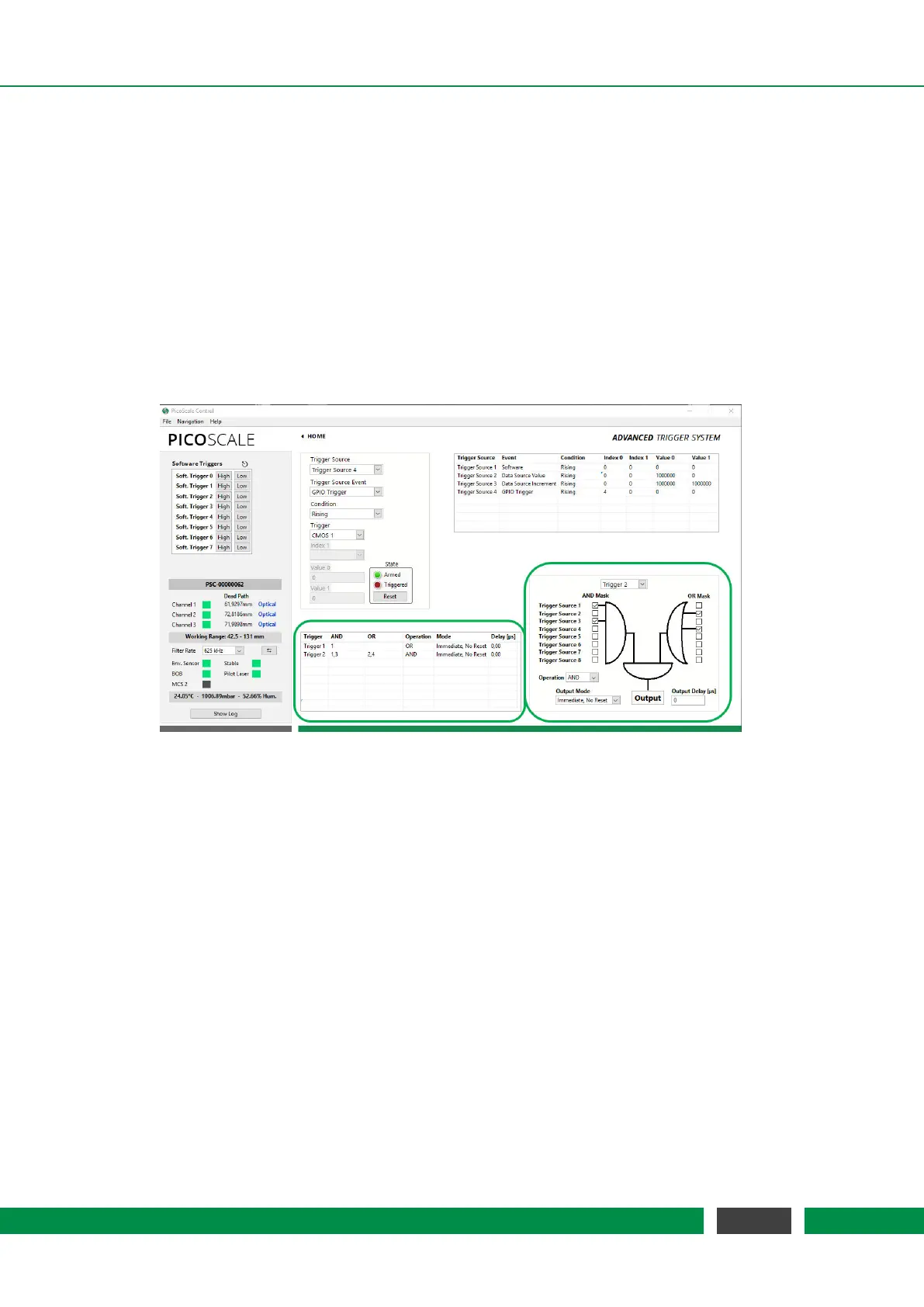
Figure 7.11: Trigger Configuration; highlighted by green boxes
Triggers logically combine the outputs of one or more trigger sources to generate an actual trigger
output signal. Each trigger has a set of registers, like AND Mask, OR Mask, Logic Operation, as well
as Output Mode and Output Delay. The PICOSCALE GUI allows to configure these registers. The
Trigger Index drop-down menu in the lower right corner of figure 7.11 allows to select a trigger.
For the trigger configuration, an AND Mask and an OR Mask are available, where you can combine
all trigger sources with logical ANDs or ORs, respectively. The outputs of these two masks are
logically connected by another Logic Operation, to form the trigger output signal. The following
Logic Operations are available:
• Disabled Deactivates the selected trigger. The GUI automatically removes the trigger from
the Active Trigger Configuration tabular.
• OR: The output becomes LOW if both inputs are LOW. In all other cases, the output is HIGH.
• NOR or NOT OR The output becomes HIGH if both inputs are LOW. In all other cases, the
output is LOW.
• AND The output becomes HIGH if both inputs are HIGH. In all other cases, the output is LOW.
60
PicoScale User Manual



 To Next Page