7 PICOSCALE CONTROL GUI
7.5 Modules
The
PICOSCALE modules add much more versatility to your applications. These modules are the
Clock Generator module, the Arbitrary Signal Generator module, the Calculation System module and
the Counter module.
7.5.1 Clock Generator
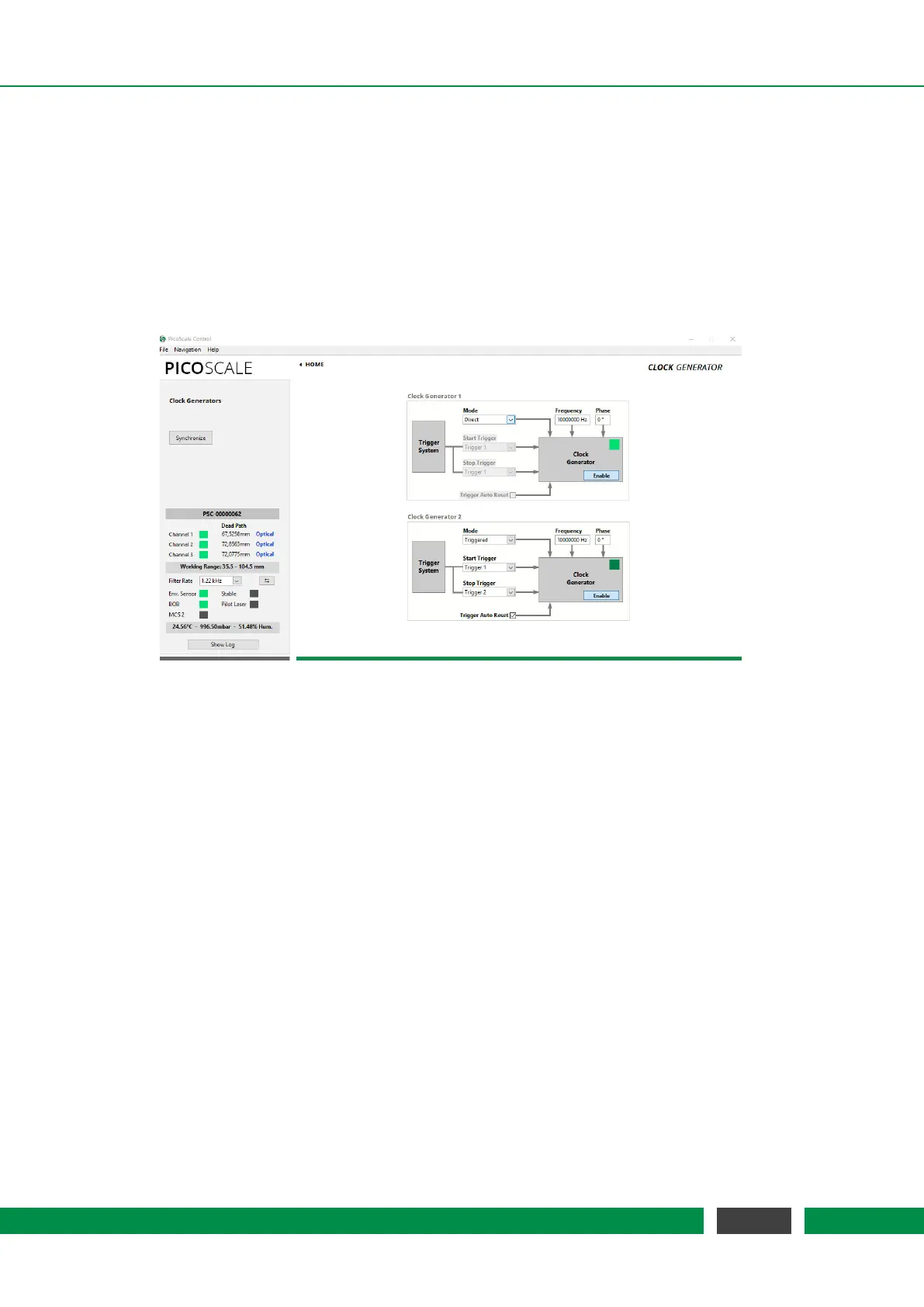
Figure 7.16: Configuration Menu of the Clock Generators.
The
PICOSCALE offers two digital clock generators, which can output frequencies from 1 Hz to
10 MHz. A clock generator can be used to simply output a clock via one of the GPIO pins, or it
can be used inside the advanced trigger system to synchronize internal data sources with external
processes, for example. In these applications, the
PICOSCALE generates the master clock.
All clock generators are derived from the same master clock and can thus be synchronized. As
depicted in figure 7.16, each clock generator can be configured by a Frequency and a Phase Shift.
Enabling of each clock generator is done by the Enable button in the center of the each Clock Gen-
erator. Both generators can be synchronized to each other with a defined phase shift by clicking
the Synchronize button on the left side of the window.
Continuous output of a configured clock is realized in the Direct mode of the clock generator.
However, when you want to control external devices by the PICOSCALE or vice versa, it is helpful
to start and/or stop the clock generators once appropriate trigger conditions are given. For this,
the Mode of the clock generator must be set to Triggered and the the corresponding start and stop
trigger indices defined (cf. figure 7.16). The start and stop triggers are selected in the two drop-
down menus on the left side of each clock generator configuration panel. The triggers can be
configured in the respective menu of the Advanced Trigger panel. If the Auto Reset Mode is enabled,
the clock generator will listen for another start trigger after receiving a stop trigger. Otherwise the
clock generator can only be restarted by disabling and enabling it again manually. The auto reset
mode has no meaning in the direct clock generator mode.
67
PicoScale User Manual



 To Next Page