7 PICOSCALE CONTROL GUI
7.4.3 DAC interface configuration
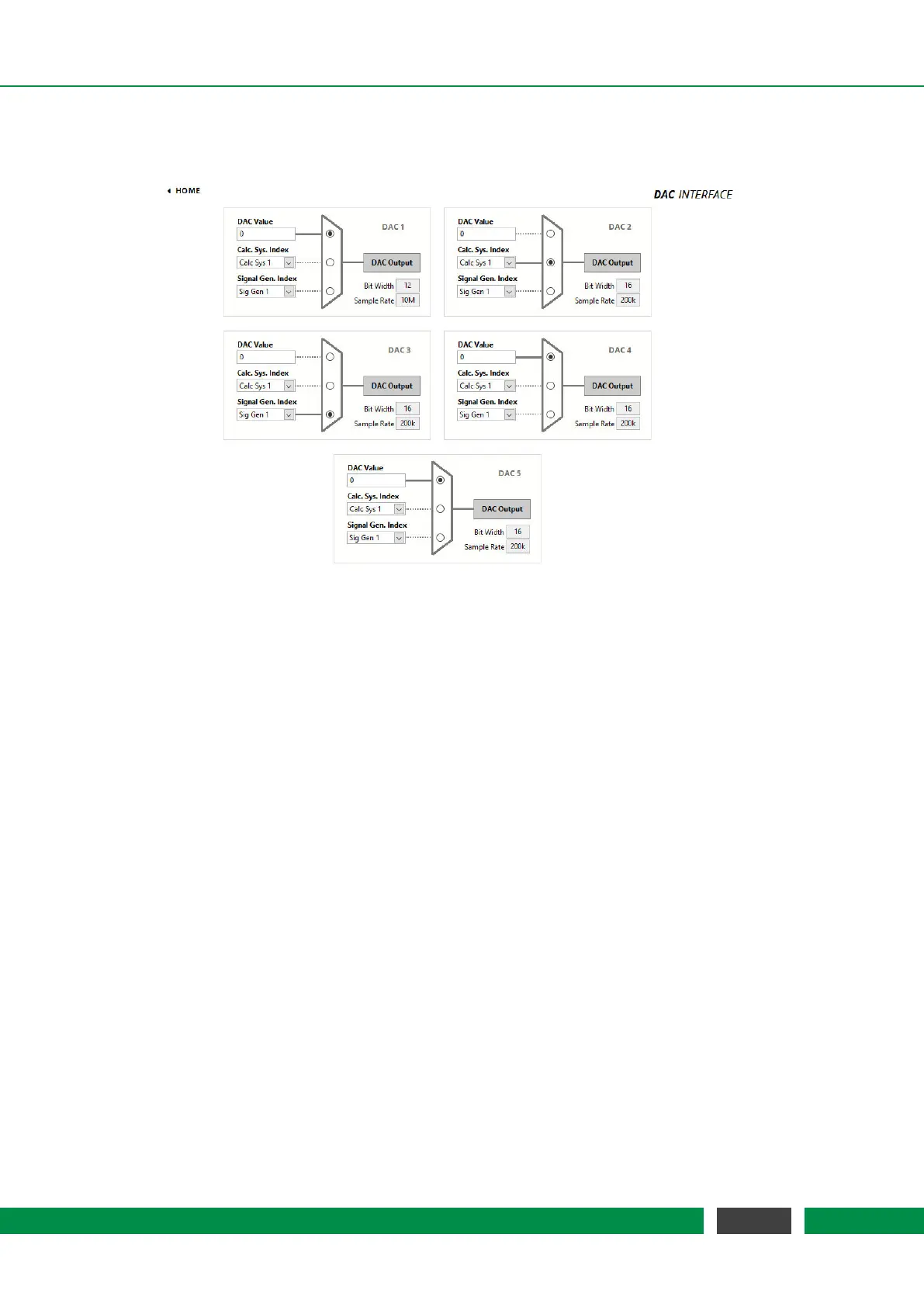
Figure 7.15: Configuration Menu of the DAC Interface.
The PICOSCALE offers five DAC outputs that can be configured in the DAC Interface panel. DAC
1 is a fast 10 MHz output channel with 12 bit resolution, DAC 2–5 have 16 bit resolution but their
sample rate is limited to 200 kHz. The corresponding bit widths and sample rates are displayed in
the bottom right corner of each configuration panel.
Each DAC interface can be controlled by one of the following options, that can be selected via the
switch next to the drop-down menus:
• DAC Value A constant output with the specified value is generated. The range is [-1,1]
(float64) corresponding to a ±10 Volt output.
• Calc Sys Index Select The result of the specified calculation system is mapped to the DAC.
• Sig Gen Index Select The signal generator with the specified index is mapped to the DAC.
66
PicoScale User Manual



 To Next Page