7 PICOSCALE CONTROL GUI
7.5.4 Counter
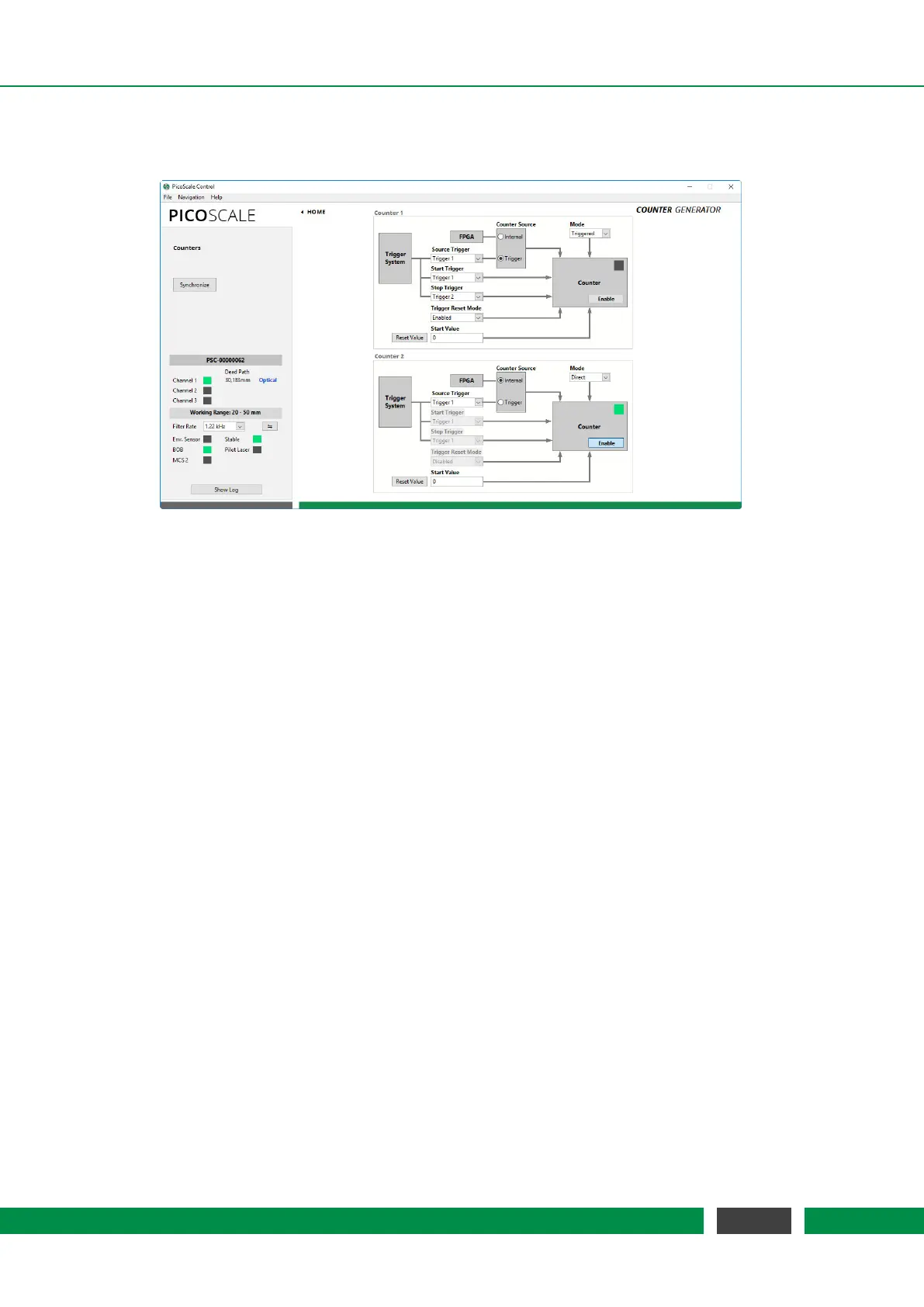
Figure 7.19: Configuration Menu of the Counters.
The
PICOSCALE offers two Counters that may be used as a timer (counting FPGA clock cycles) or
as an event counter of trigger events, see fig. 7.19. The counter trigger index can be set to one of
the eight trigger indices that can be configured within the Advanced Trigger module. If the Counter
Mode is set to Direct, the Counter simply counts when it is activated by the Enable CNT button in
the Counter Control panel. The Synchronize button in the upper left of the window enables both
counters simultaneously.
In the Triggered counter mode the counting starts in case of a Start Trigger event and stops in case
of a Stop Trigger event. Both can be selected on the left hand side of the configuration panel. In
the selection of the Trigger Reset Mode, there are three options:
• Disabled Counting starts at the pre-defined Start Value at a Start Trigger event and stops at
a Stop Trigger event. Restart of the counter can only be done by disabling and enabling the
counter.
• Enabled Counting starts at the pre-defined Start Value at a Start Trigger event and stops at a
Stop Trigger event. Another Start Trigger event, starts counting again from the counter value
stored from the preceding counting period.
• Reset Value Counting starts at the predefined Start Value at a Start Trigger event and stops
at a Stop Trigger event. Another Start Trigger event, starts the counting again from the Start
Value, thus resets the preceding value.
The LED in the Counter panel indicates if a counter is currently running (LED green), off (LED off) or
armed (LED yellow). An armed counter means that the counter is waiting for a start trigger event.
The Reset Value button resets the counter to the corresponding start value.
70
PicoScale User Manual



 To Next Page