7 PICOSCALE CONTROL GUI
7.2 Adjustment
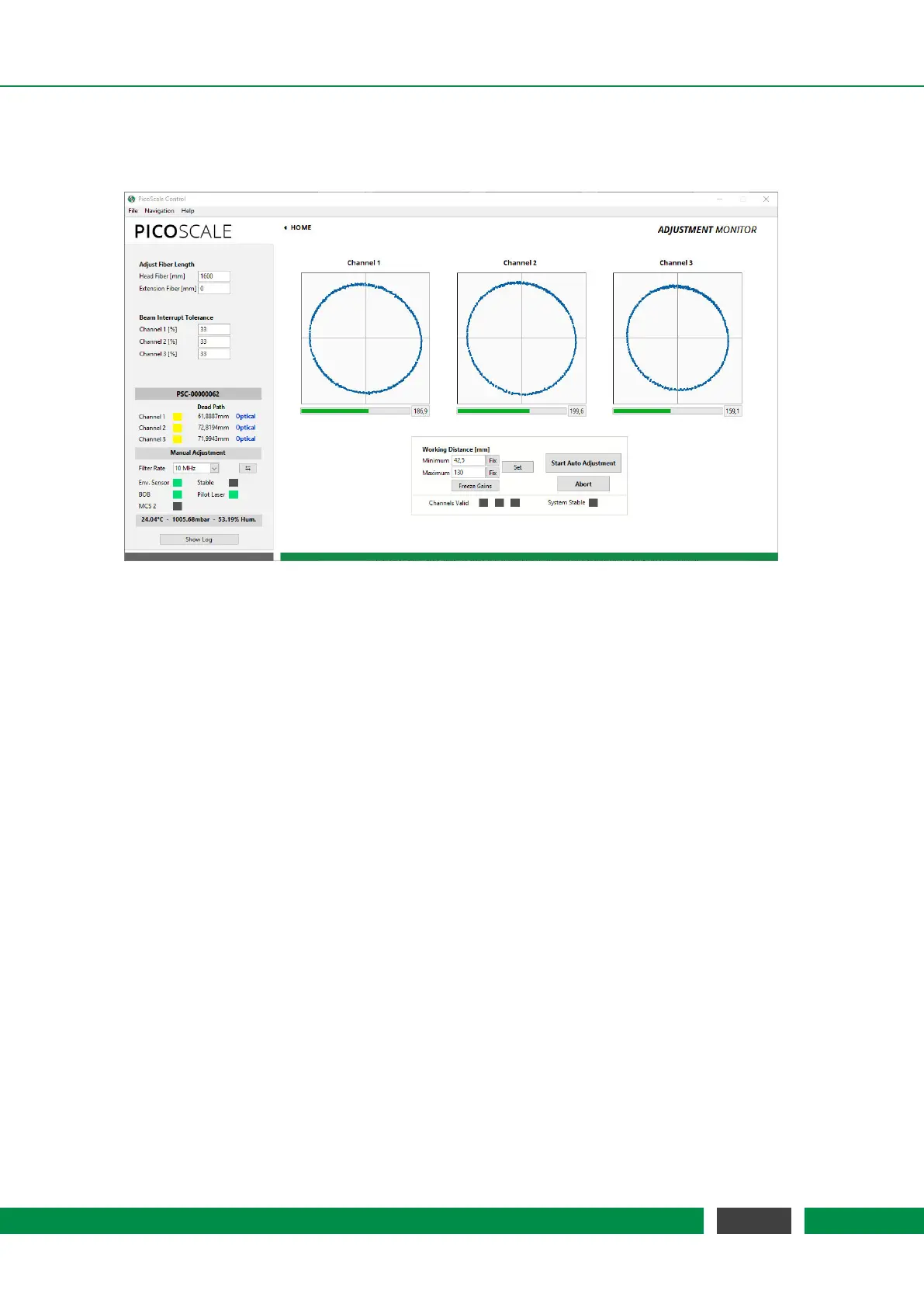
Figure 7.5: PICOSCALE Adjustment Panel.
The three input channels of the PICOSCALE can be configured in the Adjustment Monitor. The goal
of the adjustment is to align the interferometer heads in front of the target mirrors and optimize
the signal quality. Furthermore, internal subsystems of the PICOSCALE device are optimized
to achieve highest possible resolution and accuracy of position measurements. Note that a full-
access connection has to be established to perform the adjustment procedure. Each channel can
be enabled and disabled with the corresponding check box below the graphs before the manual
adjustment is started. With the drop-down menu besides each check box the connected head type
can be configured. The head type is written on the housing of each head and in the corresponding
data sheet. For older heads, please use the standard head type C01.
On the upper left side of the GUI in figure 7.5 the fiber length can be changed. A standard sensor
head is delivered with a fiber length of about 1600 mm. If additional extension fibers are used
the length should be inserted in the field Extension fiber [mm]. Furthermore, the beam interrupt
tolerance can be set: The PICOSCALE generates so-called beam interrupt events when the signal
quality drops below a certain threshold. The
PICOSCALE can be made more tolerant to these
events by increasing the value of the beam interrupt tolerance (default: 33%). A value of 100%
means that no beam interrupt events are produced any more.
Channel enabling/disabling and configuration of the head type must be done before the adjust-
ment process is initiated, the beam interrupt tolerance can be set at any point.
The manual adjustment procedure is started by clicking on the Start Manual Adjustment button.
Figure 7.5 shows the Adjustment Monitor with one Lissajous graph for each channel after the man-
ual adjustment is started. Enter the expected working range (which influences the modulation
amplitude) and confirm it by clicking Set. The more precise you enter the expected working range,
the higher the accuracy of your measurement will be.
53
PicoScale User Manual



 To Next Page