7 PICOSCALE CONTROL GUI
Trigger Event Data Source Value
The Data Source Value event performs a state change of the trigger source output when a data
source value passes a certain threshold or enters a certain range. Please note that not all data
sources are available. The possible data sources are restricted to position, Calculation System
outputs, ADCs and counters. The Condition menu allows to define how the selected data source
value and the configured threshold(s) are evaluated. The following conditions are available which
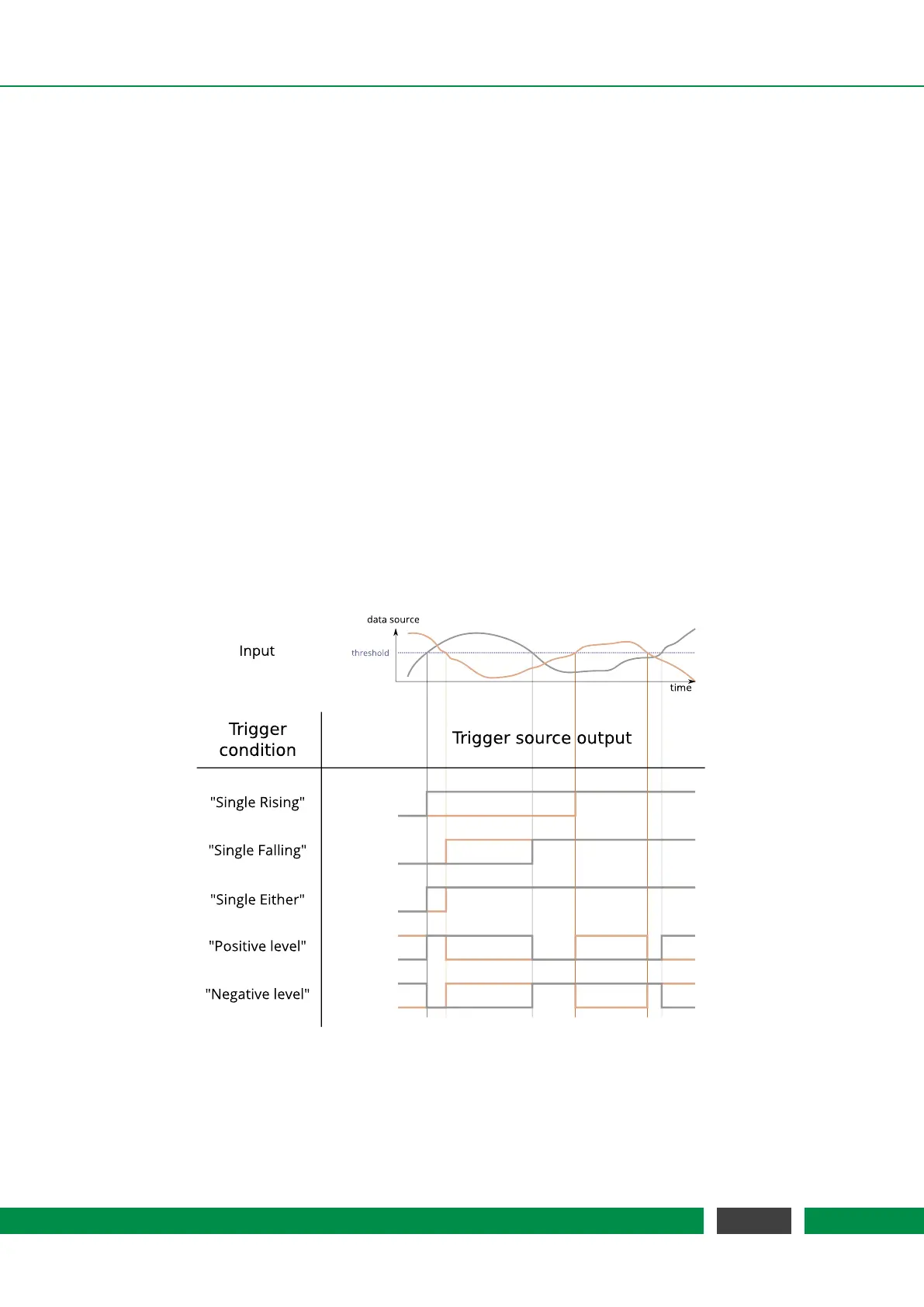
are illustrated in figure 7.9 and 7.10:
• Single Rising/Single Falling: The trigger source output is HIGH when the selected data source
value passes the Threshold from below/above. Once the trigger source is in a logically high
state, it stays high until reset.
• Single Either: The trigger source output is HIGH when the selected data source value passes
the Threshold from below or above. Once the trigger source is in a logically high state, it stays
high until reset.
• Positive/Negative Level: The trigger source is HIGH when the data source value is above the
Threshold and is LOW when the data source value is below the Threshold. For the negative
level it is vice versa.
• Positive/Negative Range: The trigger source is HIGH when the data source value is inside the
range defined by the Lower and Upper Threshold and LOW otherwise. For the negative range
it is high when the data source value is outside the specified range.
Figure 7.9: Summary of trigger conditions. Two traces of a data source are shown (position, for
example) with a user defined threshold. The trigger conditions single rising, single falling,
single either, positive level and negative level are illustrated.
57
PicoScale User Manual



 To Next Page