7 PICOSCALE CONTROL GUI
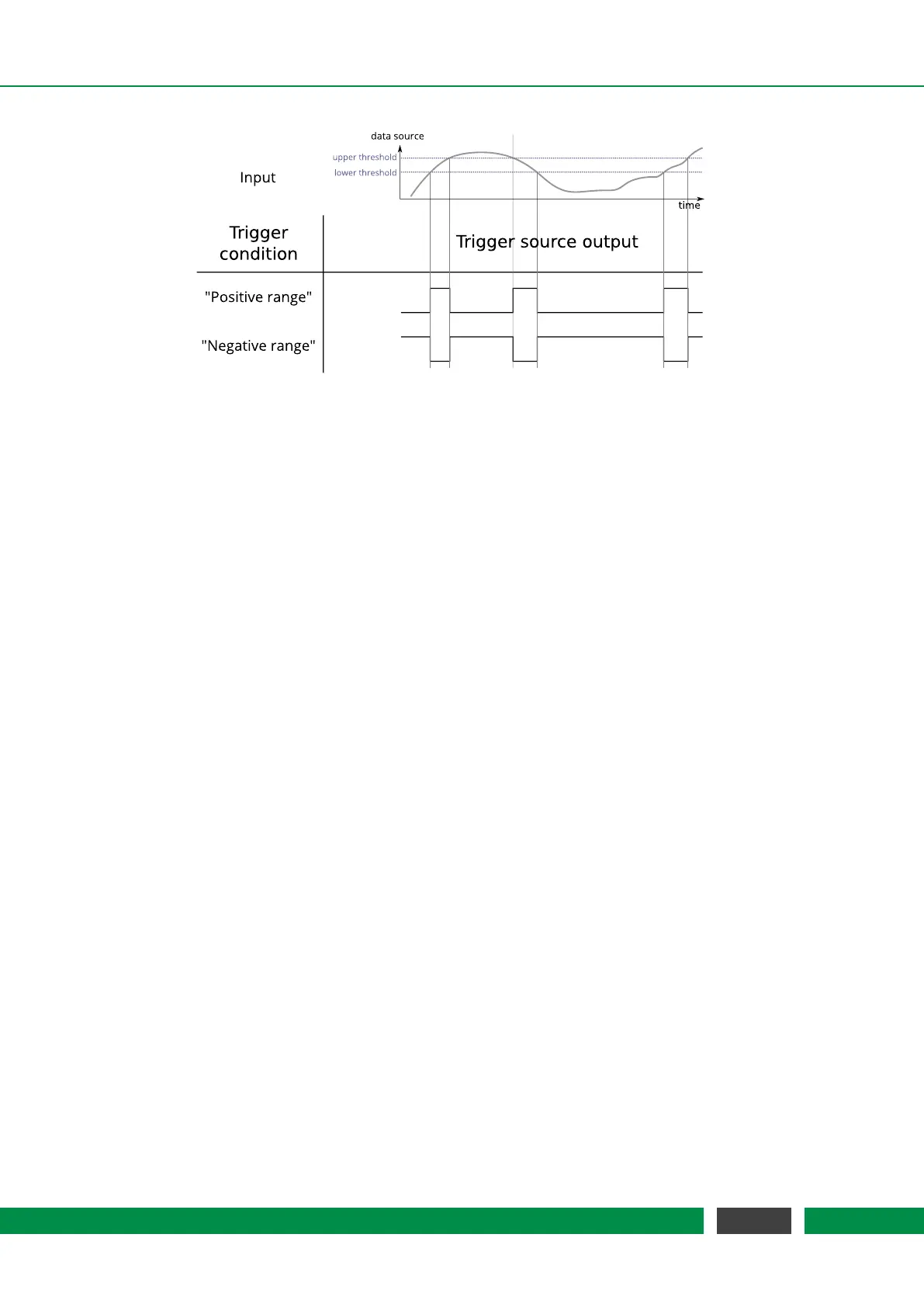
Figure 7.10: Summary of trigger conditions. The trigger conditions positive range and negative range
are illustrated, which both require an upper and lower threshold to define the appro-
priate range.
The next field Data Source allows for selecting the desired data source. With the last two fields the
Thresholds for the selected condition can be defined.
Trigger Event
Data Source Increment
The Data Source Increment event generates positive pulses (a state change from LOW to HIGH
and back again) on the trigger source output whenever a certain increment of a data source value
is detected. A start Threshold can be defined and after the data source passes this value, the
threshold register is incremented by the defined Increment value. Please note, that not all data
sources are available. The Condition menu allows to define how the selected data source value and
the configured threshold/increment tuple are compared to each other. The following conditions
are available:
• Single Rising/Single Falling: A pulse is generated when the selected data source value passes
the Threshold from below/above. When this happens the Threshold is incremented or decre-
mented by the Increment value.
The next two fields, Channel and Source, allow for selecting the desired data source. Finally, you
can define the start Threshold and the Increment.
Trigger Event
GPIO Trigger
The GPIO Trigger event listens to a specific GPIO input pin. To use a GPIO pin as trigger input
signal, the corresponding pin has to be defined as input, cf. section 7.4. The Condition menu
allows to define how the trigger source reacts on the selected input pin. The following conditions
are available:
• Single Rising/Single Falling: The trigger source output is HIGH when a rising/falling edge is
detected on the selected input pin. Once the trigger source is in a logically high state, it stays
high until reset.
58
PicoScale User Manual



 To Next Page