109
D335 User Manual Appendix 1
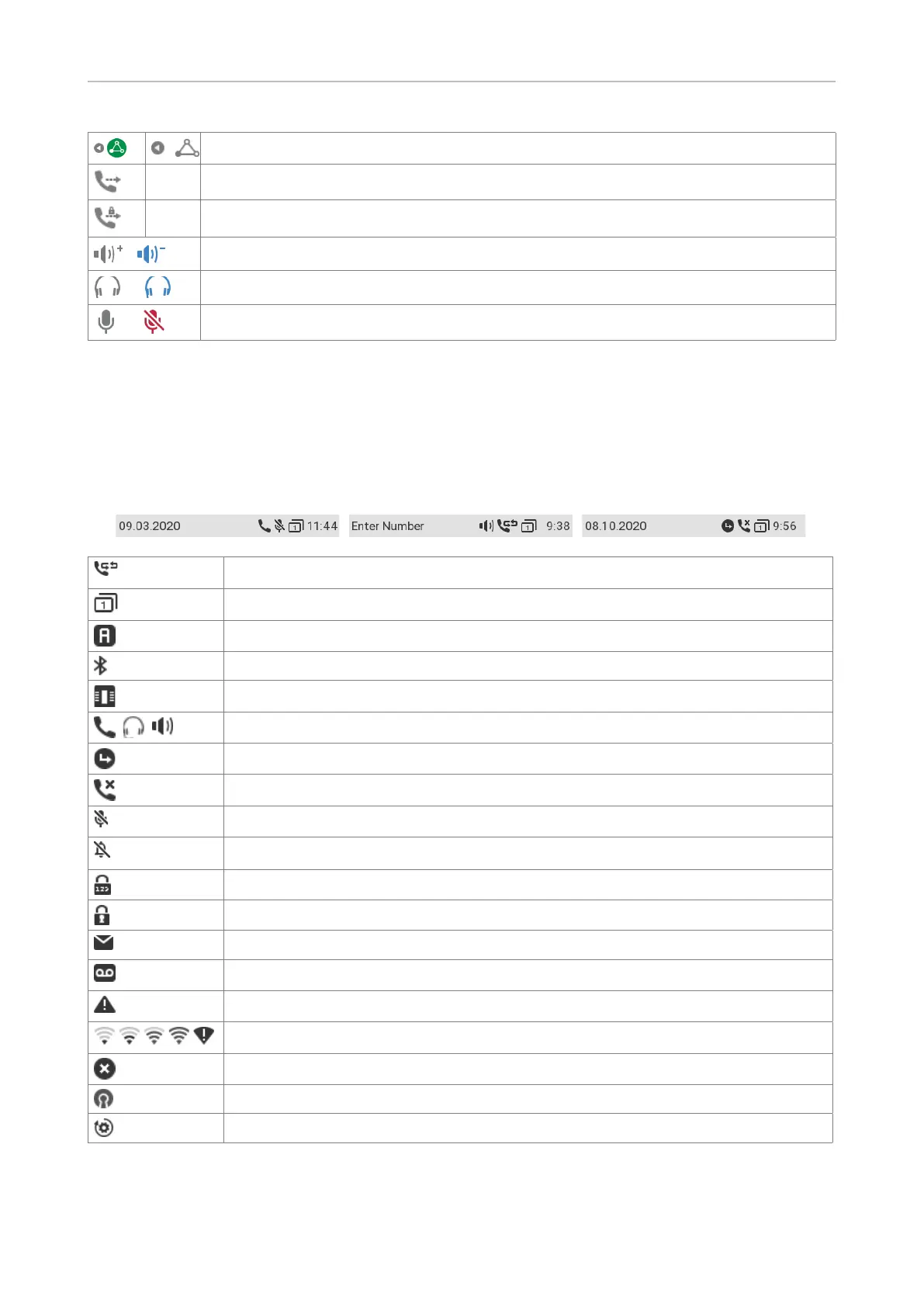
Navigate left (back) to view one of the conference participants
Transfer call
Transfer call safely
/
Casing speaker (inactive / active)
/
Headset (inactive / active)
/
Microphone (active / muted)
Symbols found in the info bar/status line
The icons in the info bar/status line at the top of the display screen contain information on the current
status of the phone, e.g., which page of the SmartLabels is on-screen, which audio device is being
used for the current call, whether call forwarding is activated, etc.
Call completion active
SmartLabel page (1–4) on-screen
Anonymous mode
Bluetooth mode
Expansion module connected
Handset / headset / speakerphone is the active audio device.
Call forwarding active
Missed call
Microphone muted
Keypad locked
SRTP
Message available
Voicemail active
Warning
WLAN 025, WLAN 050, WLAN 075, WLAN 100, WLAN error
Error
VPN active
Provisioning



 To Next Page