73
D335 User Manual Conguring the Function Keys
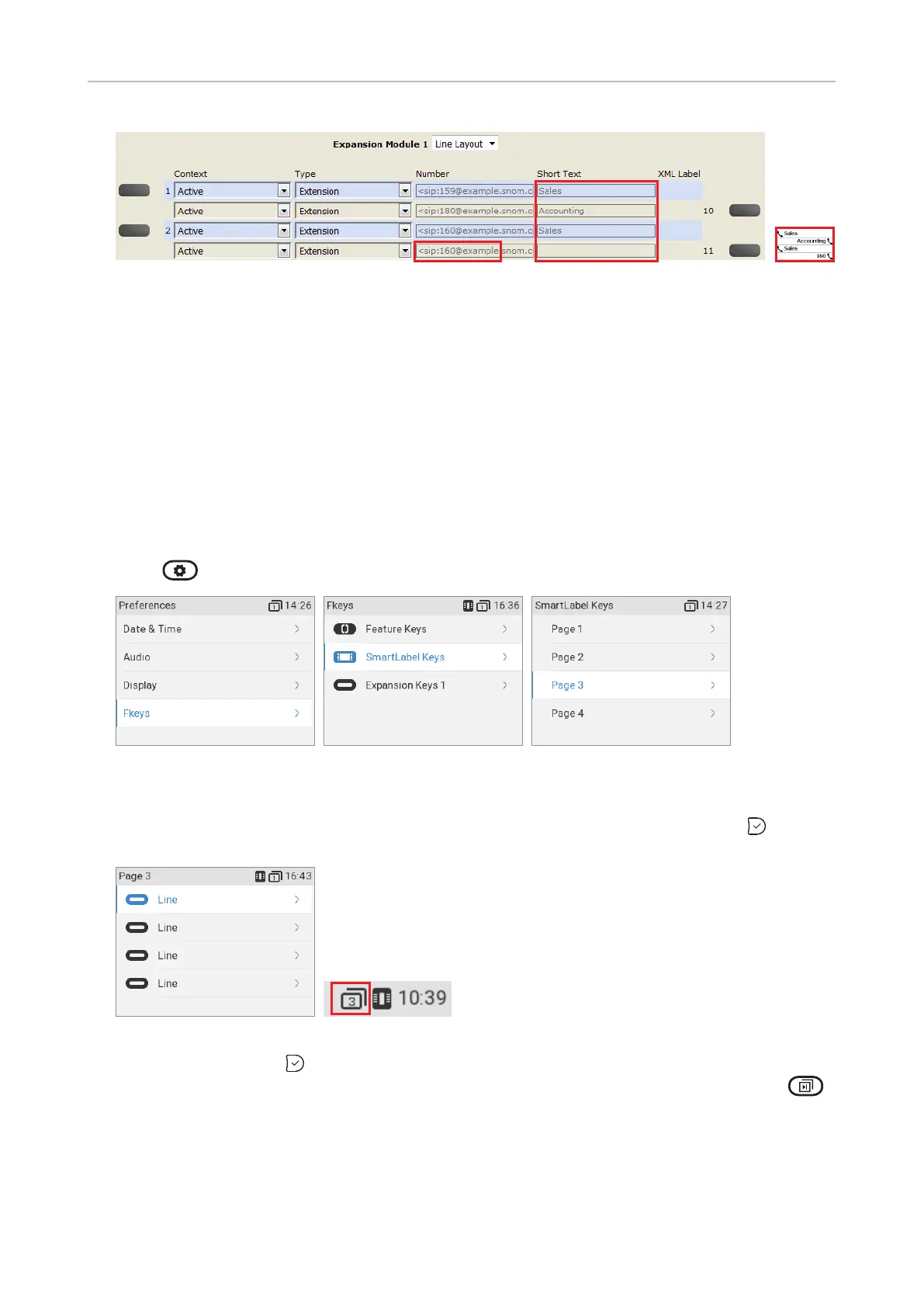
Fig. 7 - Function keys of connected D7 expansion module
Programming the function keys
The freely programmable function keys on the phone and on all connected expansion modules can
be mapped on the phone and on the phone's web interface. We recommend using the web interface
which is faster and more comfortable.
Function key settings on the phone
On the phone, a limited number of functionalities is available.
1. Press > > Preferences > Fkeys (Fig. 2).
Fig. 1 Fig. 2 Fig. 3
2. Select SmartLabel Keys.
3. Select Page 1, 2, 3, or 4, respectively, by scrolling to the respective page and pressing (Fig. 3).
Fig. 4 Fig. 5
4. Select a key and press to open the Key 17 Function
to page).



 To Next Page